
Plugin
Updated
Multi Form Data Storage
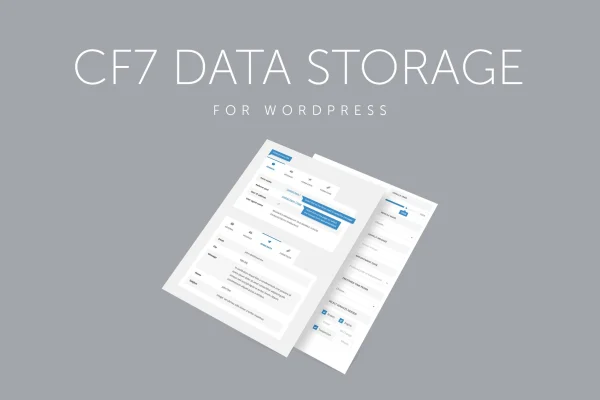
Multi Form Data Storage is a WordPress plugin that keeps a copy of every form submission in your site's database. It works with Contact Form 7, Caldera Forms and Fast Secure Contact Form, so entries stay on your site even if a notification email never arrives.
- Version
- 1.1
- Released
- May 2, 2023
- Type
- WordPress plugin
- Requires
- Contact Form 7
- Licence
- GPL
- Included in
- Every plan, or $3.99 on its own
What’s new in Multi Form Data Storage 1.1
Version 1.1 · May 2, 2023
Latest
What it does
Most contact form plugins send submissions by email and keep nothing on the site itself. If a message lands in spam or fails to send, that inquiry is gone. This plugin closes that gap by saving each entry to your WordPress database as it comes in. Customer questions, quote requests and newsletter sign-ups all end up in one place you control, with a full record you can return to later.
The plugin uses native WordPress database tables and standard functions, which keeps stored data easy to move. You can view, filter and manage entries from the WordPress dashboard, then export or import them between WordPress sites. Each record includes the form name, the page URL where it was submitted, the submission date, the IP address and every form field. Contact Form 7 is required, and Caldera Forms and Fast Secure Contact Form are also supported.
Best for
- Businesses collecting leads through Contact Form 7
- Sites with forms built in Caldera Forms or Fast Secure Contact Form
- Agencies managing form entries across client sites
Features
Database storage for submissions
Every form entry is saved locally in your WordPress database, so you keep a record even when email delivery fails or messages get lost.
Works with several form plugins
Supports Contact Form 7, Caldera Forms and Fast Secure Contact Form, letting you keep using the form builder you already have.
Dashboard entry management
View, filter and manage stored form entries directly from the WordPress dashboard without digging through an inbox.
Export and import data
Move stored submissions between WordPress sites, using native database tables and standard WordPress functions to keep transfers straightforward.
Detailed submission records
Each entry stores the form name, the page URL it came from, the submission date, the visitor's IP address and all form fields.
Responsive admin interface
The interface is responsive and retina-ready, so entries display cleanly on different devices and screen resolutions.
Questions about Multi Form Data Storage
Do I need Contact Form 7 to use this plugin?
Yes, Contact Form 7 is listed as a requirement. The plugin also works with Caldera Forms and Fast Secure Contact Form, so it can store entries from those form builders too.
What information gets saved with each submission?
Each stored entry includes the form name, the page URL where the form was submitted, the submission date, the IP address and every field the visitor filled in. That gives you a full record of each form interaction.
Can I move stored entries to another WordPress site?
Yes. The plugin offers export and import functionality, and because it relies on native WordPress database tables and standard functions, transferring stored data between WordPress sites is straightforward.
Where do I view the saved form entries?
Entries appear in your WordPress dashboard, where you can view, filter and manage them. This saves you from searching through email to find a past inquiry or sign-up.
Is Multi Form Data Storage free?
The code of Multi Form Data Storage is licensed under the GPL, so anyone may use, change and share it. GPL Feast is a paid service: a plan or a single purchase gives you the download and automatic updates. The developer's own support, licence key and online services are not included.
Which version of Multi Form Data Storage is this?
Version 1.1, released May 2, 2023. New versions appear here when the developer publishes them, and members get them as automatic updates.
How do I update Multi Form Data Storage?
Install the free GPL Feast Updater on your site and connect it with your API key. It installs new versions of Multi Form Data Storage automatically and keeps a backup, so you can roll back.
What does Multi Form Data Storage need?
Multi Form Data Storage needs Contact Form 7 installed and active.
You might also like






