
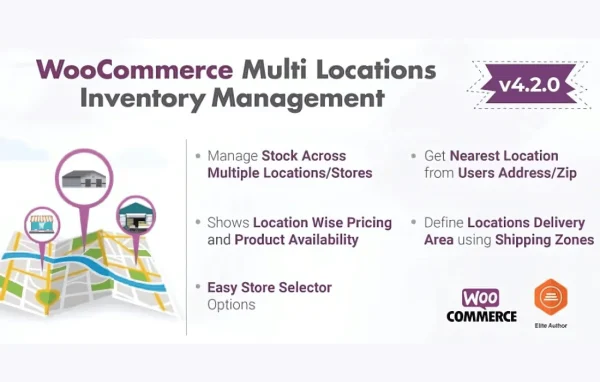
Plugin
Updated
Multi Locations Inventory Management
Multi Locations Inventory Management by Techspawn Solutions is a WooCommerce plugin for stores that hold stock in more than one place. It brings warehouse and retail outlet inventory into one dashboard, routes orders to a suitable location and keeps stock counts in sync.
- Version
- 4.2.15
- Released
- Jun 5, 2026
- Developer
- Techspawn Solutions
- Type
- WordPress plugin
- Requires
- WooCommerce
- Licence
- GPL
- Included in
- Every plan, or $6.39 on its own
What’s new in Multi Locations Inventory Management 4.2.9
Version 4.2.9
Latest
- ImprovedCompatibility with all shipping plugins of WordPress and WooCommerce flow.
- FixedFlatsome fixes for locations.
- FixedStock updation of locations.
- FixedLocation linking with the products.
- FixedSet Specific Location for Guest User.
What it does
Running a WooCommerce store from several warehouses or shops makes stock hard to follow. A single stock number per product hides where items actually sit, which can lead to overselling in one place while another location has plenty. This plugin gives each location its own inventory and shows all of them together in a central dashboard, so you can see what is available and where at any moment.
Once your locations are set up and linked to products, the plugin assigns incoming orders to the nearest or most suitable location based on stock availability. You can move stock between sites with transfer requests and status tracking, set different prices per location when needed, and limit staff permissions to specific locations. Reports and an analytics dashboard break down inventory and sales by outlet, which helps with planning replenishment. It requires WooCommerce.
Best for
- WooCommerce stores shipping from several warehouses
- Retail chains selling online from multiple physical shops
- Businesses using separate fulfillment centers for orders
Features
Central multi-location tracking
Monitor stock levels across unlimited warehouses and retail stores from one dashboard, with each location keeping its own inventory count.
Automated order routing
Orders are assigned automatically to the nearest or most suitable location, based on which location has the product in stock.
Stock transfers between locations
Create transfer requests to move items from one location to another and follow each transfer through its status to keep stock balanced.
Real-time stock syncing
Stock quantities update across all locations as changes happen, which helps prevent selling products that are no longer available.
Location-based pricing
Set a different price for a product at each location when your outlets need to charge different amounts.
Per-location user roles
Give staff permissions tied to specific locations so you control who can manage inventory at each warehouse or store.
Reports and analytics
Generate reports on inventory and sales by outlet, and use visual metrics to forecast demand and plan stock levels.
Multi Locations Inventory Management older versions
- 4.2.14Feb 12
- 4.2.13Dec 23, 2025
- 4.2.12Nov 4, 2025
- 4.2.11Oct 15, 2025
- 4.2.9Sep 20, 2025
- 4.2.8Sep 10, 2025
- 4.2.7Aug 18, 2025
- 4.2.5Aug 9, 2025
- 4.2.4Jun 8, 2025
- 4.2.2May 13, 2025
Members and buyers of this product can download older versions.
21 older versions in all. If you need one that is not listed, ask support.
Questions about Multi Locations Inventory Management
Can I set a different price for the same product at each location?
Yes. The plugin supports location-based pricing, so a product can carry a different price at each warehouse or store if you need it. Reports can also show sales and inventory performance for each outlet separately.
How does it decide which location fulfills an order?
Orders are routed automatically to the nearest or most suitable location based on stock availability. This means an order goes to a location that actually has the item, rather than one that has run out.
Can I limit staff to managing only their own store's stock?
Yes. User role management lets you assign permissions by location, so staff members can manage inventory only for the locations you allow. This keeps responsibility clear across teams at different sites.
Does it work with guest checkout?
The plugin includes handling for guest users, including setting a specific location for customers who check out without an account. It requires WooCommerce and links each location with the products it stocks.
Is Multi Locations Inventory Management free?
The code of Multi Locations Inventory Management is licensed under the GPL, so anyone may use, change and share it. GPL Feast is a paid service: a plan or a single purchase gives you the download and automatic updates. The developer's own support, licence key and online services are not included.
Which version of Multi Locations Inventory Management is this?
Version 4.2.15, released Jun 5, 2026. New versions appear here when the developer publishes them, and members get them as automatic updates.
How do I update Multi Locations Inventory Management?
Install the free GPL Feast Updater on your site and connect it with your API key. It installs new versions of Multi Locations Inventory Management automatically and keeps a backup, so you can roll back.
What does Multi Locations Inventory Management need?
Multi Locations Inventory Management needs WooCommerce installed and active.
You might also like






