
Plugin
Updated
Multimedia Playlist Slider - Visual Composer Addon
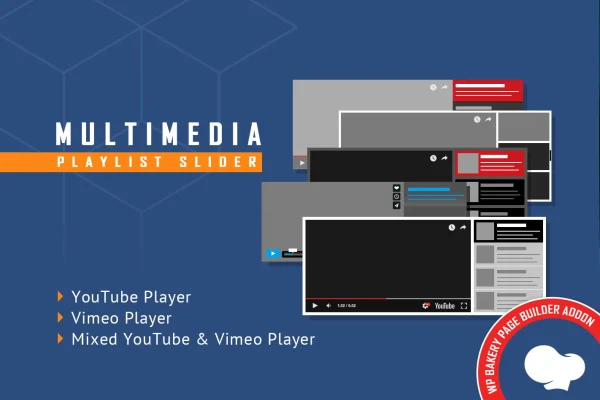
Multimedia Playlist Slider - Visual Composer Addon is a WordPress plugin that extends WPBakery Page Builder with a video playlist slider. You add YouTube and Vimeo videos by their IDs, and the addon presents them as an interactive playlist that you can style to match your site.
- Version
- 2.2
- Released
- Aug 25, 2026
- Type
- WordPress plugin
- Licence
- GPL
- Included in
- Every plan, or $3.99 on its own
What’s new in Multimedia Playlist Slider - Visual Composer Addon 2.2
Version 2.2 · Aug 25, 2026
Latest
What it does
Putting several videos on one page often means stacking embeds or building a custom gallery by hand. This addon gives WPBakery Page Builder users a single playlist slider element instead. You enter the video IDs for YouTube or Vimeo clips, and the slider plays them in one place. For YouTube videos, it pulls the thumbnails, titles and descriptions straight from YouTube, so you skip most of the manual typing and the playlist reflects what is on the video pages.
The slider works on phones, tablets and desktops, and you can switch off the responsive behavior if your site uses a fixed-width layout. Color settings let you build a palette that fits your branding. Because YouTube limits data requests, you can swap the default YouTube API key for your own free key. Layered PSD files are included for designers who want to rework the visuals. It suits marketing, education, entertainment and portfolio sites already built with WPBakery.
Best for
- WPBakery Page Builder sites that feature video content
- Educators and course sites grouping lesson videos
- Portfolio and marketing sites presenting YouTube or Vimeo clips
Features
YouTube and Vimeo playback
Play videos from YouTube and Vimeo inside the slider by entering each video ID, with no embed code to paste or manage.
Automatic YouTube metadata
Thumbnails, titles and descriptions are fetched from YouTube servers, so your playlist entries fill in without manual input for each video.
Custom color scheme
Adjustable styling parameters let you set your own color palette so the playlist slider matches your site branding and design.
Responsive layout
The slider adapts to mobile phones, tablets and desktop screens, keeping the playlist usable for visitors on any device size.
Option to disable responsiveness
Turn off the responsive behavior when you need to place the slider inside a non-responsive, fixed-width website layout.
Your own YouTube API key
Replace the default YouTube API key with your own free key to work within Google's data quota restrictions and keep video data flowing.
Built for WPBakery
Works as a WPBakery Page Builder addon, fitting into your existing page building workflow without any coding.
Layered PSD files
Layered PSD files come with the plugin, giving designers a starting point for customizing the slider's visual elements further.
Questions about Multimedia Playlist Slider - Visual Composer Addon
Which video platforms does this slider work with?
It plays videos from YouTube and Vimeo. You add each video by entering its ID. Automatic retrieval of thumbnails, titles and descriptions works with YouTube videos, pulling that information directly from YouTube servers.
Do I need WPBakery Page Builder to use it?
Yes. The plugin is built as an addon for WPBakery Page Builder, so it adds its playlist slider to that builder and fits into the page building workflow you already use there, with no coding required.
Why would I need my own YouTube API key?
Google places quota limits on YouTube data requests. The addon ships with a default key, but you can replace it with your own free key so the slider keeps fetching video thumbnails, titles and descriptions without hitting shared limits.
Will the slider work on a site that is not responsive?
Yes. The slider is responsive by default and adapts to phones, tablets and desktops, but there is an option to disable the responsive behavior so it fits into non-responsive website layouts.
Is Multimedia Playlist Slider - Visual Composer Addon free?
The code of Multimedia Playlist Slider - Visual Composer Addon is licensed under the GPL, so anyone may use, change and share it. GPL Feast is a paid service: a plan or a single purchase gives you the download and automatic updates. The developer's own support, licence key and online services are not included.
Which version of Multimedia Playlist Slider - Visual Composer Addon is this?
Version 2.2, released Aug 25, 2026. New versions appear here when the developer publishes them, and members get them as automatic updates.
How do I update Multimedia Playlist Slider - Visual Composer Addon?
Install the free GPL Feast Updater on your site and connect it with your API key. It installs new versions of Multimedia Playlist Slider - Visual Composer Addon automatically and keeps a backup, so you can roll back.
You might also like






