
Plugin
Updated
Myshopkit Product Badges WP
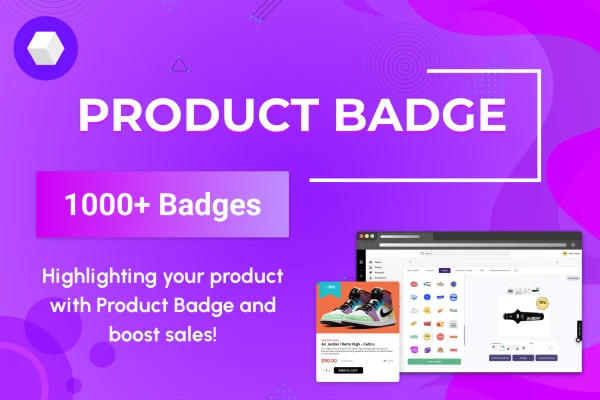
MyShopKit Product Badges WP is a WordPress plugin for WooCommerce stores that places badges on your product images. It labels items with tags like Sale, New Arrival, Best Seller or Out of Stock, so shoppers can see a product's status right in the listing.
- Version
- 1.0.1
- Released
- May 2, 2023
- Type
- WordPress plugin
- Requires
- WooCommerce
- Licence
- GPL
- Included in
- Every plan, or $3.99 on its own
What’s new in Myshopkit Product Badges WP 1.0.1
Version 1.0.1 · May 2, 2023
Latest
What it does
Shoppers scanning a product grid often miss which items are discounted, new or nearly sold out. This plugin solves that by adding small visual labels to product images. Badges can be applied automatically, so you don't have to tag each product by hand as your catalog changes. The badge types cover several purposes: some signal urgency, such as On-Sale and Limited Stock, some point to popularity, such as Best Seller and Popular, and others simply inform, such as New Arrival and Out of Stock.
The plugin works with WooCommerce, which it requires, and applies badges across your product catalog. You can adjust badge colors, sizes and positions so the labels match your store's branding. Badges are responsive and retina-ready, so they stay sharp on desktops, tablets, phones and high-resolution screens. The settings need little configuration, which makes it a practical fit for store owners who want clear product labels without technical work.
Best for
- WooCommerce stores that run frequent sales or promotions
- Shops wanting to flag new arrivals and best sellers
- Store owners who prefer simple setup with little configuration
Features
Automatic badge application
Badges are added to products automatically, so you avoid tagging each item by hand and your listings stay current as products change status.
Urgency badges
Mark discounted or scarce items with On-Sale and Limited Stock badges so shoppers notice deals and low inventory at a glance.
Popularity badges
Use Best Seller and Popular badges to point shoppers toward the products other customers are choosing most often in your store.
Informational badges
Label products with New Arrival or Out of Stock badges so visitors know what is fresh in the catalog and what is currently unavailable.
Custom colors, sizes and positions
Change badge colors, adjust their size and choose where they sit on the product image so the labels fit your store's look.
Responsive, retina-ready display
Badges scale across desktops, tablets and smartphones, and they stay crisp on high-resolution displays instead of looking blurry or pixelated.
Works across your WooCommerce catalog
The plugin integrates with WooCommerce and applies badges throughout your product catalog and the shopping pages where products appear.
Questions about Myshopkit Product Badges WP
Does this plugin need WooCommerce?
Yes. It is built for WooCommerce and requires it to be active. Badges are applied to products in your WooCommerce catalog and appear on product images where your products are listed.
What kinds of badges can I show?
The badge types include On-Sale, Limited Stock, Best Seller, Popular, New Arrival and Out of Stock. Together they cover discounts, scarcity, popularity and general product status, so you can label items for different purposes.
Can I change how the badges look?
Yes. You can adjust badge colors, sizes and positions on the product image. This lets you match the badges to your store's branding and keep them from covering important parts of your product photos.
Do I have to add badges to each product manually?
No. MyShopKit Product Badges WP can apply badges automatically, which saves you from tagging products one by one. That is especially helpful for larger catalogs or stores where stock and sale status change often.
Is Myshopkit Product Badges WP free?
The code of Myshopkit Product Badges WP is licensed under the GPL, so anyone may use, change and share it. GPL Feast is a paid service: a plan or a single purchase gives you the download and automatic updates. The developer's own support, licence key and online services are not included.
Which version of Myshopkit Product Badges WP is this?
Version 1.0.1, released May 2, 2023. New versions appear here when the developer publishes them, and members get them as automatic updates.
How do I update Myshopkit Product Badges WP?
Install the free GPL Feast Updater on your site and connect it with your API key. It installs new versions of Myshopkit Product Badges WP automatically and keeps a backup, so you can roll back.
What does Myshopkit Product Badges WP need?
Myshopkit Product Badges WP needs WooCommerce installed and active.
You might also like






