
Plugin
Updated
Navi, by Bonfire
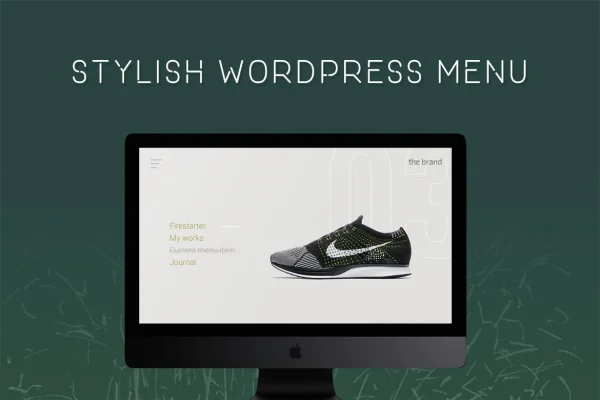
Navi is a WordPress plugin from Bonfire that replaces a standard menu with a fullscreen navigation overlay. You style it in the WordPress Live Customizer, adjusting colors, positions, button animations, backgrounds and opacity without writing code.
- Version
- 1.7
- Released
- May 2, 2023
- Type
- WordPress plugin
- Licence
- GPL
- Included in
- Every plan, or $3.99 on its own
What’s new in Navi, by Bonfire 1.7
Version 1.7 · May 2, 2023
Latest
What it does
Standard header menus can feel cramped or generic, especially on portfolio and brand-focused sites where the design carries a lot of weight. This plugin swaps that menu for a fullscreen overlay that opens when a visitor taps the menu button. The overlay fills the screen with your navigation links, which gives them room and makes the menu a visible part of your site's design instead of a small strip at the top.
All styling happens inside the WordPress Live Customizer, so you see changes as you make them. You can change every color, set where the menu, menu button and logo sit, pick from several button animations, add a background image or pattern and adjust the overlay's transparency. The menu is responsive and retina ready, so it works on phones, tablets and desktops and looks sharp on high-resolution screens.
Best for
- Creative portfolios and design studio websites
- Agencies building distinctive client sites
- Business sites wanting a bold, branded navigation style
Features
Fullscreen menu overlay
Your navigation opens as an overlay that covers the full screen, giving menu links plenty of space and making navigation a clear design element.
Live Customizer controls
Every visual setting lives in the WordPress Live Customizer, so you can adjust the menu and preview the result in real time without any coding.
Full color control
All of the menu's colors can be changed, which makes it simple to match the overlay and button to your existing brand palette.
Custom positioning
Choose where the menu, the menu button and the logo appear, so the layout lines up with the rest of your site's header and design.
Menu button animations
Several animation styles are included for the menu button, letting you add a bit of motion when visitors open and close the menu.
Background images and patterns
Add a custom background image or a pattern behind the menu overlay to give the navigation its own look instead of a flat color.
Opacity settings
Adjust the overlay's transparency to let page content show through slightly, or make the menu fully solid for a bolder effect.
Responsive and retina ready
The menu adapts to different screen sizes and supports high-resolution displays, so it stays usable and crisp on mobile and desktop devices.
Questions about Navi, by Bonfire
Do I need coding skills to customize the fullscreen menu?
No. All of the styling options sit in the WordPress Live Customizer. You can change colors, positions, button animations, backgrounds and opacity from there and preview each change as you make it, with no code required.
Will the menu work on phones and tablets?
Yes. The menu uses a responsive design, so it adjusts to different screen sizes, and it is retina ready, which keeps it looking sharp on high-resolution phone, tablet and desktop screens.
Can I use my own background image behind the menu?
Yes. You can add a custom background image or a pattern to the menu overlay. Combined with the opacity setting, this lets you choose between a subtle see-through overlay and a solid, image-filled menu.
Can I move the menu button and logo?
Yes. The positioning options let you control where the menu, the menu button and the logo are placed, so you can fit the fullscreen navigation into your current header layout.
Is Navi, by Bonfire free?
The code of Navi, by Bonfire is licensed under the GPL, so anyone may use, change and share it. GPL Feast is a paid service: a plan or a single purchase gives you the download and automatic updates. The developer's own support, licence key and online services are not included.
Which version of Navi, by Bonfire is this?
Version 1.7, released May 2, 2023. New versions appear here when the developer publishes them, and members get them as automatic updates.
How do I update Navi, by Bonfire?
Install the free GPL Feast Updater on your site and connect it with your API key. It installs new versions of Navi, by Bonfire automatically and keeps a backup, so you can roll back.
You might also like






