
Plugin
Updated
Nest by Bonfire
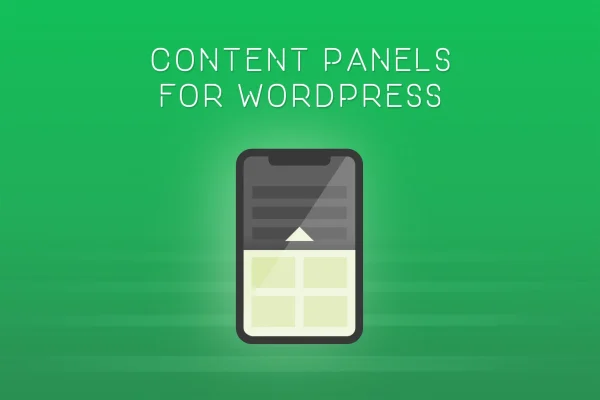
This WordPress plugin adds flyout sliding panels that hold any content you like, from text and images to forms, embeds and shortcodes. Developed by Bonfire, it lets you tuck announcements, contact forms or mailing list signups into a panel that slides out, so the main page layout stays uncluttered.
- Version
- 2.2
- Released
- May 2, 2023
- Type
- WordPress plugin
- Licence
- GPL
- Included in
- Every plan, or $3.99 on its own
What’s new in Nest by Bonfire 2.2
Version 2.2 · May 2, 2023
Latest
What it does
Many sites end up with event notices, signup forms and promotional blocks competing for space on the page. A sliding panel gives that content its own place. Visitors open the panel when they want it, and the rest of the time it stays out of the way. The panels can hold text, images, videos, forms, embeds or shortcodes, which means a single plugin can cover menus, widgets, product announcements and contact forms without changing your existing page structure.
Each panel is styled and positioned on its own. You can set the width, height, colors, position, animation speed and scrollbar styling, and choose a solid color, a full-size image or a pattern as the background. Panels can run site-wide or be set up for specific posts and pages, so you can show targeted content where it makes sense. The panels are responsive and retina ready, adapting to desktops, tablets and phones.
Best for
- Sites announcing events or new products
- Blogs adding mailing list signups without page clutter
- Business sites needing a slide-out contact form
Features
Any content in a panel
Place text, images, videos, forms, embeds or shortcodes inside a panel, so it can hold menus, widgets, signup forms or announcements.
Adjustable size and position
Set each panel's width, height and position independently to match how and where you want it to appear on the page.
Colors and animation speed
Change panel colors, the speed of the sliding animation and the styling of the scrollbar to fit your site's design.
Flexible backgrounds
Give a panel a solid color background, upload a full-size image, or use a pattern background to keep it consistent with your branding.
Site-wide or per-page panels
Create global panels that appear across the whole site, or set up individual panels for specific posts and pages to show targeted content.
Responsive and retina ready
Panels adapt to different screen sizes and resolutions, so they display properly on desktops, tablets and smartphones.
Questions about Nest by Bonfire
What kind of content can I put in a panel?
Panels accept text, images, videos, forms, embeds and shortcodes. That covers common uses like navigation menus, widgets, contact forms, mailing list signups, event notices and product announcements.
Can I show different panels on different pages?
Yes. You can create global panels that appear across the entire site, or set up individual panels for specific posts and pages when you want certain content to appear only in certain places.
How much control do I have over the panel design?
Each panel can be styled and positioned independently. You can adjust width, height, colors, position, animation speed and scrollbar styling, and pick a solid color, full-size image or pattern for the background.
Will the panels work on phones and tablets?
The panels are responsive and retina ready, so they adapt to different screen sizes and resolutions across desktops, tablets and smartphones.
Is Nest by Bonfire free?
The code of Nest by Bonfire is licensed under the GPL, so anyone may use, change and share it. GPL Feast is a paid service: a plan or a single purchase gives you the download and automatic updates. The developer's own support, licence key and online services are not included.
Which version of Nest by Bonfire is this?
Version 2.2, released May 2, 2023. New versions appear here when the developer publishes them, and members get them as automatic updates.
How do I update Nest by Bonfire?
Install the free GPL Feast Updater on your site and connect it with your API key. It installs new versions of Nest by Bonfire automatically and keeps a backup, so you can roll back.
You might also like






