
Plugin
Updated
News Layouts for Elementor
News Layouts for Elementor is a WordPress plugin that adds news, magazine and blog layouts to the Elementor page builder. It includes 3 widgets for placing post grids, carousels and classic lists on any page, with styling controls that need no code.
- Version
- 1.0
- Released
- May 2, 2023
- Type
- WordPress plugin
- Requires
- Elementor
- Licence
- GPL
- Included in
- Every plan, or $3.99 on its own
What’s new in News Layouts for Elementor 1.0
Version 1.0 · May 2, 2023
Latest
What it does
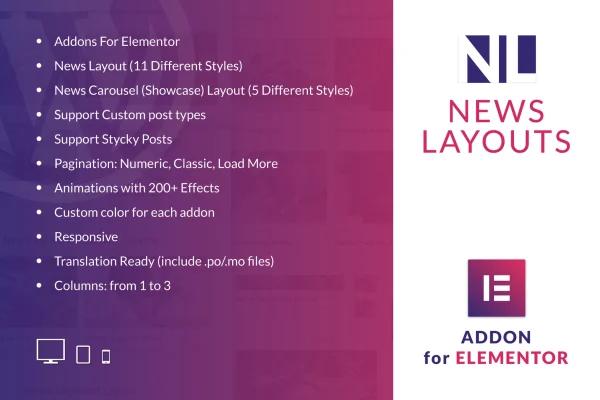
Building a news homepage or a magazine-style blog section in Elementor usually means stacking generic post widgets and fighting with their styling. This addon gives you widgets made for that job. It requires Elementor and adds 3 widgets: News Layouts, Carousels and Classic grids. You drag one onto a page, pick from 11 news styles or 5 carousel styles, and set the number of columns, from 1 to 3, to match your page structure.
The plugin works with regular posts and custom post types, so it can display articles, reviews or any other content type your site uses. Sticky posts can be pinned to the top of a grid or carousel to keep lead stories in view. You can choose numeric, classic or Load More pagination, set colors per widget, and add motion from more than 200 animation effects. Layouts are responsive and retina ready, and the plugin ships with .po and .mo files for translation.
Best for
- News portals built with Elementor
- Online magazines with many categories
- Content-heavy blogs needing post grids and carousels
Features
Eleven news styles
Choose from 11 classic and modern news layouts to match the tone of your blog, magazine or news section.
Three Elementor widgets
Add News Layouts, Carousels and Classic grids to any Elementor page using the familiar drag and drop editor.
Five carousel styles
Build sliding news highlights in 5 carousel styles to feature recent or selected stories at the top of a page.
Custom post type support
Display content from custom post types as well as standard posts, so portfolios, reviews or other content can use the same layouts.
Sticky post pinning
Pin sticky posts to the top of a news grid or carousel so your main stories stay visible to readers.
Multiple pagination options
Pick numeric pagination, classic links or a Load More button to control how readers move through older posts.
Animations and color controls
Apply any of more than 200 animation effects and set custom colors for each widget to keep sections consistent with your branding.
Flexible columns and translation
Arrange news items in 1 to 3 columns, and localize the plugin with the included .po and .mo translation files.
Questions about News Layouts for Elementor
Do I need Elementor to use this plugin?
Yes. It works as an Elementor addon and requires the Elementor plugin. Its 3 widgets appear in the Elementor editor, where you drag them onto pages and adjust their layout, style, colors and pagination.
Can it show content other than regular blog posts?
Yes. The widgets support custom post types, so you can display other content types your site uses in the same news grids, classic lists and carousels as your standard posts.
How many layout options are there?
You get 11 news styles and 5 carousel styles across the 3 widgets, plus column settings from 1 to 3. Combined with per-widget colors and more than 200 animation effects, that gives plenty of ways to vary your news sections.
Will the layouts work on phones and translated sites?
The layouts are responsive and retina ready, so they adapt to different screen sizes and resolutions. The plugin is also translation ready and includes .po and .mo files for localizing its text.
Is News Layouts for Elementor free?
The code of News Layouts for Elementor is licensed under the GPL, so anyone may use, change and share it. GPL Feast is a paid service: a plan or a single purchase gives you the download and automatic updates. The developer's own support, licence key and online services are not included.
Which version of News Layouts for Elementor is this?
Version 1.0, released May 2, 2023. New versions appear here when the developer publishes them, and members get them as automatic updates.
How do I update News Layouts for Elementor?
Install the free GPL Feast Updater on your site and connect it with your API key. It installs new versions of News Layouts for Elementor automatically and keeps a backup, so you can roll back.
What does News Layouts for Elementor need?
News Layouts for Elementor needs Elementor installed and active.
You might also like






