
Plugin
Updated
Next Bricks
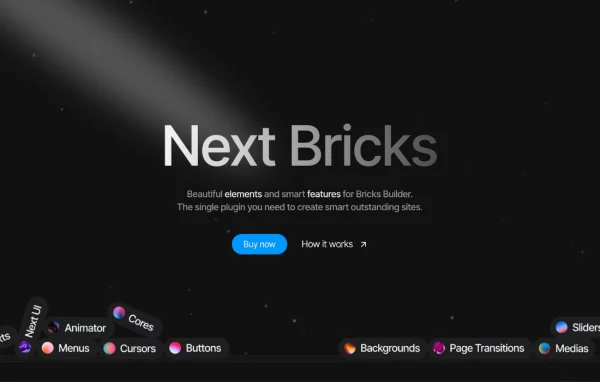
Next Bricks by Brickscore is a WordPress plugin that adds a library of extra elements and features to Bricks Builder. It brings sliders, menus, buttons, background effects, an animation timeline tool and page transitions, all built with native Bricks controls.
- Version
- 3.0.3
- Released
- Oct 14, 2026
- Developer
- Brickscore
- Type
- WordPress plugin
- Licence
- GPL
- Included in
- Every plan, or $4.79 a year on its own
What’s new in Next Bricks 3.0
Version 3.0 · Sep 11, 2026
Latest
- NewAnimator and Page Transitions · Import and export system
- NewAnimator and Page Transitions · Duplicate items
- NewAnimator and Page Transitions · Draggable items
- NewGradient Slider element
- NewGlobal Search element
- NewWorld Map element
- NewGlobe element
- NewStairs Menu element
What it does
Bricks Builder covers a lot on its own, but designers often end up hand-coding sliders, animated menus or page transitions. This plugin fills that gap with ready elements grouped into categories such as texts, buttons, menus, sliders and backgrounds. Because the elements use native Bricks controls, they behave like the rest of the builder, so you set them up in the same panels you already know. Newer additions include a gradient slider, a global search element, a world map, a globe and a stairs menu.
Beyond the elements, it extends the builder itself. Next UI reorganizes the interface with smart dropdowns and cleaner element grouping. The Animator tool lets you build timelines for any element, with control over duration and delays, and the page transitions run on the Barbajs library. Animator items can be imported, exported, duplicated and dragged. There are also pre-built sections like headers, banners, FAQs, CTAs and portfolios, plus query loop support for dynamic content and a dashboard screen for turning elements and features on or off.
Best for
- Designers and agencies building client sites in Bricks Builder
- Portfolio and creative sites that need animation and transitions
- Developers who want more Bricks elements without custom code
Features
Wide element library
Adds elements for texts, buttons, menus, sliders and backgrounds, including a gradient slider, global search, world map, globe and stairs menu, all using native Bricks controls.
Next UI interface
A reworked builder interface with smart dropdowns and cleaner element organization, so it is easier to find and place the elements you need.
Animator timeline tool
Animate any element using organized timelines with unlimited animations per timeline and a timeline view for setting duration and delays precisely.
Barbajs page transitions
Add customizable transitions between pages powered by the Barbajs library, so visitors see a styled animation as they move around the site.
Import, export and reorder
Animator and page transition items can be imported and exported, duplicated, and rearranged by dragging, which helps reuse work across projects.
Ready-made sections
Start from pre-built headers, banners, FAQs, CTAs, portfolios and other sections designed with the plugin's own elements.
Dynamic data and query loops
Supports dynamic data and query loops, so you can render repeated content and custom queries without writing complex code.
Dashboard element management
Turn elements and features on or off from the WordPress dashboard, and use customizable hierarchical tags to keep page structure organized.
Next Bricks older versions
- 3.0.2Oct 4
- 3.0.0Sep 12
- 2.3.1Apr 22
- 2.3.0Apr 14
- 2.2.9Mar 27
- 2.2.8Mar 13
- 2.2.7Feb 19
- 2.2.4Feb 9
- 2.2.3Dec 15, 2025
- 2.2.2Nov 5, 2025
Members and buyers of this product can download older versions.
45 older versions in all. If you need one that is not listed, ask support.
Questions about Next Bricks
Does this work with page builders other than Bricks?
The plugin is made specifically for Bricks Builder. Its elements and features are built with native Bricks controls, so it is meant for sites that use Bricks as their builder.
Can I animate elements without writing code?
Yes. The Animator tool lets you attach animations to any content or page element using timelines. You can add as many animations as you like to a timeline and adjust duration and delays in a timeline view.
Can I reuse animations on other sites?
Animator and page transition items support import and export, so you can move them between projects. You can also duplicate items and drag them to change their order.
Can I switch off elements I don't use?
Yes. Elements and features are managed from the WordPress dashboard, so you can keep only the parts you need active in the builder.
Is Next Bricks free?
The code of Next Bricks is licensed under the GPL, so anyone may use, change and share it. GPL Feast is a paid service: a plan or a single purchase gives you the download and automatic updates. The developer's own support, licence key and online services are not included.
Which version of Next Bricks is this?
Version 3.0.3, released Oct 14, 2026. New versions appear here when the developer publishes them, and members get them as automatic updates.
How do I update Next Bricks?
Install the free GPL Feast Updater on your site and connect it with your API key. It installs new versions of Next Bricks automatically and keeps a backup, so you can roll back.
You might also like






