
Plugin
Updated
Next Post Fly Box
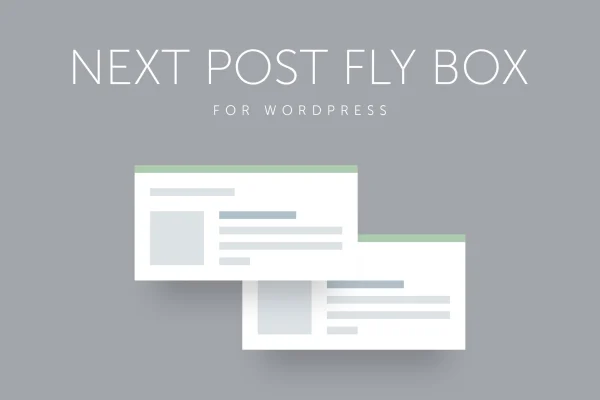
This WordPress plugin adds floating boxes that point readers to the next and previous posts on your site. The boxes slide into view as visitors reach the bottom of a page, and you control what they show, where they sit and how they animate.
- Version
- 3.6
- Released
- May 2, 2023
- Type
- WordPress plugin
- Licence
- GPL
- Included in
- Every plan, or $3.99 on its own
What’s new in Next Post Fly Box 3.6
Version 3.6 · May 2, 2023
Latest
What it does
When a reader finishes an article, there is often nothing obvious telling them where to go next. Next Post Fly Box fills that gap with a floating box that offers the next or previous post, complete with an optional featured image, title and excerpt. It suits content-heavy sites such as blogs, news portals and magazines, where moving readers from one article to another matters. It works with custom post types and post categories, so it can follow the way your content is already organized.
Setup happens in an Ajax-based admin panel that lets you adjust options and preview changes without reloading the page. You can pick the sorting field and direction, set the box width, screen position and featured image size, and choose animation methods, speeds and easing for opening and closing. The next and previous boxes have separate settings, and you can limit them to chosen categories or specific posts. The plugin uses jQuery, has a responsive layout that supports retina displays, and comes with documentation.
Best for
- Blogs with large archives of posts
- News portals and online magazines
- Sites organized around custom post types
Features
Next and previous floating boxes
Displays floating navigation boxes that offer readers the next or previous blog post as they reach the bottom of a page.
Custom post types and categories
Works with custom post types and post categories, so the navigation can match the structure of your content instead of only standard posts.
Ajax admin panel with preview
Configure the many available options in an Ajax-based settings panel and preview your changes without needing to reload the page.
Sorting field and direction
Choose which field posts are sorted by and in which direction, which decides the posts that appear inside the fly box.
Control over box content
Decide whether the box shows a featured image, post title or excerpt, and add a close button so readers can dismiss it.
Size and position settings
Set the box width, its position on the screen and the featured image size so the box fits your site design.
Opening and closing animations
Pick from several animation methods, speeds and easing types, with separate choices for how the box opens and closes.
Selective and separate display rules
Show fly boxes only on chosen categories or specific posts, and configure the next and previous boxes independently of each other.
Questions about Next Post Fly Box
Can I show the box only on certain parts of my site?
Yes. The selective display settings let you enable the fly boxes only on chosen categories or on specific posts, so you decide exactly where the navigation appears and where it stays hidden.
Does it work with custom post types?
It does. The plugin supports custom post types as well as post categories, so you can use the floating navigation on content types beyond regular blog posts and match it to your site structure.
Can the next and previous boxes look different from each other?
Yes. Each box has its own set of options, so you can give the next box and the previous box different settings for content, design or behavior depending on what your site needs.
Will the boxes display properly on phones and high resolution screens?
The plugin uses a responsive, jQuery powered design meant to look consistent across devices, and it supports retina displays. You can also adjust width, position and image size to suit your layout.
Is Next Post Fly Box free?
The code of Next Post Fly Box is licensed under the GPL, so anyone may use, change and share it. GPL Feast is a paid service: a plan or a single purchase gives you the download and automatic updates. The developer's own support, licence key and online services are not included.
Which version of Next Post Fly Box is this?
Version 3.6, released May 2, 2023. New versions appear here when the developer publishes them, and members get them as automatic updates.
How do I update Next Post Fly Box?
Install the free GPL Feast Updater on your site and connect it with your API key. It installs new versions of Next Post Fly Box automatically and keeps a backup, so you can roll back.
You might also like






