
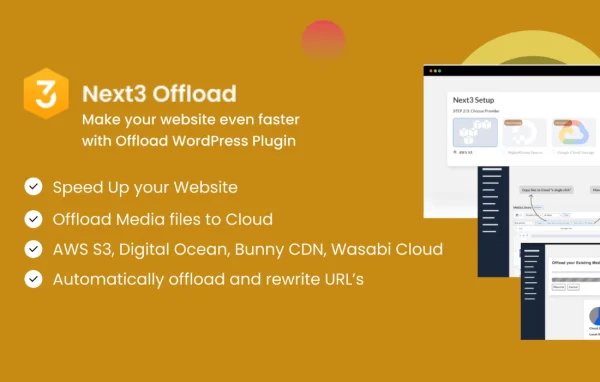
Plugin
Updated
Next3 Offload
Next3 Offload is a WordPress plugin by Next3 Offload that moves your media files off your web server and into S3-compatible cloud storage. It uploads images, videos, PDFs and other files automatically, then serves them from the cloud or through a CDN of your choice.
- Version
- 4.5.0
- Released
- Sep 28, 2026
- Developer
- Next3 Offload
- Type
- WordPress plugin
- Licence
- GPL
- Included in
- Every plan, or $7.19 a year on its own
What’s new in Next3 Offload 4.5.0
Version 4.5.0
Latest
- NewDirect-to-cloud upload: a single new "Direct-to-cloud upload" option (Storage Settings → Advanced Options) sends every new upload straight to the cloud and removes the local copy as soon as it's confirmed offloaded, so new media is never left sitting on local storage.
- NewMigration from Advanced Media Offloader: media already offloaded by the "Advanced Media Offloader" plugin can now be migrated into Next3 directly from the Tools tab. Amazon S3, DigitalOcean Spaces, and Wasabi migrate without re-uploading; other providers are re-uploaded through your configured Next3 provider.
- NewMigration from Infinite Uploads: media already synced by the "Infinite Uploads" plugin can now be migrated into Next3 from the Tools tab.
- NewWooCommerce: purchase-gated private media. Private media attached to a product (featured image, gallery image, or variation image) can now be restricted so only customers who actually bought that product receive a working URL, on top of the existing login-based access gate.
- NewWooCommerce: downloadable product file protection. A downloadable product file that lives in the media library is kept pointed at its current (offload/privacy-aware) delivery URL automatically, and is upgraded from public to protected on first link so its cloud URL is signed rather than a permanent public link.
- NewWooCommerce: media audit tool (Tools tab) reporting how much of a store's product media — images and downloadable files — is offloaded, still local-only, broken, or protected, plus the cloud storage that media uses.
- NewFile Manager: breadcrumb path navigation ("Buckets / bucket-name / folder / subfolder"). Every segment is clickable and jumps straight to that depth, replacing back/forward-only navigation that gave no visibility into the current path.
- ImprovedFile Manager: proper icons for Word, Excel, and PowerPoint files, which previously had no icon mapping and displayed a generic "links" icon.
What it does
Media libraries grow fast, and every image, video and PDF takes up space and bandwidth on your hosting account. This plugin hands that load to cloud storage instead. Once it is set up, new uploads go to any S3-compatible provider without manual work, and the plugin keeps your local media library and the cloud files in sync. A direct-to-cloud option can send each new upload straight to the cloud and remove the local copy once the offload is confirmed, so files never pile up on your server.
It works inside the normal WordPress media library and upload workflow, so editors keep using the tools they already know. A built-in file manager lets you browse buckets and folders with clickable breadcrumb paths. WooCommerce stores get extra controls: private product media can be limited to customers who bought the product, downloadable files can use signed cloud URLs, and an audit tool reports which product media is offloaded, local-only, broken or protected. If you used Advanced Media Offloader or Infinite Uploads before, you can migrate that media from the Tools tab.
Best for
- Content-heavy blogs running low on server storage
- WooCommerce stores with product media or downloadable files
- Media-rich portfolio sites with large image and video libraries
Features
Automatic media offloading
New uploads are sent to S3-compatible cloud storage automatically, which frees up server space without anyone copying files by hand.
Every upload type handled
Images, videos, PDFs and other media files can all be offloaded, so every asset in your library can live in the cloud.
Cloud or CDN delivery
Serve media directly from your cloud storage or route it through your preferred CDN, depending on how you want files delivered to visitors.
Direct-to-cloud uploads
An advanced storage option sends each new upload straight to the cloud and deletes the local copy once the offload is confirmed.
Media library synchronization
Your local WordPress media library and the files in cloud storage stay synchronized, so content management works the way it normally does.
WooCommerce media protection
Restrict private product images to buyers of that product, and keep downloadable product files on signed cloud URLs instead of permanent public links.
Migration from other offloaders
Bring in media already handled by Advanced Media Offloader or Infinite Uploads from the Tools tab. Some providers migrate without re-uploading.
Logs and file manager
Detailed logs and notifications track offloading, and a file manager with breadcrumb navigation lets you browse buckets, folders and subfolders.
Next3 Offload older versions
- 4.4.1Sep 22
- 4.4.0Aug 3
- 4.3.15Aug 1
- 4.3.14Jun 22
- 4.3.12May 10
- 4.3.11May 9
- 4.3.10Apr 12
- 4.3.9Apr 2
- 4.3.8Mar 13
- 4.3.7Feb 24
Members and buyers of this product can download older versions.
11 older versions in all. If you need one that is not listed, ask support.
Questions about Next3 Offload
Which cloud storage providers does it work with?
It works with S3-compatible cloud storage providers. Amazon S3, DigitalOcean Spaces and Wasabi are named in its migration tools, and other S3-like providers can be used as well.
Can I remove media from my server after it is offloaded?
Yes. The direct-to-cloud upload option in the advanced storage settings sends each new upload straight to the cloud and removes the local copy as soon as the offload is confirmed.
I already use Advanced Media Offloader. Can I switch?
Yes. Next3 Offload can migrate media offloaded by Advanced Media Offloader from its Tools tab. Files on Amazon S3, DigitalOcean Spaces and Wasabi migrate without re-uploading, while other providers are re-uploaded through your configured provider. Infinite Uploads media can be migrated too.
Does it help protect paid WooCommerce files?
It does. Downloadable product files in the media library get signed cloud URLs instead of permanent public links, and private product images can be limited to customers who purchased that product, in addition to login-based access.
Is Next3 Offload free?
The code of Next3 Offload is licensed under the GPL, so anyone may use, change and share it. GPL Feast is a paid service: a plan or a single purchase gives you the download and automatic updates. The developer's own support, licence key and online services are not included.
Which version of Next3 Offload is this?
Version 4.5.0, released Sep 28, 2026. New versions appear here when the developer publishes them, and members get them as automatic updates.
How do I update Next3 Offload?
Install the free GPL Feast Updater on your site and connect it with your API key. It installs new versions of Next3 Offload automatically and keeps a backup, so you can roll back.
You might also like






