Plugin
Updated
Ocean Extra
Ocean Extra by OceanWP is a companion plugin for the OceanWP WordPress theme. It adds settings for customizing individual pages and posts, along with widgets, demo import tools, custom templates and performance controls that the core theme does not include on its own.
- Version
- 2.6.3
- Released
- Oct 13, 2026
- Developer
- OceanWP
- Type
- WordPress plugin
- Requires
- OceanWP
- Licence
- GPL
- Included in
- Every plan, or $3.99 a year on its own
What’s new in Ocean Extra 2.6.3
Version 2.6.3 · Oct 13, 2026
Latest
- ImprovedUpdated Freemius SDK to its latest version.
What it does
The OceanWP theme gives you site-wide settings, but many sites need a page that looks different from the rest. A landing page without a header, a post with a different sidebar, or a page with its own footer are common examples. This plugin adds per-page and per-post options so you can change headers, footers, layouts, menus and sidebars on a single page without affecting the rest of the site.
Because it is built for OceanWP, it requires that theme and works inside it. Along with the page settings, it brings built-in widgets, a one-click demo import for starting from prepared layouts, and custom templates you can save and reuse across your site. It also includes performance settings you can switch on. It fits anyone already running OceanWP who wants finer control over individual pages and a quicker way to set up new sites.
Best for
- Websites already built on the OceanWP theme
- Designers who need custom layouts on individual pages
- Freelancers starting client sites from demo layouts
Features
Per-page and post settings
Give individual pages and posts their own header, footer and layout settings, so one page can differ from the site-wide defaults set in the theme.
Header and footer control
Customize headers and footers on specific pages, or turn them off entirely where a page works better without them, such as a landing page.
Layout controls
Adjust page width, sidebar placement and content spacing for a given page, giving you more precise control over how content sits on screen.
Menu and sidebar options
Choose flexible menu and sidebar options to organize navigation and widget areas, including icon selection for menu items.
Built-in widgets
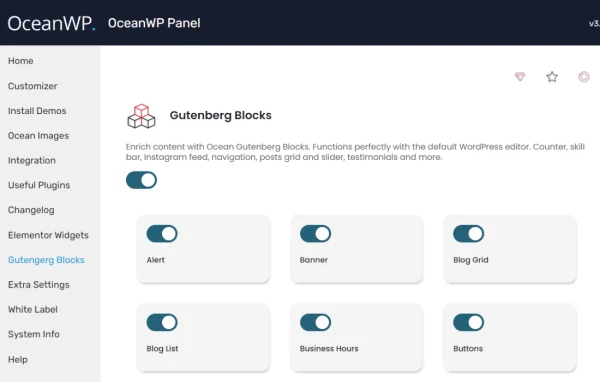
Add a set of included widgets to your sidebars and widget areas without installing separate plugins for those functions.
One-click demo import
Import demo content and templates in one step, giving you a prepared layout to start from instead of building every page from a blank screen.
Reusable custom templates
Save your own layouts and designs as templates, then reuse them on other pages to keep the design consistent across the site.
Performance settings
Enable included performance options from the plugin settings to control how certain site assets and features are loaded.
Ocean Extra older versions
- 2.6.2Sep 223 improvements
- 2.6.1Sep 101 fix
- 2.6.0Sep 81 new, 5 improvements, 1 fix
- 2.5.9Aug 19
Members and buyers of this product can download older versions.
Questions about Ocean Extra
Does this plugin work with themes other than OceanWP?
No. It is a companion plugin made specifically for the OceanWP theme and requires it. Its settings, widgets and templates are designed to extend what OceanWP offers, so you need that theme active on your site to use them.
Can I hide the header or footer on just one page?
Yes. The plugin adds page and post level settings that let you customize or disable the header and footer on specific pages, while the rest of your site keeps the settings defined in the theme.
Can I start a site from a ready-made design?
Yes. The one-click demo import brings in demo content and templates so you have a finished layout to adapt. You can also save your own designs as custom templates and reuse them on future pages.
Can I change the sidebar on a single post?
Yes. The layout controls let you set sidebar placement, page width and content spacing for individual pages and posts, and the sidebar options help you decide which widget areas appear.
Is Ocean Extra free?
The code of Ocean Extra is licensed under the GPL, so anyone may use, change and share it. GPL Feast is a paid service: a plan or a single purchase gives you the download and automatic updates. The developer's own support, licence key and online services are not included.
Which version of Ocean Extra is this?
Version 2.6.3, released Oct 13, 2026. New versions appear here when the developer publishes them, and members get them as automatic updates.
How do I update Ocean Extra?
Install the free GPL Feast Updater on your site and connect it with your API key. It installs new versions of Ocean Extra automatically and keeps a backup, so you can roll back.
What does Ocean Extra need?
Ocean Extra needs OceanWP installed and active.
More from OceanWP