
Plugin
Updated
Omni Image Optimizer
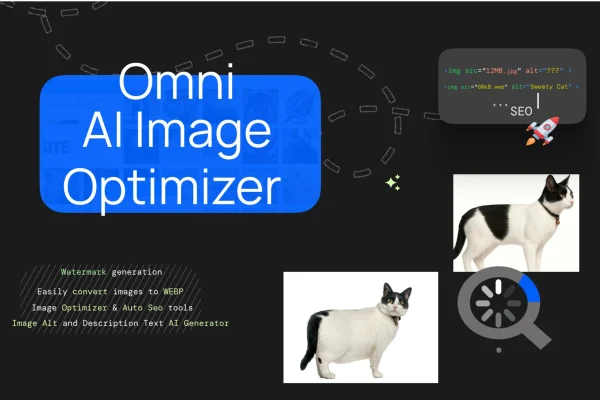
Omni Image Optimizer AI is a WordPress plugin that uses AI to compress and adjust the images on your site. It handles single photos or large batches, keeps an eye on sharpness and color, and lets you set compression levels to suit each type of image.
- Version
- 1.1.4
- Released
- Nov 25, 2025
- Type
- WordPress plugin
- Licence
- GPL
- Included in
- Every plan, or $3.99 on its own
What’s new in Omni Image Optimizer 1.1.4
Version 1.1.4 · Nov 25, 2025
Latest
- FixedFixed bulk processing AJAX responses to return structured data when no images are available, eliminating "Object success" console errors.
- ImprovedRestored image-loading helpers to ensure the Bulk AI Processing queue populates correctly across all filters.
- ImprovedPersisted backup metadata (ID, timestamp, counters) and sanitized payloads before sending to the admin UI.
- ImprovedResolved AVIF image handling so backups capture and restore next-gen formats without errors.
- ImprovedRefined Bulk Backup panel styling with card layout, hover feedback, action spacing, and color-coded log messages.
What it does
Large image files make pages heavier than they need to be and take up space on your server. This plugin reduces file sizes by compressing and adjusting photos automatically, aiming to keep them sharp and color accurate. You can work through an existing media library with bulk processing, which queues images and handles them in a single batch, so you don't have to optimize each file by hand.
It works with common formats including JPEG, PNG and WebP, and it can back up and restore next-gen formats such as AVIF. A bulk backup panel keeps records of each backup with an ID, timestamp and counters, plus color-coded log messages so you can follow what happened. Processing takes place within your own environment, and the controls are simple enough for beginners while still offering adjustable settings for people who want more say over quality.
Best for
- Photographers with large image libraries
- Web designers managing image-heavy client sites
- Site owners wanting smaller image files without manual editing
Features
AI-driven compression
Images are compressed and adjusted automatically by AI, with the goal of reducing file size while keeping the picture looking like the original.
Bulk AI processing
Optimize hundreds or thousands of images in one batch operation, using a queue that can be filtered to pick which images get processed.
Multiple image formats
Works with popular formats such as JPEG, PNG and WebP, so you can optimize the mix of files most WordPress sites already use.
Adjustable compression settings
Set compression levels and quality adjustments to match different kinds of images, such as detailed photography versus simple graphics.
Backups with restore
Backups capture your images, including AVIF files, so you can restore originals later. Each backup stores an ID, timestamp and counters.
Bulk backup panel and logs
A card-style backup panel lays out actions clearly and shows color-coded log messages, making it easier to see what was processed.
Local processing
Image optimization happens within your own environment, which helps keep your image data private.
Omni Image Optimizer older versions
- 1.1.0Sep 16, 2025
Members and buyers of this product can download older versions.
Questions about Omni Image Optimizer
Can it optimize images I have already uploaded?
Yes. The bulk processing feature lets you queue existing images and optimize hundreds or thousands of them in a single batch, with filters to choose which images go into the queue.
Which image formats does it work with?
It supports popular formats including JPEG, PNG and WebP. Its backup tools also handle AVIF images, so they can be captured and restored without errors.
Can I get my original images back if I don't like the result?
The plugin includes a bulk backup feature that stores backups with an ID, timestamp and counters. You can restore images from those backups, and log messages show what took place.
Can I control how much compression is applied?
Yes. You can customize compression levels and quality adjustments, so you can treat different types of images differently depending on how much detail you want to keep.
Is Omni Image Optimizer free?
The code of Omni Image Optimizer is licensed under the GPL, so anyone may use, change and share it. GPL Feast is a paid service: a plan or a single purchase gives you the download and automatic updates. The developer's own support, licence key and online services are not included.
Which version of Omni Image Optimizer is this?
Version 1.1.4, released Nov 25, 2025. New versions appear here when the developer publishes them, and members get them as automatic updates.
How do I update Omni Image Optimizer?
Install the free GPL Feast Updater on your site and connect it with your API key. It installs new versions of Omni Image Optimizer automatically and keeps a backup, so you can roll back.
You might also like






