
Plugin
Updated
On-Hover Motion Grids for Elementor
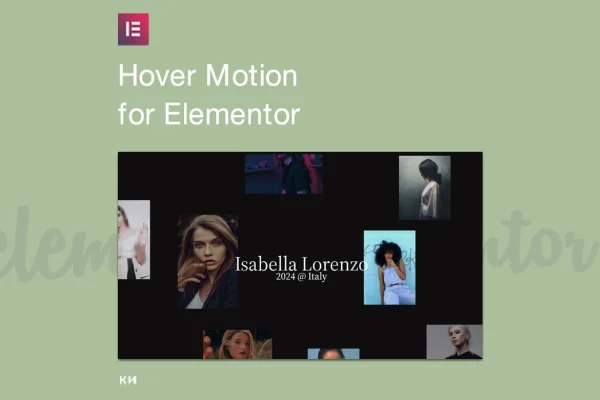
On-Hover Motion Grids for Elementor is a WordPress plugin that adds grids with animated hover effects to Elementor pages. It turns static image and content layouts into interactive grids that react when visitors move the cursor over them, with no coding needed.
- Version
- 1.0.0
- Released
- Sep 3, 2025
- Type
- WordPress plugin
- Requires
- Elementor
- Licence
- GPL
- Included in
- Every plan, or $3.99 on its own
What’s new in On-Hover Motion Grids for Elementor 1.0.0
Version 1.0.0 · Sep 3, 2025
Latest
What it does
Plain image grids can feel flat, especially on portfolio, gallery and product pages where you want visitors to look closer at each item. This plugin gives you grids where every tile responds on hover with motion effects such as zoom, fade, slide and spin. You can place images, text and other content inside the tiles, so each item can carry a title or short description that appears as part of the effect.
The plugin works inside Elementor, so you build and edit grids on your pages the same way you handle other Elementor elements. It requires Elementor to run. You set the number of columns, the spacing and the styling, then pick the hover effect that suits your design. Grids are responsive and adjust to desktop, tablet and mobile screens. It fits creative professionals, shop owners and agencies who want animated grid layouts without writing custom code.
Best for
- Portfolio sites for designers, photographers and creatives
- Online stores displaying product ranges in grid layouts
- Agencies building Elementor sites for clients
Features
Built for Elementor pages
Add hover motion grids to any Elementor page and manage them inside the editor you already use to build your layouts.
Several hover animation styles
Choose from animated effects including zoom, fade, slide and spin, ranging from subtle transitions to more noticeable motion.
Responsive grid layouts
Grids adjust automatically to different screen sizes so they display properly on desktops, tablets and mobile phones.
Custom columns and spacing
Set grid columns, spacing and styles so the layout matches the look of the rest of your website.
Images plus text content
Place text and interactive content inside grid items alongside images, giving each tile more context than a picture alone.
No coding required
A visual interface lets you create and adjust hover grids without touching CSS or JavaScript, so non-developers can use it.
Works with most themes
The plugin is designed to work with most WordPress themes, so you can add grids without changing your current theme.
Questions about On-Hover Motion Grids for Elementor
Do I need Elementor to use this plugin?
Yes. The plugin requires Elementor and adds its hover motion grids to Elementor pages. You build and edit the grids inside the Elementor editor alongside the rest of your page content.
What kinds of hover effects are included?
You can choose from a range of animated hover effects, including zoom, fade, slide and spin. Some are subtle and some are more dynamic, so you can pick the motion that fits your site's style.
Can I put text in the grid items, or only images?
Grid items can hold text and interactive content as well as images. That makes it useful for adding titles or short descriptions to portfolio pieces, gallery images or products.
Will the grids look right on phones and tablets?
The grids are fully responsive and adjust automatically to the screen size, so they adapt to desktops, tablets and mobile devices. You can also tune columns and spacing to suit your layout.
Is On-Hover Motion Grids for Elementor free?
The code of On-Hover Motion Grids for Elementor is licensed under the GPL, so anyone may use, change and share it. GPL Feast is a paid service: a plan or a single purchase gives you the download and automatic updates. The developer's own support, licence key and online services are not included.
Which version of On-Hover Motion Grids for Elementor is this?
Version 1.0.0, released Sep 3, 2025. New versions appear here when the developer publishes them, and members get them as automatic updates.
How do I update On-Hover Motion Grids for Elementor?
Install the free GPL Feast Updater on your site and connect it with your API key. It installs new versions of On-Hover Motion Grids for Elementor automatically and keeps a backup, so you can roll back.
What does On-Hover Motion Grids for Elementor need?
On-Hover Motion Grids for Elementor needs Elementor installed and active.
You might also like






