
Plugin
Updated
OpenTable Restaurant Reservation Forms
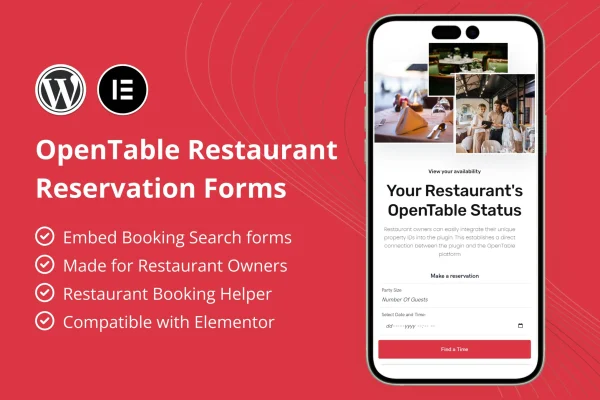
OpenTable Restaurant Reservation Forms is a WordPress plugin for restaurants that already use OpenTable. It adds OpenTable reservation search forms to pages built with Elementor, so guests can pick a date and time and start a booking right from the restaurant's own website.
- Version
- 1.0.0
- Released
- Mar 12, 2024
- Type
- WordPress plugin
- Requires
- Elementor
- Licence
- GPL
- Included in
- Every plan, or $3.99 on its own
What’s new in OpenTable Restaurant Reservation Forms 1.0.0
Version 1.0.0 · Mar 12, 2024
Latest
What it does
Many restaurants list on OpenTable but send visitors away from their own site to make a booking. This plugin lets you place an OpenTable reservation form directly on your pages instead. Guests choose their preferred date and time on your website, and the booking goes through OpenTable. It suits owners who want their own site to be a real starting point for reservations rather than a page that only links out.
The plugin works inside the Elementor page builder, which it requires. You add the form with drag and drop, customize it to match your branding and place it in any section or layout on an Elementor page, such as a hero area, a menu page or a footer. It works with any WordPress theme, the forms are responsive on phones and tablets, and every text can be translated. Demo content with pre-built form layouts gives you a starting point.
Best for
- Restaurants already taking bookings through OpenTable
- Restaurant websites built with Elementor
- Agencies building sites for restaurant and hospitality clients
Features
OpenTable reservation forms
Adds OpenTable booking search forms to your own website so guests can choose a date and time for their table without leaving your pages first.
Built for Elementor
Works inside the Elementor page builder with drag and drop placement, so you can build and adjust reservation forms without writing code.
Place forms anywhere
Put a reservation search form in any section or layout of an Elementor page, from a header area to a contact or menu page.
Customizable form design
Adjust the look of each form so it matches your restaurant's branding and the style of the surrounding page.
Works with any theme
Compatible with any WordPress theme, so you can keep your current site design while adding online reservations.
Responsive on all devices
Reservation forms adapt to mobile phones and tablets, letting guests book a table from whatever device they are using.
Fully translatable
All form text can be translated into any language, which helps restaurants that serve guests who speak different languages.
Demo content import
Import demo content with pre-built form layouts and templates to get a working reservation form on your pages quickly.
Questions about OpenTable Restaurant Reservation Forms
Do I need an OpenTable account to use this plugin?
Yes. The plugin is made specifically for OpenTable restaurant owners. It places OpenTable reservation search forms on your website, so your restaurant needs to be on OpenTable for the bookings to work.
Does it work without Elementor?
No. The plugin is built for the Elementor page builder and requires it. Forms are added and placed through Elementor, so you will need Elementor active on your WordPress site.
Will it match my current theme and design?
It is compatible with any WordPress theme, and the forms are customizable so you can adjust them to fit your branding. You can also place them in any section or layout on an Elementor page.
Can guests book from their phones?
Yes. The reservation forms are responsive and designed to work on mobile phones and tablets as well as desktop screens, so guests can pick a date and time from any device.
Is OpenTable Restaurant Reservation Forms free?
The code of OpenTable Restaurant Reservation Forms is licensed under the GPL, so anyone may use, change and share it. GPL Feast is a paid service: a plan or a single purchase gives you the download and automatic updates. The developer's own support, licence key and online services are not included.
Which version of OpenTable Restaurant Reservation Forms is this?
Version 1.0.0, released Mar 12, 2024. New versions appear here when the developer publishes them, and members get them as automatic updates.
How do I update OpenTable Restaurant Reservation Forms?
Install the free GPL Feast Updater on your site and connect it with your API key. It installs new versions of OpenTable Restaurant Reservation Forms automatically and keeps a backup, so you can roll back.
What does OpenTable Restaurant Reservation Forms need?
OpenTable Restaurant Reservation Forms needs Elementor installed and active.
You might also like






