
Plugin
Updated
Osteo 360 Degree Product and Panorama for Elementor
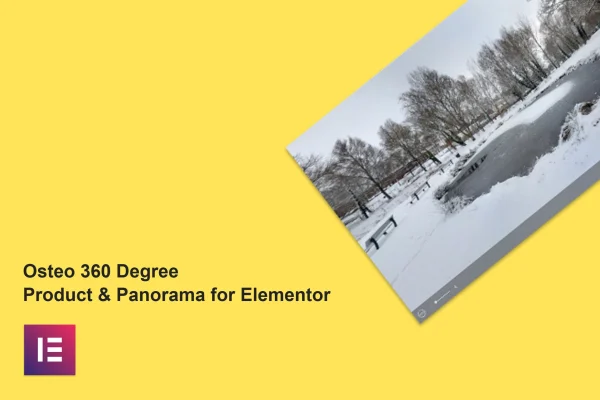
Osteo 360 Degree Product and Panorama for Elementor is a WordPress plugin that adds interactive 360 degree product views and panoramic photo displays to pages built with Elementor. It lets store owners and creators present products and spaces from every angle without writing code.
- Version
- 1.0.0
- Released
- May 2, 2023
- Type
- WordPress plugin
- Requires
- Elementor
- Licence
- GPL
- Included in
- Every plan, or $3.99 on its own
What’s new in Osteo 360 Degree Product and Panorama for Elementor 1.0.0
Version 1.0.0 · May 2, 2023
Latest
What it does
Flat product photos only show one side of an item, and a single wide shot rarely gives a real sense of a room or location. This plugin addresses both by turning image sets into views visitors can rotate and explore. You can build a product spin that shows an item from every angle, or a panorama with a navigation bar that lets people look around an environment. It suits online stores, real estate listings and anyone who wants visitors to examine something more closely.
Everything is set up inside Elementor, which the plugin requires, so you place and adjust the displays in the same editor you already use for your pages. It is built to work with most themes that run on Elementor. The output is responsive across desktops, tablets and phones, and it works in major browsers including Chrome, Firefox, Safari, Opera and Edge. Google Fonts support helps match typography to your brand, and an included .pot file makes translation possible.
Best for
- Online stores presenting products from every angle
- Real estate sites offering panoramic property views
- Elementor users adding interactive image displays
Features
360 degree product view
Show a product from every angle in an interactive view that visitors can rotate, giving them a fuller look than a set of static photos.
Panorama with navigation bar
Create panoramic photo displays with navigation controls so visitors can move around and explore a space, such as a property or venue.
Image accordion layout
Add accordion-style image layouts that expand and collapse, offering another way to present a group of pictures on a page.
Built for Elementor
Designed specifically for the Elementor page builder, so you add and configure displays directly in your existing editing workflow without any coding.
Responsive and cross-browser
Displays adapt to desktop, tablet and phone screens and work in Chrome, Firefox, Safari, Opera and Edge for consistent viewing.
Google Fonts support
Choose from Google Fonts for text in your displays so the typography lines up with the rest of your site's branding and style.
Translation ready
An included .pot file lets you translate the plugin's text into other languages for sites serving visitors in different regions.
Questions about Osteo 360 Degree Product and Panorama for Elementor
Do I need Elementor to use this plugin?
Yes. The plugin is made specifically for the Elementor page builder and requires it to be active. You build and customize your 360 degree views, panoramas and image accordions inside the Elementor editor.
Can I show both product spins and panoramas?
Yes. It includes a 360 degree product view for rotating items and a photo panorama display with a navigation bar for exploring spaces. There is also an accordion-style image layout for presenting groups of pictures.
Will the displays work on phones and tablets?
The plugin uses a responsive design that adapts to desktops, tablets and smartphones. It is also built to work across major browsers, including Chrome, Firefox, Safari, Opera and Edge, so visitors get a consistent experience.
Will it work with my theme?
It is designed to be compatible with nearly all WordPress themes built on Elementor. If your site runs Elementor, the displays should fit into your existing pages and layouts.
Is Osteo 360 Degree Product and Panorama for Elementor free?
The code of Osteo 360 Degree Product and Panorama for Elementor is licensed under the GPL, so anyone may use, change and share it. GPL Feast is a paid service: a plan or a single purchase gives you the download and automatic updates. The developer's own support, licence key and online services are not included.
Which version of Osteo 360 Degree Product and Panorama for Elementor is this?
Version 1.0.0, released May 2, 2023. New versions appear here when the developer publishes them, and members get them as automatic updates.
How do I update Osteo 360 Degree Product and Panorama for Elementor?
Install the free GPL Feast Updater on your site and connect it with your API key. It installs new versions of Osteo 360 Degree Product and Panorama for Elementor automatically and keeps a backup, so you can roll back.
What does Osteo 360 Degree Product and Panorama for Elementor need?
Osteo 360 Degree Product and Panorama for Elementor needs Elementor installed and active.
You might also like






