
Plugin
Updated
Osteo Accordion for Elementor
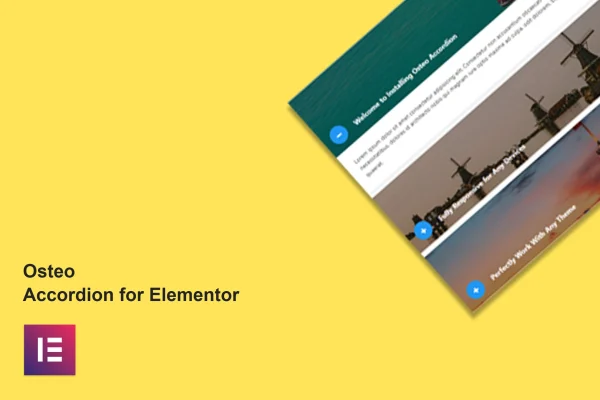
Osteo Accordion for Elementor is a WordPress plugin that adds accordion sections to the Elementor page builder. It gives you 38 accordion styles plus image accordions, so you can fold FAQs, feature lists and other content into tidy, expandable sections without writing code.
- Version
- 1.0.0
- Released
- May 2, 2023
- Type
- WordPress plugin
- Requires
- Elementor
- Licence
- GPL
- Included in
- Every plan, or $3.99 on its own
What’s new in Osteo Accordion for Elementor 1.0.0
Version 1.0.0 · May 2, 2023
Latest
What it does
Long pages full of questions, specs or details can be hard for visitors to scan. An accordion solves that by showing only the headings until someone clicks to open a section. This plugin brings that layout into Elementor, where you pick from 38 styles and drop an accordion onto any page. It requires Elementor and works with Elementor-based WordPress themes, so it fits into the editor you already use.
Once an accordion is on the page, you can change fonts, colors, borders, backgrounds and gradients through the styling controls, and swap the collapse icons to match your branding. All Google Fonts are available for typography. There is an image accordion style for more visual content, and the layouts respond to desktops, tablets and phones. A .pot file is included for translation, and documentation explains how to use each option.
Best for
- Elementor sites that need organized FAQ sections
- Designers building feature lists and service pages
- Multilingual sites needing translatable accordion content
Features
38 accordion styles
Choose from 38 distinct accordion layouts and designs, so you can match the look of your site without building a style from scratch.
Image accordion style
Place images inside your accordion sections for content that benefits from visuals, such as product details, portfolios or illustrated guides.
Custom collapse icons
Change the icons that open and close each accordion section so they fit your branding and make the interaction clear to visitors.
Detailed styling controls
Adjust fonts, colors, borders, backgrounds and gradients for each accordion through controls inside Elementor, with no custom CSS needed.
Google Fonts support
Use any font from the Google Fonts library for your accordion headings and content to keep typography consistent with the rest of your site.
Responsive layouts
Accordions adapt to desktops, tablets and smartphones, and the plugin supports major browsers including Chrome, Firefox, Safari, Opera and Edge.
Translation ready
A .pot file is included, so accordion text can be translated into other languages for sites that serve a multilingual audience.
Questions about Osteo Accordion for Elementor
Do I need Elementor to use this plugin?
Yes. The plugin is an addon for the Elementor page builder and requires it to be active. It is built to work with Elementor-based WordPress themes, and you add and style accordions directly inside the Elementor editor.
Can I put images inside the accordions?
Yes. Along with the text-based layouts, there is an image accordion style that lets you include images within your sections. That suits content like product details, portfolio items or step-by-step guides that read better with visuals.
How much can I change the look of each accordion?
You can start from any of the 38 styles, then adjust fonts, colors, borders, backgrounds and gradients. Collapse icons can be swapped, and all Google Fonts are available, so the accordions can follow your existing branding closely.
Will the accordions work on mobile devices?
The layouts are responsive and adapt to desktops, tablets and smartphones. The plugin also supports major browsers, including Chrome, Firefox, Safari, Opera and Edge, so visitors see consistent accordions across devices.
Is Osteo Accordion for Elementor free?
The code of Osteo Accordion for Elementor is licensed under the GPL, so anyone may use, change and share it. GPL Feast is a paid service: a plan or a single purchase gives you the download and automatic updates. The developer's own support, licence key and online services are not included.
Which version of Osteo Accordion for Elementor is this?
Version 1.0.0, released May 2, 2023. New versions appear here when the developer publishes them, and members get them as automatic updates.
How do I update Osteo Accordion for Elementor?
Install the free GPL Feast Updater on your site and connect it with your API key. It installs new versions of Osteo Accordion for Elementor automatically and keeps a backup, so you can roll back.
What does Osteo Accordion for Elementor need?
Osteo Accordion for Elementor needs Elementor installed and active.
You might also like






