
Plugin
Updated
Osteo Countdown for Elementor
Osteo Countdown for Elementor is a WordPress plugin that adds countdown timers to pages built with Elementor. You can place a timer for an event, product launch, sale deadline or promotion and style it to match your site, all without writing code.
- Version
- 1.0.0
- Released
- May 2, 2023
- Type
- WordPress plugin
- Requires
- Elementor
- Licence
- GPL
- Included in
- Every plan, or $3.99 on its own
What’s new in Osteo Countdown for Elementor 1.0.0
Version 1.0.0 · May 2, 2023
Latest
What it does
Many sites need a clear way to show visitors how much time is left before something happens, such as an event start, a product launch or the end of a sale. Building a countdown by hand usually means custom code or scripts. This plugin works inside Elementor, so you add a timer to a page the same way you add other elements, then adjust its look and settings from the editor. It requires Elementor to run.
The plugin offers two timer styles, a flip countdown and a final countdown, plus support for 12-hour and 24-hour clock formats. Typography can be set with Google Fonts, and timers are responsive across desktops, tablets and smartphones. It works with Elementor-based themes, is translation ready with an included .pot file, and is tested with Chrome, Firefox, Safari, Opera and Edge. Setup and usage documentation is included for people new to the plugin.
Best for
- Elementor sites promoting events or product launches
- Online shops running time-limited sales and offers
- Freelancers building campaign pages for clients
Features
Flip countdown style
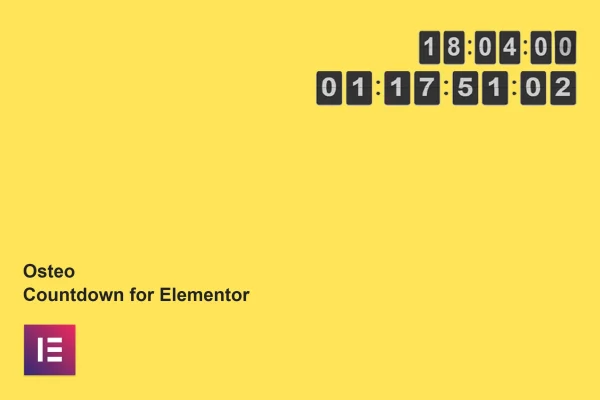
Display a flip clock style timer that counts down to your chosen date, a familiar look for launches, events and sale deadlines.
Final countdown style
Use the classic final countdown layout as an alternative style when a simpler timer design suits the page better.
12-hour and 24-hour formats
Choose between 12-hour and 24-hour clock formats so the timer matches the time conventions your audience and site already use.
Google Fonts support
Set the timer typography with Google Fonts so the numbers and labels match the fonts and branding used across the rest of your site.
Responsive layout
Timers adapt to desktops, tablets and smartphones, so visitors see a properly sized countdown on whatever screen they use.
Translation ready
An included .pot file lets you translate the plugin's text, which helps when your site serves visitors in other languages.
Cross-browser compatibility
The timers are built to display consistently in Chrome, Firefox, Safari, Opera and Edge for visitors on different browsers.
Included documentation
Setup and usage instructions come with the plugin, giving beginners a clear reference while adding and configuring their first timer.
Questions about Osteo Countdown for Elementor
Do I need Elementor to use this countdown plugin?
Yes. The plugin is built for the Elementor page builder and requires Elementor on your WordPress site. Timers are added and configured from within the Elementor editor, and it is designed to work with themes built on Elementor.
What countdown styles can I choose from?
There are two styles: a flip countdown that looks like a flip clock, and a classic final countdown. You can also pick between 12-hour and 24-hour time formats and set fonts using Google Fonts to fit your design.
Will the timers look right on phones and tablets?
The timers use a responsive design intended for desktops, tablets and smartphones. They are also built for consistent display in Chrome, Firefox, Safari, Opera and Edge, so most visitors should see the countdown as intended.
Can I translate the countdown text into another language?
Yes. The plugin is translation ready and includes a .pot file, which you can use with standard WordPress translation tools to localize the timer text for visitors in your language.
Is Osteo Countdown for Elementor free?
The code of Osteo Countdown for Elementor is licensed under the GPL, so anyone may use, change and share it. GPL Feast is a paid service: a plan or a single purchase gives you the download and automatic updates. The developer's own support, licence key and online services are not included.
Which version of Osteo Countdown for Elementor is this?
Version 1.0.0, released May 2, 2023. New versions appear here when the developer publishes them, and members get them as automatic updates.
How do I update Osteo Countdown for Elementor?
Install the free GPL Feast Updater on your site and connect it with your API key. It installs new versions of Osteo Countdown for Elementor automatically and keeps a backup, so you can roll back.
What does Osteo Countdown for Elementor need?
Osteo Countdown for Elementor needs Elementor installed and active.
You might also like






