
Plugin
Updated
Osteo Image Compare for Elementor
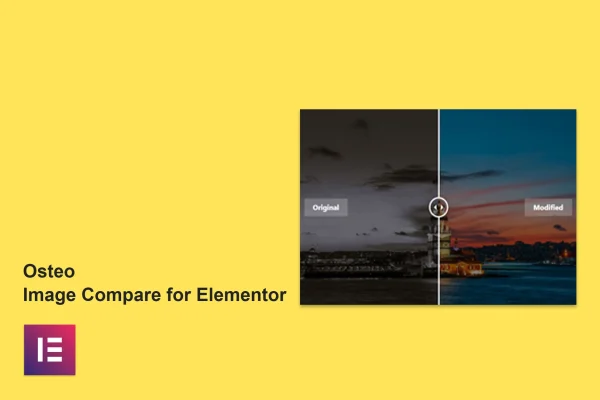
Osteo Image Compare for Elementor is a WordPress plugin that adds an image comparison widget to the Elementor page builder. It lets you place two images on top of each other so visitors can slide between a before view and an after view, with no coding needed.
- Version
- 1.0.0
- Released
- May 2, 2023
- Type
- WordPress plugin
- Requires
- Elementor
- Licence
- GPL
- Included in
- Every plan, or $3.99 on its own
What’s new in Osteo Image Compare for Elementor 1.0.0
Version 1.0.0 · May 2, 2023
Latest
What it does
Showing change with two separate photos often falls flat, because visitors have to look back and forth to spot the difference. This plugin puts both images in one interactive frame. A visitor drags the divider to reveal more of the before or the after image, which makes renovations, retouching, product updates or results over time easy to see at a glance. It works as an addon for Elementor, so you need Elementor active on your site to use it.
Once active, the comparison widget sits in Elementor alongside your other widgets. You drag it onto a page, pick your two images and adjust the settings from there. You can set the comparison to run vertically or horizontally, change the before and after label text, and choose Google Fonts for the typography so it matches the rest of your design. The widget is responsive across screen sizes and is translation ready with an included .pot file.
Best for
- Photographers and retouchers presenting edited versus original shots
- Renovation, landscaping and cosmetic service business websites
- Designers building Elementor sites for clients
Features
Vertical and horizontal orientation
Set the comparison divider to move side to side or top to bottom, depending on which layout suits the images you are comparing.
Custom before and after labels
Change the label text on each image so visitors know exactly what they are looking at, such as original and edited or old and new.
Drag and drop Elementor widget
Add the comparison to any page by dragging the widget into the Elementor editor, then configure it without writing any code.
Google Fonts support
Pick typography for labels from Google Fonts so the comparison widget fits the fonts and branding already used across your site.
Responsive layout
The widget adapts to different screen sizes, so comparisons display properly for visitors on desktops, tablets and smartphones.
Translation ready
A .pot file is included, so you can translate the plugin's text and use it on sites built in other languages.
Cross-browser compatibility
Built to work in Chrome, Firefox, Safari, Opera and Edge, so visitors see the same comparison whichever browser they use.
Questions about Osteo Image Compare for Elementor
Do I need Elementor to use this plugin?
Yes. The plugin is an addon for the Elementor page builder, so Elementor must be active on your WordPress site. The comparison widget then appears inside the Elementor editor, where you add it to pages like any other widget.
Can the comparison slide up and down as well as left and right?
Yes. You can choose either a horizontal or a vertical orientation for each comparison. Horizontal works well for wide shots like room makeovers, while vertical can suit tall images or comparisons where the change runs from top to bottom.
Can I change the before and after text and fonts?
You can edit the before and after labels to say whatever fits your content, and the plugin supports Google Fonts so you can style the label typography to match your site's look.
Will it work on a site that is not in English?
The plugin is translation ready and ships with a .pot file. You can use that file with a translation tool to localize the plugin's text into the language your site uses.
Is Osteo Image Compare for Elementor free?
The code of Osteo Image Compare for Elementor is licensed under the GPL, so anyone may use, change and share it. GPL Feast is a paid service: a plan or a single purchase gives you the download and automatic updates. The developer's own support, licence key and online services are not included.
Which version of Osteo Image Compare for Elementor is this?
Version 1.0.0, released May 2, 2023. New versions appear here when the developer publishes them, and members get them as automatic updates.
How do I update Osteo Image Compare for Elementor?
Install the free GPL Feast Updater on your site and connect it with your API key. It installs new versions of Osteo Image Compare for Elementor automatically and keeps a backup, so you can roll back.
What does Osteo Image Compare for Elementor need?
Osteo Image Compare for Elementor needs Elementor installed and active.
You might also like






