
Plugin
Updated
Osteo Image Compare for WPbakery
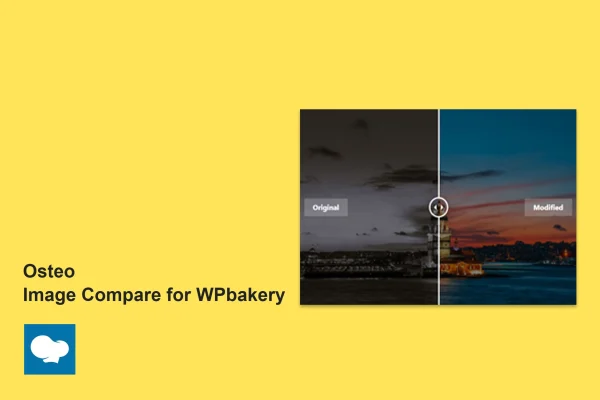
This WordPress plugin is an addon for WPBakery Page Builder that adds an interactive image comparison slider to your pages. Visitors drag a handle to move between two images and see what changed, and you set it up inside the builder without writing code.
- Version
- 1.0.0
- Released
- May 2, 2023
- Type
- WordPress plugin
- Licence
- GPL
- Included in
- Every plan, or $3.99 on its own
What’s new in Osteo Image Compare for WPbakery 1.0.0
Version 1.0.0 · May 2, 2023
Latest
What it does
Before and after photos say a lot, but placing two images side by side makes visitors do the comparing themselves. This addon puts both images in one frame with a slider between them, so people can drag across and spot the differences directly. It suits anyone whose work shows a visible change, such as photographers, designers, dentists, contractors and online retailers who want to show a product improvement or a finished project.
Osteo Image Compare for WPbakery is built specifically for WPBakery Page Builder and works with themes that support it. You add the comparison element to a page, choose a vertical or horizontal slider and edit the Before and After labels to fit your context. The slider is responsive, so it adjusts to desktops, tablets and phones, and it has been tested in Chrome, Firefox, Safari, Opera and Edge. A .pot file is included for translation, and documentation covers setup and customization.
Best for
- Photographers and designers showing edits or redesigns
- Dentists, contractors and other service businesses with visible results
- Online stores comparing product versions or improvements
Features
Vertical and horizontal sliders
Pick the slider direction that suits your layout, with a horizontal split for side by side views or a vertical split for top and bottom comparisons.
Editable before and after labels
Change the text of the Before and After labels so visitors understand exactly what each image shows, such as old and new or raw and edited.
Built for WPBakery Page Builder
The comparison element is made for WPBakery Page Builder, so you place and edit sliders inside the builder alongside your other content, with no coding needed.
Responsive layout
Comparison sliders adapt to the screen size automatically, so they work on desktops, tablets and smartphones without separate setups for each device.
Cross-browser tested
The plugin has been tested in Chrome, Firefox, Safari, Opera and Edge, so the slider looks and behaves consistently for visitors in the major browsers.
Translation ready
A .pot file is included, which lets you translate the plugin's text into other languages for sites that serve visitors in more than one language.
Lightweight code
The addon is written to be lightweight, keeping the extra code it adds to your pages small while the comparison slider runs.
Setup documentation
Documentation comes with the plugin and walks through setting up comparison sliders and customizing their options inside WPBakery.
Questions about Osteo Image Compare for WPbakery
Does this work with any page builder?
It is made specifically for WPBakery Page Builder and works with themes that support WPBakery. If your site uses a different builder, this addon is not the right fit, since the comparison element lives inside WPBakery.
Can I change the Before and After text?
Yes. The labels are customizable, so you can rename them to match what you are comparing, such as Original and Retouched or Old Kitchen and New Kitchen. This helps visitors understand the comparison at a glance.
Will the slider work on phones and tablets?
The plugin uses a responsive design that adapts to the screen it is viewed on, covering desktops, tablets and smartphones. It has also been tested in Chrome, Firefox, Safari, Opera and Edge.
Can I use it on a site in another language?
Yes. The plugin is translation ready and includes a .pot file, which you can use to translate its text into the language your visitors read.
Is Osteo Image Compare for WPbakery free?
The code of Osteo Image Compare for WPbakery is licensed under the GPL, so anyone may use, change and share it. GPL Feast is a paid service: a plan or a single purchase gives you the download and automatic updates. The developer's own support, licence key and online services are not included.
Which version of Osteo Image Compare for WPbakery is this?
Version 1.0.0, released May 2, 2023. New versions appear here when the developer publishes them, and members get them as automatic updates.
How do I update Osteo Image Compare for WPbakery?
Install the free GPL Feast Updater on your site and connect it with your API key. It installs new versions of Osteo Image Compare for WPbakery automatically and keeps a backup, so you can roll back.
You might also like






