
Plugin
Updated
Osteo Image Hotspot for WPbakery
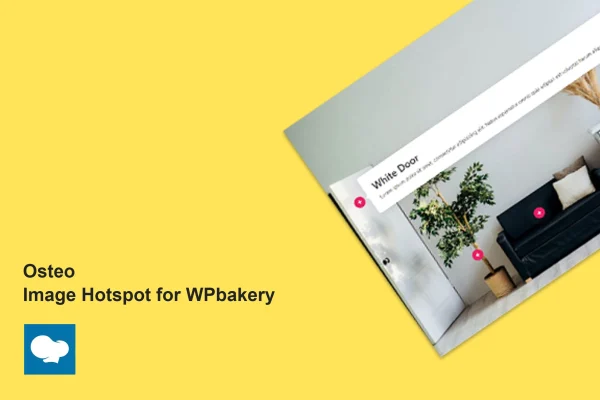
Osteo Image Hotspot for WPbakery is a plugin that adds an image hotspot element to the WPBakery Page Builder. It lets you place clickable pointers on any image, each opening a popup with details or links, so visitors can explore a picture one spot at a time.
- Version
- 1.0.0
- Released
- May 2, 2023
- Type
- WordPress plugin
- Licence
- GPL
- Included in
- Every plan, or $3.99 on its own
What’s new in Osteo Image Hotspot for WPbakery 1.0.0
Version 1.0.0 · May 2, 2023
Latest
What it does
A single image often holds more information than a caption can explain. A product photo has parts worth pointing out, a map has locations, and a diagram has labels that need context. This addon solves that by letting you mark specific areas of an image with pointers. When a visitor clicks one, a popup shows the text or link you attached to that spot, so the details sit right where they belong.
Everything is built inside WPBakery, so you add hotspots the same way you build the rest of your page, with no coding required. It works with themes built on WPBakery, and you can add as many pointers as an image needs. Pointer colors come from a Material UI based palette and icons can be swapped to match your design. The layout is responsive, it runs in major browsers, and it supports translation and right-to-left languages.
Best for
- Online stores pointing out product features on photos
- Designers building client sites with WPBakery themes
- Sites explaining maps, diagrams or detailed visuals
Features
Unlimited hotspot pointers
Place as many clickable pointers on an image as you need, each one linked to its own popup with information or a link.
Material UI color palette
Choose pointer colors from 20 color plates based on Material UI colors, which helps hotspots match your brand or page design.
Customizable pointer icons
Swap the icon used for each pointer so hotspots fit your site's style and stand out clearly against the image behind them.
Built for WPBakery
Works as an addon for the WPBakery Page Builder and is designed to run with WordPress themes that are built on WPBakery.
Responsive hotspots
Hotspots adapt to different screen sizes, so visitors on desktops, tablets and phones can open the same pointers and popups.
Cross-browser support
Tested to work in major browsers, including Chrome, Firefox, Safari, Opera and Edge, so the interactive images behave consistently for visitors.
Translation and RTL ready
Includes a .pot file for translating the plugin and supports right-to-left languages such as Arabic and Hebrew for multilingual sites.
No coding required
Create and adjust hotspots through the page builder interface, which keeps the process approachable for beginners and quick for experienced designers.
Questions about Osteo Image Hotspot for WPbakery
Do I need WPBakery Page Builder to use this plugin?
Yes. It is an addon made specifically for the WPBakery Page Builder, and you build hotspots inside WPBakery like any other page element. It is designed to work with WordPress themes that are built on WPBakery.
How many hotspots can I add to one image?
There is no set limit. You can add as many hotspot pointers as the image needs, and each pointer can open its own popup with details or a link for visitors.
Can I match the hotspots to my site's colors and style?
Yes. Pointer colors can be picked from 20 color plates based on Material UI colors, and the pointer icons can be changed, so the hotspots can follow your branding and page design.
Will it work on a multilingual or right-to-left site?
It is translation ready with an included .pot file, so you can localize it for other languages. It also supports right-to-left languages like Arabic and Hebrew.
Is Osteo Image Hotspot for WPbakery free?
The code of Osteo Image Hotspot for WPbakery is licensed under the GPL, so anyone may use, change and share it. GPL Feast is a paid service: a plan or a single purchase gives you the download and automatic updates. The developer's own support, licence key and online services are not included.
Which version of Osteo Image Hotspot for WPbakery is this?
Version 1.0.0, released May 2, 2023. New versions appear here when the developer publishes them, and members get them as automatic updates.
How do I update Osteo Image Hotspot for WPbakery?
Install the free GPL Feast Updater on your site and connect it with your API key. It installs new versions of Osteo Image Hotspot for WPbakery automatically and keeps a backup, so you can roll back.
You might also like






