
Plugin
Updated
Osteo - Pricing Plan for Elementor
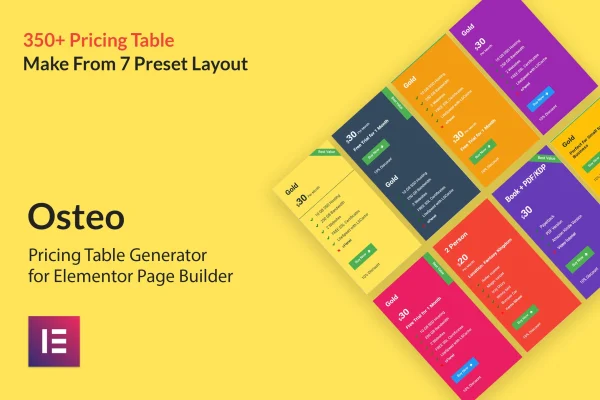
This plugin is an Elementor add-on for building pricing tables without writing code. It gives you 7 preset layouts that combine into more than 350 styles, plus controls for colors, icons, ribbons, buttons and media, so you can present plans and packages in a layout that matches your site.
- Version
- 1.0.0
- Released
- May 2, 2023
- Type
- WordPress plugin
- Requires
- Elementor
- Licence
- GPL
- Included in
- Every plan, or $3.99 on its own
What’s new in Osteo - Pricing Plan for Elementor 1.0.0
Version 1.0.0 · May 2, 2023
Latest
What it does
Pricing sections need to compare plans clearly and fit the rest of your design, and building them by hand in a page builder can take a lot of fiddling. This add-on works inside Elementor, which it requires, and gives you ready layouts to start from. You pick one of the 7 preset layouts, then adjust colors, borders, backgrounds and typography until the table matches your brand. The result is a set of over 350 possible styles without any coding.
Each part of a pricing table has its own settings, including headings, images, icons, videos and popups, so you can tune one element without affecting the others. You can embed video from YouTube or Vimeo and audio from SoundCloud, mark a plan with a CSS3 ribbon such as Popular, and animate the price with a counter. Tables are responsive across desktops, tablets and phones, which suits service pages, membership plans and product package comparisons.
Best for
- Service businesses listing packages on Elementor sites
- Freelancers presenting rates and project tiers
- Membership sites comparing subscription plans
Features
Over 350 table styles
Seven preset layouts serve as the starting point for more than 350 pricing table styles, giving you plenty of visual options without building tables from scratch.
Video and audio embeds
Add videos from YouTube or Vimeo and audio from SoundCloud directly inside a pricing table to explain a plan or add context for visitors.
Button hover effects
Choose from more than 28 hover effects for the buttons in your pricing tables, so each plan's button can respond visually when visitors point at it.
Large icon support
Use up to 10,000 icons from your icon packs, along with images, to mark plan features and details inside each pricing table.
CSS3 ribbons
Five ribbon styles built with CSS3 instead of images let you flag a plan with labels such as Best Value or Popular.
Background and border controls
Set gradient colors, background images and border options on your tables, with unlimited color choices to match your brand's look.
Price counter animation
Animate the price figure with a counting effect that draws visitors' attention to the amount when the pricing section comes into view.
Google Fonts and responsive layout
Apply any Google Font to keep typography consistent, and rely on layouts that adapt to desktops, tablets and mobile screens.
Questions about Osteo - Pricing Plan for Elementor
Do I need Elementor to use this plugin?
Yes. It is built as an add-on for the Elementor page builder and requires Elementor to be active. You build and style your pricing tables inside the Elementor editor using the add-on's settings.
Can I build pricing tables without knowing code?
Yes. The add-on uses a no-coding interface. You pick one of the 7 preset layouts and then adjust colors, fonts, borders, backgrounds, icons, ribbons and buttons through its options.
Can I put a video inside a pricing table?
Yes. You can embed videos from YouTube or Vimeo and audio from SoundCloud. Content settings also include separate controls for headings, images, icons and popups, so media sits alongside the rest of the plan details.
Will the tables work on phones and tablets?
The pricing tables are responsive, so they adjust to desktops, tablets and mobile devices. You can check how each table looks on different screen sizes while editing in Elementor.
Is Osteo - Pricing Plan for Elementor free?
The code of Osteo - Pricing Plan for Elementor is licensed under the GPL, so anyone may use, change and share it. GPL Feast is a paid service: a plan or a single purchase gives you the download and automatic updates. The developer's own support, licence key and online services are not included.
Which version of Osteo - Pricing Plan for Elementor is this?
Version 1.0.0, released May 2, 2023. New versions appear here when the developer publishes them, and members get them as automatic updates.
How do I update Osteo - Pricing Plan for Elementor?
Install the free GPL Feast Updater on your site and connect it with your API key. It installs new versions of Osteo - Pricing Plan for Elementor automatically and keeps a backup, so you can roll back.
What does Osteo - Pricing Plan for Elementor need?
Osteo - Pricing Plan for Elementor needs Elementor installed and active.
You might also like






