
Plugin
Updated
Osteo - Scroll Image For Elementor
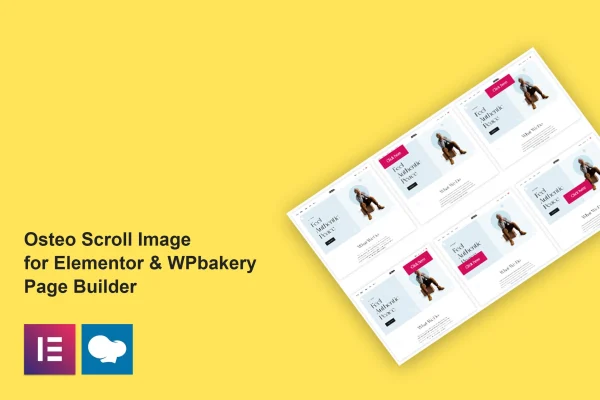
Osteo - Scroll Image For Elementor is a WordPress plugin that adds scroll-based image displays to pages built with Elementor or WPBakery. It comes with 38 preset scroll image styles and more than 28 button hover effects, so you can add moving image presentations without writing code.
- Version
- 1.0.0
- Released
- May 2, 2023
- Type
- WordPress plugin
- Requires
- Elementor
- Licence
- GPL
- Included in
- Every plan, or $3.99 on its own
What’s new in Osteo - Scroll Image For Elementor 1.0.0
Version 1.0.0 · May 2, 2023
Latest
What it does
Long screenshots, full-page website previews and tall product images are hard to show in a normal image box. They either get cropped or shrink until the details are lost. This plugin places the image inside a frame that scrolls, so visitors can see the whole thing while it takes up a reasonable amount of space on the page. That works well for portfolios showing web design projects, landing pages and online stores.
You work inside Elementor or WPBakery, the page builders the plugin is built for. Pick one of the 38 predefined designs as a starting point, then adjust colors, sizes, animations and layout in the style settings to match your brand. Buttons can use any of the 28-plus hover effects. The output is responsive across desktops, tablets and phones, works in Chrome, Firefox, Safari, Opera and Edge, and the plugin includes a .pot file for translation along with documentation.
Best for
- Web designers presenting full-page site screenshots in portfolios
- Landing pages that need compact, scrollable image previews
- Elementor or WPBakery users who prefer presets over custom code
Features
38 preset scroll designs
Choose from 38 predefined scroll image styles that come fully set up, so you can place a finished layout on a page in a few clicks.
Flexible style settings
Adjust colors, sizes, animations and layouts for each scroll image so the design fits your site's look and brand identity.
Button hover effects
Pick from more than 28 hover animations for buttons, giving links and calls to action placed alongside your images some movement.
Elementor and WPBakery support
Use the scroll image element in either Elementor or WPBakery, depending on which page builder your site already runs on.
Responsive layouts
Scroll images adapt to desktops, tablets and smartphones, so the display keeps working on smaller screens.
Cross-browser compatibility
The plugin is tested with Chrome, Firefox, Safari, Opera and Edge, covering the browsers most of your visitors use.
Translation ready
A .pot file is included, so you can translate the plugin's interface text into other languages for multilingual websites.
Included documentation
Documentation covers setup, customization and troubleshooting, which helps when you are configuring presets or style settings for the first time.
Questions about Osteo - Scroll Image For Elementor
Which page builders does this plugin work with?
It works with Elementor and WPBakery, two widely used WordPress page builders. Elementor is listed as a requirement, and the plugin also offers support for WPBakery, so you can use whichever builder your site is set up with.
Do I need coding skills to create scrolling images?
No. The plugin includes 38 predefined scroll image styles that are fully preset. You choose one inside your page builder and then fine-tune colors, sizes, animations and layout through the style settings instead of writing CSS or JavaScript.
Will the scrolling images work on phones and tablets?
Yes. The plugin uses a responsive design meant to display properly on desktops, tablets and smartphones. It is also tested in Chrome, Firefox, Safari, Opera and Edge.
Can I translate the plugin for a non-English site?
Yes. The plugin is translation ready and includes a .pot file, which you can use with standard translation tools to translate its interface text into other languages for multilingual websites.
Is Osteo - Scroll Image For Elementor free?
The code of Osteo - Scroll Image For Elementor is licensed under the GPL, so anyone may use, change and share it. GPL Feast is a paid service: a plan or a single purchase gives you the download and automatic updates. The developer's own support, licence key and online services are not included.
Which version of Osteo - Scroll Image For Elementor is this?
Version 1.0.0, released May 2, 2023. New versions appear here when the developer publishes them, and members get them as automatic updates.
How do I update Osteo - Scroll Image For Elementor?
Install the free GPL Feast Updater on your site and connect it with your API key. It installs new versions of Osteo - Scroll Image For Elementor automatically and keeps a backup, so you can roll back.
What does Osteo - Scroll Image For Elementor need?
Osteo - Scroll Image For Elementor needs Elementor installed and active.
You might also like






