
Plugin
Updated
Osteo Syntax Highlighter for Elementor
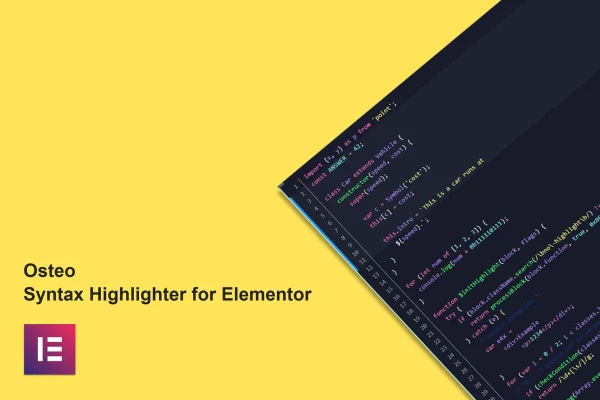
This plugin adds syntax highlighted code blocks to WordPress sites built with Elementor. It supports more than 210 programming languages and comes with over 70 themes inspired by Visual Studio Code, so code snippets on your pages are formatted, colored and easy to read.
- Version
- 1.0.0
- Released
- May 2, 2023
- Type
- WordPress plugin
- Requires
- Elementor
- Licence
- GPL
- Included in
- Every plan, or $3.99 on its own
What’s new in Osteo Syntax Highlighter for Elementor 1.0.0
Version 1.0.0 · May 2, 2023
Latest
What it does
Pasting raw code into a page usually gives you a flat block of text that is hard to scan. Osteo Syntax Highlighter for Elementor solves that by adding color-coded highlighting inside the Elementor page builder. You place your snippet, pick the language from a list of more than 210, and choose a theme. Visitors see code that is formatted the way it would look in an editor, with clear separation between keywords, strings and comments.
The plugin fits sites where code is part of the content: developer blogs, documentation pages, coding tutorials and course material. You can adjust colors and backgrounds to match your site design, number lines, highlight specific lines and add a copy button so readers can grab a snippet quickly. A treeview option helps present file and folder structures. It works with Elementor and Elementor-based themes, is responsive and retina ready, and includes a .pot file for translation.
Best for
- Developer blogs that publish code snippets
- Coding tutorial and online course websites
- Documentation pages built with Elementor
Features
Over 210 programming languages
Highlight snippets in more than 210 programming languages, so the same widget covers everything from markup and styles to server-side and scripting code.
More than 70 code themes
Choose from over 70 pre-designed themes inspired by popular Visual Studio Code themes, giving your code blocks a familiar editor look.
Custom colors and backgrounds
Adjust the colors and backgrounds of the highlighter so your code blocks match your site's branding and overall design.
Line numbers and line highlights
Turn on line numbering and highlight chosen lines to point readers toward the parts of a snippet that matter most in your explanation.
Copy to clipboard button
Add a copy button to code blocks so visitors can copy a full snippet with one click instead of selecting the text by hand.
Treeview display
Use the treeview options to present file structures and nested code hierarchies in a clear, organized layout readers can follow.
Responsive and retina ready
Code blocks adapt to different screen sizes and display crisply on high-resolution screens, so snippets stay readable on phones, tablets and desktops.
Translation ready
A .pot file is included, so the plugin's interface text can be translated for sites that publish in languages other than English.
Questions about Osteo Syntax Highlighter for Elementor
Do I need Elementor to use this plugin?
Yes. The plugin is built for the Elementor page builder and works inside it, including with themes based on Elementor. You add and configure your code blocks while editing pages in Elementor, so it is meant for sites that already use that builder.
Can I make the code blocks match my site's colors?
Yes. Along with more than 70 ready-made themes inspired by Visual Studio Code, you can customize the colors and backgrounds of the highlighter. That lets you start from a theme you like and then adjust it to fit your branding.
Can readers copy the code easily?
Yes. The plugin includes a copy to clipboard button, so visitors can copy an entire snippet with a single click. This is handy on tutorial and documentation pages where readers want to paste code straight into their own projects.
Can I show a folder or file structure?
Yes. The treeview options let you display file and folder hierarchies in an organized layout. This is useful when explaining project setups or showing where files belong, alongside regular highlighted code blocks.
Is Osteo Syntax Highlighter for Elementor free?
The code of Osteo Syntax Highlighter for Elementor is licensed under the GPL, so anyone may use, change and share it. GPL Feast is a paid service: a plan or a single purchase gives you the download and automatic updates. The developer's own support, licence key and online services are not included.
Which version of Osteo Syntax Highlighter for Elementor is this?
Version 1.0.0, released May 2, 2023. New versions appear here when the developer publishes them, and members get them as automatic updates.
How do I update Osteo Syntax Highlighter for Elementor?
Install the free GPL Feast Updater on your site and connect it with your API key. It installs new versions of Osteo Syntax Highlighter for Elementor automatically and keeps a backup, so you can roll back.
What does Osteo Syntax Highlighter for Elementor need?
Osteo Syntax Highlighter for Elementor needs Elementor installed and active.
You might also like






