
Plugin
Updated
Osteo - Timeline for Elementor
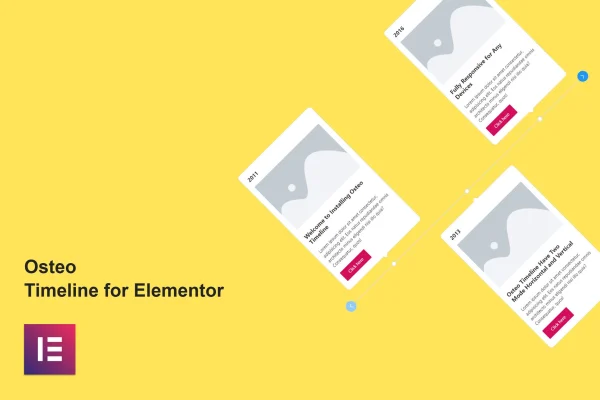
This Elementor addon plugin lets you build horizontal or vertical timelines without writing code. Each entry can hold a date, image, heading, description and button, and you style everything inside the Elementor editor with a live preview.
- Version
- 1.0.0
- Released
- May 2, 2023
- Type
- WordPress plugin
- Requires
- Elementor
- Licence
- GPL
- Included in
- Every plan, or $3.99 on its own
What’s new in Osteo - Timeline for Elementor 1.0.0
Version 1.0.0 · May 2, 2023
Latest
What it does
Chronological content such as a company history, a list of project milestones or an event schedule is hard to lay out cleanly with standard page builder widgets. This plugin gives Elementor a dedicated timeline element. You pick a horizontal or vertical mode, start from one of 10 preset designs and then fill in each entry with the content you need. Changes show up instantly in the live editor, so you can adjust the layout while you work without reloading the page.
Each part of a timeline entry has its own settings, and an on/off toggle lets you hide the date, image, heading, description or button when you do not need them. Style controls cover colors, typography, spacing and layout, with full Google Fonts support and more than 28 button hover effects. The output is responsive across desktops, tablets and phones, works in Chrome, Firefox, Safari, Opera and Edge, and includes a .pot file for translation. It fits portfolios, business sites and storytelling pages built with Elementor.
Best for
- Business sites presenting company history
- Project pages tracking milestones and progress
- Portfolios and storytelling pages built with Elementor
Features
Horizontal and vertical modes
Choose a horizontal or vertical layout for each timeline so the format matches the space on your page and the kind of story you are telling.
Ten preset designs
Start from 10 preset timeline designs and customize them to fit your site's style instead of building every layout from a blank widget.
Flexible content entries
Add and arrange dates, images, headings, descriptions and call-to-action buttons in each timeline entry to present events in order.
Show or hide each element
An on/off toggle controls the visibility of the date, image, heading, description and button, so each timeline shows only what you need.
Separate element styling
Every timeline section has its own settings for colors, typography, spacing and layout, letting you style parts independently to match your brand.
Button hover effects
Pick from more than 28 hover effects for the call-to-action buttons inside your timeline entries to add a bit of motion on interaction.
Live editing preview
See your changes right away in the Elementor editor without reloading the page, which makes tweaking designs quicker and easier.
Translation and font support
A .pot file is included for translating timeline text, and full Google Fonts support gives you a wide choice of typefaces.
Questions about Osteo - Timeline for Elementor
Do I need Elementor to use this timeline plugin?
Yes. The plugin is an addon built for the Elementor page builder and requires Elementor to be active. It is designed to work with WordPress themes that are compatible with Elementor, and you build and edit timelines directly inside the Elementor editor.
Can I make both horizontal and vertical timelines?
Yes. You can choose a horizontal or vertical mode for each timeline. Combined with the 10 preset designs and the style settings for colors, typography, spacing and layout, this lets you match the timeline to your page layout.
Can I leave out images or buttons on some timelines?
Yes. An on/off toggle lets you show or hide the date, image, heading, description and button for your timeline. That way a simple text-only timeline and a fuller one with images and call-to-action buttons can both be built from the same widget.
Will my timelines look right on phones and tablets?
The timelines are fully responsive, so they adapt to desktops, tablets and mobile screens. The plugin also supports Chrome, Firefox, Safari, Opera and Edge, so visitors see the timeline properly across common browsers.
Is Osteo - Timeline for Elementor free?
The code of Osteo - Timeline for Elementor is licensed under the GPL, so anyone may use, change and share it. GPL Feast is a paid service: a plan or a single purchase gives you the download and automatic updates. The developer's own support, licence key and online services are not included.
Which version of Osteo - Timeline for Elementor is this?
Version 1.0.0, released May 2, 2023. New versions appear here when the developer publishes them, and members get them as automatic updates.
How do I update Osteo - Timeline for Elementor?
Install the free GPL Feast Updater on your site and connect it with your API key. It installs new versions of Osteo - Timeline for Elementor automatically and keeps a backup, so you can roll back.
What does Osteo - Timeline for Elementor need?
Osteo - Timeline for Elementor needs Elementor installed and active.
You might also like






