
Plugin
Updated
Osteo Timeline for WPbakery
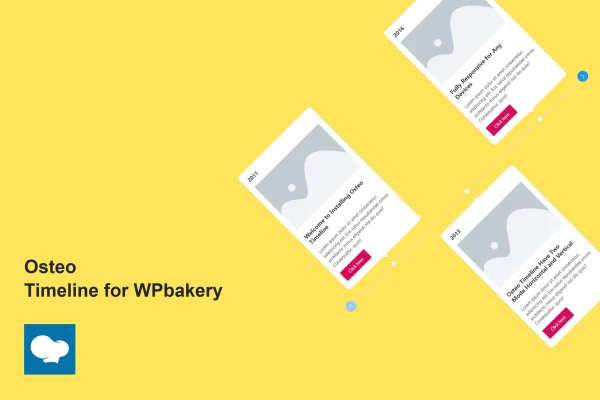
This plugin is a timeline add-on built for the WPBakery page builder. It lets you place horizontal or vertical timelines on your pages to present company history, project milestones, events or any content that runs in sequence, starting from one of 10 preset designs.
- Version
- 1.0.0
- Released
- May 2, 2023
- Type
- WordPress plugin
- Licence
- GPL
- Included in
- Every plan, or $3.99 on its own
What’s new in Osteo Timeline for WPbakery 1.0.0
Version 1.0.0 · May 2, 2023
Latest
What it does
Timelines are a clear way to tell a story in order, but building one by hand with columns and spacing can take a lot of fiddling. This add-on gives WPBakery users a dedicated timeline element instead. You pick a horizontal or vertical layout, choose one of the 10 preset designs as a starting point, and then fill in each entry with a date, image, heading, description and button. It suits brand stories, project roadmaps, event schedules and personal histories.
Each part of a timeline entry can be styled on its own, and an on/off control lets you hide elements you do not need, so a simple date-and-heading list and a richer image-led layout can come from the same tool. Buttons can use more than 28 hover effects. The timelines are responsive across desktops, tablets and phones, work in Chrome, Firefox, Safari, Opera and Edge, and are designed to work with WPBakery-based themes. A .pot file is included for translation, along with documentation.
Best for
- WPBakery sites presenting company history or brand stories
- Agencies building project milestone or roadmap pages
- Event sites listing schedules or past events in order
Features
Horizontal and vertical modes
Switch the timeline orientation between horizontal and vertical so it fits your content and the layout of the page it sits on.
10 preset designs
Start from one of 10 ready-made timeline designs, then adjust the details to match the look of your site instead of building from scratch.
Customizable entry sections
Control each element of a timeline entry, including the date, image, heading, description and button, to get the presentation you want.
Button hover effects
Choose from more than 28 hover effects for timeline buttons to add some interactive motion when visitors point at a link.
On/off element control
Toggle individual elements on or off so each timeline shows only the parts your content actually needs, such as dropping images or buttons.
Responsive layouts
Timelines adapt to desktops, tablets and smartphones, so visitors on any screen size can read through your sequence of entries.
Translation ready
A .pot file is included, which lets you translate the plugin text and localize your timelines for audiences in other languages.
Cross-browser support
Timelines are built to display in major browsers, including Chrome, Firefox, Safari, Opera and Edge, for a consistent result across visitors.
Questions about Osteo Timeline for WPbakery
Does this work with my WPBakery theme?
The plugin is designed for the WPBakery page builder and is described as compatible with WPBakery-based themes. If your site already builds pages with WPBakery, the timeline appears as an add-on you can place on those pages.
Can I make a vertical timeline instead of a horizontal one?
Yes. The add-on supports both horizontal and vertical modes, so you can pick the orientation that suits your content. Vertical layouts work well for long histories, while horizontal ones can suit shorter sequences of milestones.
Do I have to use images and buttons on every entry?
No. Each entry can include a date, image, heading, description and button, and an on/off control lets you turn off any element you do not need. That makes it easy to build a minimal text timeline or a more visual one.
Can I translate the timeline into another language?
The plugin is translation ready and includes a .pot file. You can use it to translate the plugin text into other languages, which helps if your site serves international or multilingual audiences.
Is Osteo Timeline for WPbakery free?
The code of Osteo Timeline for WPbakery is licensed under the GPL, so anyone may use, change and share it. GPL Feast is a paid service: a plan or a single purchase gives you the download and automatic updates. The developer's own support, licence key and online services are not included.
Which version of Osteo Timeline for WPbakery is this?
Version 1.0.0, released May 2, 2023. New versions appear here when the developer publishes them, and members get them as automatic updates.
How do I update Osteo Timeline for WPbakery?
Install the free GPL Feast Updater on your site and connect it with your API key. It installs new versions of Osteo Timeline for WPbakery automatically and keeps a backup, so you can roll back.
You might also like






