
Plugin
Updated
Page Intro for Elementor
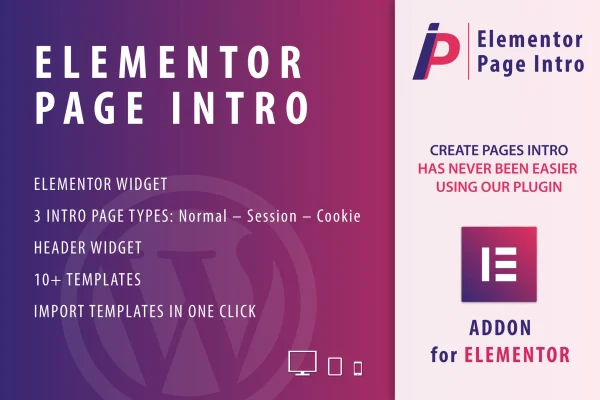
This plugin is an Elementor addon for building intro pages that visitors see before they reach your content. It comes with pre-designed intro demos, supports video, image, color and audio backgrounds, and lets you choose whether the intro appears across the whole site or only on the homepage.
- Version
- 1.0
- Released
- May 2, 2023
- Type
- WordPress plugin
- Requires
- Elementor
- Licence
- GPL
- Included in
- Every plan, or $3.99 on its own
What’s new in Page Intro for Elementor 1.0
Version 1.0 · May 2, 2023
Latest
What it does
Some sites want a welcome screen before the main content, such as a full-screen video, a brand message with music, or a simple splash page with a menu and a button. Building that by hand usually means custom code to control when it shows and how visitors move past it. This plugin handles that part inside Elementor, so you design the intro with the same drag-and-drop editor you already use for the rest of your pages.
You can start from one of more than 10 demo layouts, imported with a single click, or build your own intro from scratch. Header widgets let you place menus, headings and buttons on the intro page. Three display types (Normal, Session and Cookie) control how often a visitor sees the intro, and you can limit it to the homepage or show it sitewide. Layouts are responsive and retina ready. Elementor is required.
Best for
- Elementor sites that want a welcome or splash page
- Brands introducing themselves with video or music
- Freelancers building intro screens for client websites
Features
Pre-designed intro demos
More than 10 ready-made intro page layouts with video, image or color backgrounds give you a starting point you can adjust to match your brand.
One-click demo import
Bring any of the included demo layouts into your site with a single click, then edit it in Elementor like any other page.
Three intro display types
Pick Normal, Session or Cookie mode to decide how and when the intro page appears to visitors as they browse your site.
Sitewide or homepage only
Choose whether the intro page shows across the entire site or appears only when visitors land on your homepage.
Header widgets on intros
Add menus, headings and buttons directly to an intro page so visitors can navigate onward or take the next step right away.
Audio and video backgrounds
Set a video background or add audio to an intro page, so a welcome screen can combine visuals and sound.
Custom intros in Elementor
Design your own intro pages from scratch with the Elementor drag-and-drop editor, with no coding needed.
Responsive and retina ready
Intro pages are built to display properly on different devices and on high-resolution screens.
Questions about Page Intro for Elementor
Do I need Elementor to use this plugin?
Yes. It works as an Elementor addon and requires the Elementor plugin. You build and edit your intro pages inside the Elementor editor using its drag-and-drop interface.
Can I show the intro only once per visitor?
The plugin offers three intro page types: Normal, Session and Cookie. These control how and when the intro displays, so you can choose an option that limits repeat views rather than showing it on every visit.
Does the intro have to appear on every page?
No. You can set the intro to appear sitewide or only on the homepage, depending on how you want visitors to enter your site.
Can I put a menu or button on the intro page?
Yes. Header widgets let you add menus, headings and buttons to an intro page, so visitors can move straight to the section of the site they want.
Is Page Intro for Elementor free?
The code of Page Intro for Elementor is licensed under the GPL, so anyone may use, change and share it. GPL Feast is a paid service: a plan or a single purchase gives you the download and automatic updates. The developer's own support, licence key and online services are not included.
Which version of Page Intro for Elementor is this?
Version 1.0, released May 2, 2023. New versions appear here when the developer publishes them, and members get them as automatic updates.
How do I update Page Intro for Elementor?
Install the free GPL Feast Updater on your site and connect it with your API key. It installs new versions of Page Intro for Elementor automatically and keeps a backup, so you can roll back.
What does Page Intro for Elementor need?
Page Intro for Elementor needs Elementor installed and active.
You might also like






