
Plugin
Updated
Parallax Engine
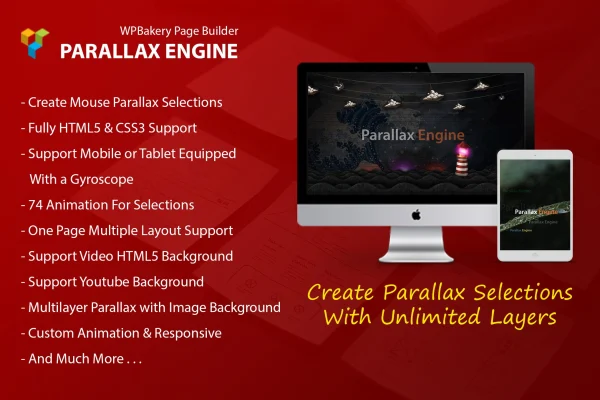
Parallax Engine is a WordPress plugin that works as an addon for WPBakery Page Builder. It lets you build multilayer parallax sections from images, text and video, with layers that move in response to cursor position on desktops or device orientation on phones and tablets.
- Version
- 1.0.6
- Released
- May 2, 2023
- Type
- WordPress plugin
- Licence
- GPL
- Included in
- Every plan, or $3.99 on its own
What’s new in Parallax Engine 1.0.6
Version 1.0.6 · May 2, 2023
Latest
What it does
Parallax effects usually call for custom JavaScript and careful layering by hand. This addon puts that work inside WPBakery Page Builder, so you can stack layers and set their motion from the builder without writing code. Each section can hold as many layers as your design needs, and every layer can be an image, a block of text or a video. Background options include images, video and solid colors, so a parallax section can sit behind almost any content you already build with WPBakery.
Movement is driven by the visitor. On smartphones and tablets with a gyroscope, layers shift as the device tilts. On desktops, the plugin follows the cursor instead. You can apply motion from a library of 74 animations, or write your own with CSS @keyframes when you want something specific. Layers also accept shortcodes, so you can place other content inside them. The output is responsive and retina ready, which suits designers and agencies building visual landing pages, portfolios and creative sites.
Best for
- WPBakery Page Builder sites that need animated hero sections
- Designers building portfolios and creative agency websites
- Freelancers making interactive landing pages for clients
Features
Unlimited parallax layers
Stack as many layers as a section needs to build depth, from a simple two-layer header to a detailed scene with many moving parts.
Cursor and gyroscope tracking
Layers react to device orientation on phones and tablets with a gyroscope, and follow cursor movement on desktop computers without motion sensors.
Image, text and video layers
Each layer can be an image, a text element or a video, including YouTube videos by ID and HTML5 video backgrounds.
Library of 74 animations
Pick from 74 built-in animations to add motion to individual layers, giving each part of a section its own movement.
Custom CSS keyframes
Write your own animations with CSS @keyframes and apply them to layers when the built-in options do not match your design.
Flexible section backgrounds
Place multilayer parallax over an image, a video or a solid color background, depending on what the page calls for.
Shortcodes inside layers
Embed shortcodes within parallax layers to bring other content and WPBakery elements into your animated sections.
Responsive and retina ready
Parallax sections adapt to smartphones, tablets and desktops, and graphics stay sharp on high-resolution screens.
Questions about Parallax Engine
Do I need WPBakery Page Builder to use this plugin?
Yes. This is an addon for WPBakery Page Builder, so it adds its parallax features inside that builder. You create and arrange your layers using the WPBakery interface you already work with.
How does the parallax effect work on phones compared to desktops?
On smartphones and tablets with a gyroscope, the layers move as the visitor tilts the device. On desktops without motion sensors, the plugin tracks the cursor and shifts the layers as the mouse moves across the section.
Can I use video in a parallax section?
Yes. Any layer can be a video, and you can add YouTube videos by their ID or use HTML5 video. Video can also serve as the section background, alongside image and solid color options.
What if none of the built-in animations fit my design?
You can choose from 74 included animations, and if none of them suit the page, you can write custom animations with CSS @keyframes and apply them to individual layers for full control over the motion.
Is Parallax Engine free?
The code of Parallax Engine is licensed under the GPL, so anyone may use, change and share it. GPL Feast is a paid service: a plan or a single purchase gives you the download and automatic updates. The developer's own support, licence key and online services are not included.
Which version of Parallax Engine is this?
Version 1.0.6, released May 2, 2023. New versions appear here when the developer publishes them, and members get them as automatic updates.
How do I update Parallax Engine?
Install the free GPL Feast Updater on your site and connect it with your API key. It installs new versions of Parallax Engine automatically and keeps a backup, so you can roll back.
You might also like






