
Plugin
Updated
Photo Stack
Photo Stack Addon for Elementor is a WordPress plugin that lets you build layered photo stacks inside the Elementor page builder. You pick a preset design, apply a mask and arrange your images without writing any code.
- Version
- 1.4
- Released
- Aug 26, 2026
- Type
- WordPress plugin
- Requires
- Elementor
- Licence
- GPL
- Included in
- Every plan, or $3.99 on its own
What’s new in Photo Stack 1.4
Version 1.4 · Aug 26, 2026
Latest
What it does
A single flat image can look plain on a homepage, portfolio or blog post. This addon gives you a way to present several photos as a layered stack, so a section reads more like an arranged collage than a row of separate pictures. It works inside Elementor, which the plugin requires, so you build and adjust the stack in the same editor you already use for the rest of your pages.
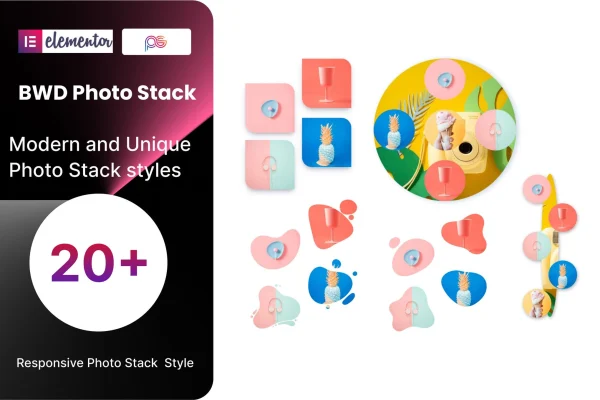
The starting point is a library of 21 preset designs that set the layout of the stack. From there you can apply one of 39 masking styles to change the shape and look of the images. Stacks are responsive and retina ready, so they scale across desktop and mobile screens, and RTL support covers sites written in languages such as Arabic, Hebrew or Persian. It fits well on portfolios, about pages, blog headers and business sites that want a more designed image section.
Best for
- Photographers and designers building visual portfolios
- Bloggers who want more interesting image sections
- Websites in Arabic, Hebrew, Persian or other RTL languages
Features
21 preset designs
Choose from 21 ready layouts for your photo stack, giving you a quick starting point instead of arranging every image position by hand.
39 masking styles
Apply any of 39 masking styles to change the shape and presentation of the images in a stack and match it to your site's look.
Built for Elementor
The addon works inside the Elementor editor, so you add and adjust photo stacks alongside the other elements on your page.
No coding needed
Photo stacks are built through visual settings, which makes the plugin usable for beginners as well as designers who prefer to work quickly.
Responsive and retina ready
Stacks adapt to different screen sizes and display sharply on high resolution screens, from desktop monitors down to mobile phones.
Right-to-left language support
RTL support lets the photo stacks work on sites written in right-to-left languages such as Arabic, Hebrew or Persian.
Clean, documented code
The plugin's code is written to be clean and documented, which helps developers who want to customize how the stacks behave.
Questions about Photo Stack
Do I need Elementor to use this addon?
Yes. The plugin is an Elementor addon and requires Elementor to be active on your site. The photo stacks are created and edited inside the Elementor editor, alongside the other sections of your pages.
How many design options does it include?
You get 21 preset designs that set the layout of the stack and 39 masking styles that change the shape and look of the images. Combining the two gives you plenty of ways to match the stacks to your site's style.
Will the photo stacks look right on phones?
The stacks are responsive, so they adjust to different screen sizes from desktops to mobile phones. They are also retina ready, which keeps images sharp on high resolution displays.
Can I use it on a site in a right-to-left language?
Yes. The addon includes RTL support, so it suits sites written in languages such as Arabic, Hebrew or Persian, as well as multilingual sites that include right-to-left content.
Is Photo Stack free?
The code of Photo Stack is licensed under the GPL, so anyone may use, change and share it. GPL Feast is a paid service: a plan or a single purchase gives you the download and automatic updates. The developer's own support, licence key and online services are not included.
Which version of Photo Stack is this?
Version 1.4, released Aug 26, 2026. New versions appear here when the developer publishes them, and members get them as automatic updates.
How do I update Photo Stack?
Install the free GPL Feast Updater on your site and connect it with your API key. It installs new versions of Photo Stack automatically and keeps a backup, so you can roll back.
What does Photo Stack need?
Photo Stack needs Elementor installed and active.
You might also like






