
Plugin
Updated
Pixi Advanced Portfolio
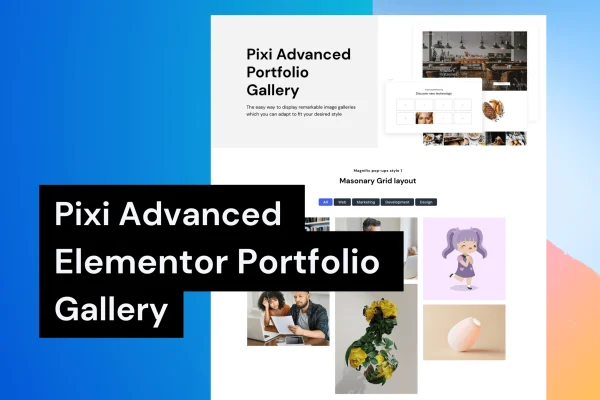
This WordPress plugin adds portfolio, gallery and team displays to Elementor. You pick from several preset styles, fill in your project details through widget fields, and adjust colors, fonts and layouts in the Elementor editor without writing code.
- Version
- 1.0.1
- Released
- Aug 26, 2026
- Type
- WordPress plugin
- Requires
- Elementor
- Licence
- GPL
- Included in
- Every plan, or $3.99 on its own
What’s new in Pixi Advanced Portfolio 1.0.1
Version 1.0.1 · Aug 26, 2026
Latest
What it does
Many creative sites need a clean way to present past work, but building a filterable grid by hand takes time and custom code. This plugin handles that inside Elementor, which it requires. You place the portfolio widget on a page, enter items with images, names, categories and descriptions, and choose one of more than 4 preset designs. Visitors can then sort projects by category, so a long body of work stays easy to browse.
Because everything is styled in Elementor's drag-and-drop editor, you can match fonts, sizes and color schemes to your brand and see the result as you work. There is no cap on how many portfolios or galleries you create, so you can build separate collections for different services, clients or years. The layouts are responsive and retina ready, which keeps images sharp on phones, tablets and high-resolution screens. It also works for team member sections and other visual content.
Best for
- Freelance designers and photographers presenting their work
- Creative agencies displaying client projects and team members
- Elementor users who want filterable galleries without coding
Features
Preset portfolio styles
Choose from more than 4 distinct preset designs to give your project grid a look that suits your site.
Category filters
Filterable layouts let visitors sort your projects by category, so they can jump straight to the kind of work they care about.
Unlimited portfolios and galleries
Create and manage as many portfolios or galleries as you need, from client collections to separate galleries for each service you offer.
Styling in Elementor
Adjust every portfolio element with Elementor's drag-and-drop editor, making quick visual changes without touching code or leaving the page builder.
Typography and color controls
Set fonts, sizes and color schemes for your portfolio so it matches the rest of your branding and feels consistent across pages.
Simple item management
Add, edit or remove portfolio items through widget fields that cover images, names, categories and descriptions for each entry.
Responsive and retina ready
Layouts adapt to different screen sizes and keep images crisp on high-resolution displays, including phones and tablets.
Questions about Pixi Advanced Portfolio
Do I need Elementor to use this plugin?
Yes. The plugin is built to work with Elementor, and all of the portfolio elements are placed and styled through Elementor's drag-and-drop editor. You will need Elementor active on your site.
Can visitors filter my projects?
Yes. The filterable layouts let visitors sort your projects by category. You assign categories to each portfolio item in the widget fields, and the filter uses those categories to show matching work.
Is there a limit on how many portfolios I can build?
No limit is set. You can create and manage as many portfolios or galleries as you need, which is handy if you want separate collections for different clients, services or types of work.
Can I use it for team member sections as well as projects?
Yes. Along with portfolios and galleries, the plugin is designed to present team members and other visual content, using the same preset styles and customization options for fonts, colors and layouts.
Is Pixi Advanced Portfolio free?
The code of Pixi Advanced Portfolio is licensed under the GPL, so anyone may use, change and share it. GPL Feast is a paid service: a plan or a single purchase gives you the download and automatic updates. The developer's own support, licence key and online services are not included.
Which version of Pixi Advanced Portfolio is this?
Version 1.0.1, released Aug 26, 2026. New versions appear here when the developer publishes them, and members get them as automatic updates.
How do I update Pixi Advanced Portfolio?
Install the free GPL Feast Updater on your site and connect it with your API key. It installs new versions of Pixi Advanced Portfolio automatically and keeps a backup, so you can roll back.
What does Pixi Advanced Portfolio need?
Pixi Advanced Portfolio needs Elementor installed and active.
You might also like






