
Plugin
Updated
Post Layouts Pro for Gutenberg
Post Layouts Pro for Gutenberg is a WordPress plugin that works as an add-on for the Gutenberg block editor. It gives you grid and list templates for displaying blog posts, with settings for columns, post meta, ordering and featured images, so you can build blog and magazine-style pages without code.
- Version
- 1.0.8
- Released
- Aug 25, 2026
- Type
- WordPress plugin
- Licence
- GPL
- Included in
- Every plan, or $3.99 on its own
What’s new in Post Layouts Pro for Gutenberg 1.0.8
Version 1.0.8 · Aug 25, 2026
Latest
- ImprovedLatest WordPress 7.1 compatibility check
- FixedREST API fields (category, tags, excerpt, comments, social share) reading the wrong post ID key so they now return data for the requested post
- FixedDisplay Post Comment toggle being ignored in several grid templates
- FixedCategory filtering not applying in Grid Template 3 due to an incorrect query argument
- FixedMissing translation wrapping around comment count text in several templates
- FixedRemoved a no-op statement left over in Grid Template 1
What it does
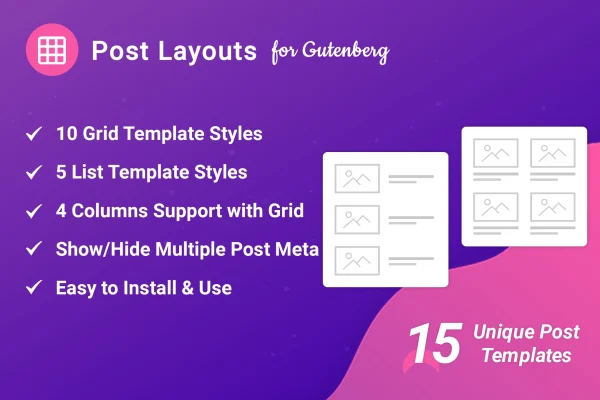
Showing a set of posts on a page in a tidy, readable way usually means custom code or a separate page builder. This plugin handles that job inside the block editor itself. You get 10 grid templates and 5 list templates, and you pick the one that suits the page, whether that is a multi-column blog index, a magazine-style front page or a simple list of recent articles. Layouts are responsive, so they adjust to desktops, tablets and phones.
Once a layout is placed, you shape it through its settings. Grids can run up to 4 columns. You choose which post meta appears, such as author, date, categories and comments, set how posts are ordered, and choose a landscape or square featured image. You can also change the Read More text, turn on social share buttons and filter posts by category. It suits personal blogs, online magazines and any site with a lot of posts to organize.
Best for
- Bloggers who want better looking post listing pages
- Online magazines and news-style content sites
- Site owners building pages with the Gutenberg block editor
Features
Ten grid templates
Display posts in multi-column grid formats, with 10 distinct grid designs to choose from for blog pages and magazine-style layouts.
Five list templates
Present posts in clean list views using 5 list templates, a good fit for archives, recent post sections and text-focused pages.
Up to 4 columns
Set the number of columns in a grid layout, up to 4, to match your page design and the amount of space available.
Post meta visibility controls
Show or hide post details such as author, date, categories and comment count, so each layout displays only the information you want.
Flexible post ordering
Sort posts from newest to oldest, oldest to newest, or alphabetically from A to Z or Z to A, depending on how you want content presented.
Featured image styles
Choose between landscape or square featured images in your layouts to suit the look of your blog and the shape of your photos.
Social share buttons
Add social sharing buttons directly to your post layouts so readers can share articles from the listing itself.
Custom Read More text
Replace the default Read More label with your own wording to match the tone of your site and your content.
Questions about Post Layouts Pro for Gutenberg
Do I need Elementor or another page builder to use this?
No. The plugin is built as an add-on for the Gutenberg block editor and works on its own there. You build post grids and lists directly in the block editor without relying on an additional page builder or writing custom code.
How many layout options are included?
There are 10 grid templates and 5 list templates. Grid layouts support up to 4 columns, and you can further adjust each layout with post meta settings, ordering options, featured image style and the Read More text.
Can I show only posts from a certain category?
Yes, the layouts support category filtering, so you can limit a grid or list to posts from a chosen category. This is handy for section pages on a magazine site or topic pages on a blog.
Will the layouts work on phones and tablets?
The layouts are responsive and adjust to different screen sizes, including desktops, tablets and smartphones, so your post grids and lists stay readable on smaller devices.
Is Post Layouts Pro for Gutenberg free?
The code of Post Layouts Pro for Gutenberg is licensed under the GPL, so anyone may use, change and share it. GPL Feast is a paid service: a plan or a single purchase gives you the download and automatic updates. The developer's own support, licence key and online services are not included.
Which version of Post Layouts Pro for Gutenberg is this?
Version 1.0.8, released Aug 25, 2026. New versions appear here when the developer publishes them, and members get them as automatic updates.
How do I update Post Layouts Pro for Gutenberg?
Install the free GPL Feast Updater on your site and connect it with your API key. It installs new versions of Post Layouts Pro for Gutenberg automatically and keeps a backup, so you can roll back.
You might also like






