
Plugin
Updated
Posts Navigation Preview
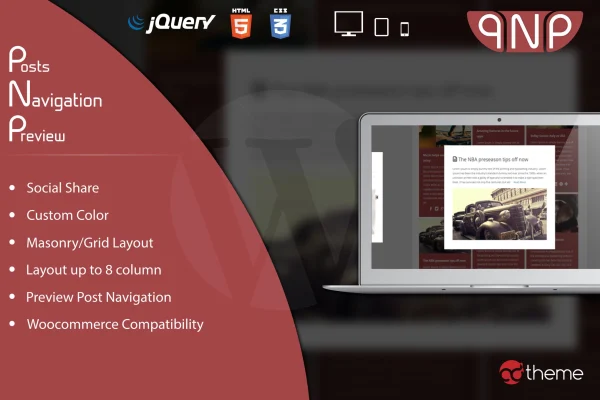
Posts Navigation Preview is a WordPress plugin that replaces plain next and previous links with visual previews of nearby posts. It also works with WooCommerce products, so readers and shoppers can see what comes next before they click.
- Version
- 1.0
- Released
- May 2, 2023
- Type
- WordPress plugin
- Licence
- GPL
- Included in
- Every plan, or $3.99 on its own
What’s new in Posts Navigation Preview 1.0
Version 1.0 · May 2, 2023
Latest
What it does
Standard post navigation often shows little more than a title, which gives readers few reasons to keep browsing. This plugin adds a preview-style navigation that shows a glimpse of the next or previous post, with or without an excerpt. It suits blogs, magazine-style sites and online stores that want visitors to move between items more easily. For shops, the same approach applies to WooCommerce products, letting customers browse from one product to the next.
You place the navigation using shortcodes, and each shortcode can have its own main color (with adjustable opacity) and secondary color to match your design. Beyond the classic preview, you can display posts or products in masonry or grid layouts with anywhere from 1 to 8 columns. The navigation can also go into any widgetized area, and the layouts are responsive and retina ready. Translation files are included for multilingual sites, and social sharing can be turned on for preview items.
Best for
- Bloggers who want readers to browse more posts
- WooCommerce stores wanting visual next and previous product links
- Magazine-style sites with lots of articles
Features
Two preview types
Choose a normal preview that includes post excerpts or a cleaner no-excerpt version, depending on how much text you want shown in the navigation.
Per-shortcode color controls
Set a main color with adjustable opacity and a secondary color for each shortcode, so the navigation can match your brand colors on different pages.
Masonry and grid layouts
Show posts or products in masonry or grid formats that adapt to your content, as an alternative to the classic single preview style.
One to eight columns
Pick anywhere from 1 to 8 columns for the navigation layout, giving you control over spacing and how many items appear side by side.
WooCommerce product navigation
Use the same preview navigation for WooCommerce products, so shoppers can move between products in your store with visual previews instead of plain links.
Widget area support
Add the navigation preview to any widgetized area of your site, such as a sidebar or footer, wherever extra navigation would help visitors.
Social sharing on previews
Enable social sharing on preview items so visitors can share posts or products directly from the navigation.
Responsive and translation ready
Layouts adjust to different screen sizes and retina displays, and included .po and .mo files make it possible to translate the plugin for multilingual sites.
Questions about Posts Navigation Preview
Does this work with WooCommerce products as well as blog posts?
Yes. Along with regular posts, the plugin can show preview navigation for WooCommerce products, so customers can see and move between products in your store using the same visual style.
Can I change the colors to match my site?
Yes. Each shortcode lets you set a main color, with adjustable opacity, and a secondary color. That means you can match your brand palette and even use different color schemes in different places on your site.
What layout options are available?
You can use a classic preview, with or without excerpts, or display items in masonry or grid layouts. Column count is adjustable from 1 to 8, and the navigation can also be placed in widget areas.
Can I use it on a site that isn't in English?
The plugin is translation ready and includes .po and .mo files, so you can translate its text for your language or for a multilingual website.
Is Posts Navigation Preview free?
The code of Posts Navigation Preview is licensed under the GPL, so anyone may use, change and share it. GPL Feast is a paid service: a plan or a single purchase gives you the download and automatic updates. The developer's own support, licence key and online services are not included.
Which version of Posts Navigation Preview is this?
Version 1.0, released May 2, 2023. New versions appear here when the developer publishes them, and members get them as automatic updates.
How do I update Posts Navigation Preview?
Install the free GPL Feast Updater on your site and connect it with your API key. It installs new versions of Posts Navigation Preview automatically and keeps a backup, so you can roll back.
You might also like






