
Plugin
Updated
Powerful Lordicons Animation
Powerful Lordicons Animation is an Elementor addon plugin that places animated and static icons on your pages. It includes ready-made icon sets, Lottie file support and several animation triggers, and you can set it all up from the Elementor editor without writing code.
- Version
- 1.4
- Released
- Aug 27, 2026
- Type
- WordPress plugin
- Requires
- Elementor
- Licence
- GPL
- Included in
- Every plan, or $3.99 on its own
What’s new in Powerful Lordicons Animation 1.4
Version 1.4 · Aug 27, 2026
Latest
What it does
Static icons can look flat on a modern page, and adding motion usually means custom code or separate animation tools. This plugin gives Elementor users a widget for adding animated icons directly in the editor. You choose from icon libraries that cover social media, technology and business themes, then adjust size, color and animation style to match your branding. It requires Elementor, so it fits sites that already use that page builder for layout and design.
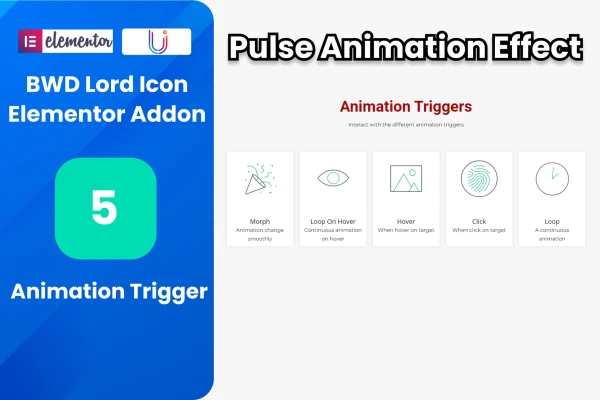
Each icon can respond to visitors in different ways, with five animation triggers and an optional pulse effect to draw the eye. You can also pair an icon with a title, a description and a button, which makes the widget useful for feature blocks, service lists and contact sections. Links support three target options. If you have your own Lottie animations, you can add them as files or links. Icons are responsive and retina ready, so they stay sharp on phones and large screens alike.
Best for
- Elementor sites that need animated icons in feature sections
- Designers building service or business pages
- Freelancers who want Lottie animations without custom code
Features
Ready-made icon libraries
Pick from included icon sets covering social media, technology and business topics, with both animated and static icons available for your Elementor pages.
Five animation triggers
Choose from five triggers that start an icon's animation based on how visitors interact with it, so motion happens at the moment you want.
Lottie file and link support
Bring in your own Lottie JSON animations by uploading a file or pointing to a link, and display them alongside or instead of the library icons.
Style controls for icons
Adjust icon size, color and animation style from the widget settings so the icons fit your site's colors and overall look.
Title, description and button
Add a heading, supporting text and a button next to an icon to build feature boxes or service blocks within a single widget.
Pulse animation effect
Apply a pulsing animation to an icon when you want it to stand out and catch a visitor's attention on the page.
Three link target options
Set where an icon links and choose from three target options to control how that link opens for visitors.
Responsive and retina ready
Icons scale cleanly across desktops, tablets and smartphones and stay crisp on high-resolution screens.
Powerful Lordicons Animation older versions
- 1.0Apr 27, 2025
Members and buyers of this product can download older versions.
Questions about Powerful Lordicons Animation
Do I need Elementor to use this plugin?
Yes. The plugin is built as an Elementor addon and requires Elementor to be active. You add and configure the icons inside the Elementor editor, using its widget settings for style, animation and link options.
Can I use my own Lottie animations?
Yes. The plugin supports Lottie animations, and you can add them either as uploaded files or as links. This lets you use custom JSON animations alongside the included social media, technology and business icon sets.
Can I add text and a button next to an icon?
Yes. Each icon can include a title, a description and a button. That makes it practical for feature lists, service blocks or contact sections where an icon needs a short explanation and a link to another page.
Will I need to write code to animate the icons?
No coding is required. You pick an icon, choose one of the five animation triggers, set the size and color, and optionally turn on the pulse effect, all from the widget controls in Elementor.
Is Powerful Lordicons Animation free?
The code of Powerful Lordicons Animation is licensed under the GPL, so anyone may use, change and share it. GPL Feast is a paid service: a plan or a single purchase gives you the download and automatic updates. The developer's own support, licence key and online services are not included.
Which version of Powerful Lordicons Animation is this?
Version 1.4, released Aug 27, 2026. New versions appear here when the developer publishes them, and members get them as automatic updates.
How do I update Powerful Lordicons Animation?
Install the free GPL Feast Updater on your site and connect it with your API key. It installs new versions of Powerful Lordicons Animation automatically and keeps a backup, so you can roll back.
What does Powerful Lordicons Animation need?
Powerful Lordicons Animation needs Elementor installed and active.
You might also like






