
Plugin
Updated
PPT - File Download Buttons
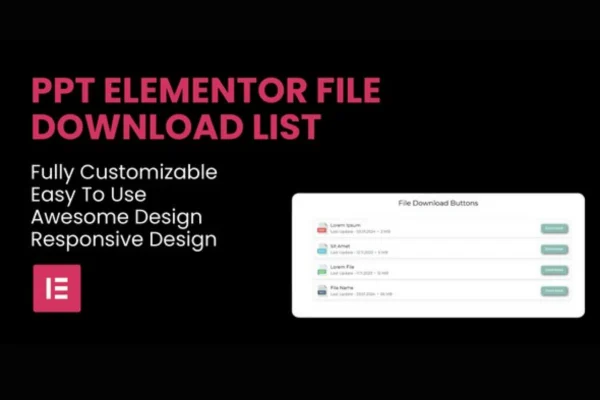
PPT - File Download Buttons is an Elementor widget plugin for adding lists of downloadable files to your pages. It helps you share documents, media and other resources in a tidy, organized section that you build and style inside the Elementor editor.
- Version
- 1.0.1
- Released
- Mar 12, 2024
- Type
- WordPress plugin
- Requires
- Elementor
- Licence
- GPL
- Included in
- Every plan, or $3.99 on its own
What’s new in PPT - File Download Buttons 1.0.1
Version 1.0.1 · Mar 12, 2024
Latest
What it does
Many sites need a place to offer files, such as PDF guides, forms, course handouts or image packs. Linking each file by hand often leads to a messy page that is hard to scan. This widget gives you a dedicated file list element in Elementor, so you can collect your files in one block, label them clearly and present them in a layout that matches the rest of your design.
You drop the widget onto a page, add your files and pick a layout. From there you can set icons and labels for different file types, adjust colors, fonts, spacing and hover effects, and turn on download counters. Visitors can sort and search the list to find what they need, and the list adapts to desktops, tablets and phones. It requires Elementor and needs no coding.
Best for
- Businesses sharing brochures, forms or product documents
- Educators offering course materials and handouts
- Bloggers providing free resources or media files
Features
Built for Elementor
Add and customize file download lists directly within the Elementor interface, so the list fits into your normal page design workflow.
Multiple layout options
Choose from several layouts for your file list to match the style and flow of the page where it appears.
File icons and labels
Assign distinctive icons and labels to represent different file types, making it clear to visitors what each item is.
Download counters
Track and display how many times each file has been downloaded, which helps you see which resources visitors use most.
Sortable and searchable lists
Sorting and filtering options built into the widget help visitors find a specific file quickly, even in a longer list.
Wide file format support
Share many file types, including PDFs, DOC files, images and more, all from the same download list.
Custom styling controls
Adjust colors, fonts, spacing and hover effects so the file list matches your brand's look and the rest of your site.
Responsive file lists
Lists are designed to display and work properly on desktops, tablets and mobile phones without separate setup for each device.
Questions about PPT - File Download Buttons
Do I need Elementor to use this widget?
Yes. The plugin is an Elementor widget and requires Elementor. You add and customize your file lists from inside the Elementor editor, alongside the other elements on your page.
What kinds of files can I put in a list?
The widget supports a wide range of file formats, including PDFs, DOC files and images, among others. You can mix different file types in one list and use icons and labels to tell them apart.
Can visitors search for a specific file?
Yes. Lists can be sortable and searchable, with sorting and filtering options built into the widget. This helps visitors find the file they want without scrolling through every item.
Can I see how often each file is downloaded?
Yes. Download counters track and display how many times each file has been downloaded, giving you and your visitors a sense of which files are most popular.
Is PPT - File Download Buttons free?
The code of PPT - File Download Buttons is licensed under the GPL, so anyone may use, change and share it. GPL Feast is a paid service: a plan or a single purchase gives you the download and automatic updates. The developer's own support, licence key and online services are not included.
Which version of PPT - File Download Buttons is this?
Version 1.0.1, released Mar 12, 2024. New versions appear here when the developer publishes them, and members get them as automatic updates.
How do I update PPT - File Download Buttons?
Install the free GPL Feast Updater on your site and connect it with your API key. It installs new versions of PPT - File Download Buttons automatically and keeps a backup, so you can roll back.
What does PPT - File Download Buttons need?
PPT - File Download Buttons needs Elementor installed and active.
You might also like






