
Plugin
Updated
Pricing Tables
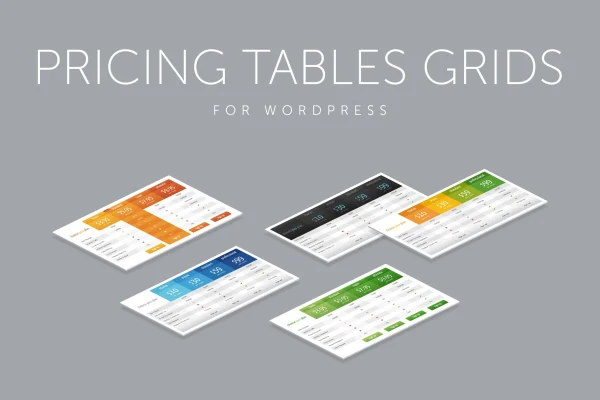
This WordPress plugin by QuanticaLabs creates pricing tables for presenting service tiers and package options. You configure each table in an admin panel with a live preview, choose a style and color scheme, and adjust how it behaves on smaller screens.
- Version
- 12.0
- Released
- Aug 27, 2026
- Type
- WordPress plugin
- Requires
- Elementor
- Licence
- GPL
- Included in
- Every plan, or $3.99 on its own
What’s new in Pricing Tables 12.0
Version 12.0 · Aug 27, 2026
Latest
What it does
Comparing plans side by side is hard for visitors when prices and features sit in loose paragraphs. Pricing Tables puts that information into clear columns and rows, with tick and cross icons, ribbons and tooltips that explain details without crowding the layout. The tables are built with CSS3 and HTML, and the plugin works alongside Elementor, which it lists as a requirement.
Setup happens in an admin panel where you change columns, rows, fonts and tooltips and watch the result in a live preview, with no code needed. You can start from one of two table styles and more than 20 predefined color versions. A responsive mode lets you set breakpoints and assign column widths and font sizes for each step, so the table stays readable on phones and desktops.
Best for
- Service businesses comparing several plan tiers
- Agencies building pricing pages for client sites
- Freelancers presenting package options on Elementor sites
Features
Live configuration admin panel
Build and adjust tables in an admin panel that previews your changes as you work, covering columns, rows, fonts and tooltips without writing code.
Two table styles
Pick between two distinct table designs as a starting point, then customize the details so the table fits the look of your site.
Over 20 color versions
Choose from more than 20 predefined color schemes for a quick setup that stays close to your brand colors.
Responsive breakpoints
Set custom breakpoints and define column widths and font sizes for each responsive step, keeping tables readable across screen sizes.
Expandable rows and sliding columns
Use expandable rows and sliding columns to show more content in a compact space and let visitors explore plan details.
Highlighted active column
Draw attention to a featured plan with a popped-up active column effect and hover states on the table.
Ribbons, icons and tooltips
Add column ribbons, tick and cross icons and cell tooltips to mark included features and give extra information on demand.
Font and retina options
Select from multiple font-face fonts with configuration options, and display retina-ready graphics on high-resolution screens.
Pricing Tables older versions
- 11.8Aug 4, 2025
Members and buyers of this product can download older versions.
Questions about Pricing Tables
Do I need to know CSS to customize the tables?
No. The admin panel lets you change columns, rows, fonts, tooltips and colors through settings, with a live preview of the result. The tables themselves are built with CSS3 and HTML, but you do not have to edit that code to configure them.
Will my pricing tables work on mobile devices?
Yes. The plugin includes a responsive mode with customizable breakpoints. For each responsive step you can set column widths and font sizes, so the table stays readable on phones, tablets and desktops.
Can I make one plan stand out from the others?
You can. An active column highlight gives a chosen plan a popped-up effect, and hover states add emphasis. Column ribbons and tick or cross icons also help point visitors toward particular plans or features.
Does this plugin require Elementor?
Yes, Elementor is listed as a requirement for this plugin, so you should have Elementor on your WordPress site before using it to build pricing tables.
Is Pricing Tables free?
The code of Pricing Tables is licensed under the GPL, so anyone may use, change and share it. GPL Feast is a paid service: a plan or a single purchase gives you the download and automatic updates. The developer's own support, licence key and online services are not included.
Which version of Pricing Tables is this?
Version 12.0, released Aug 27, 2026. New versions appear here when the developer publishes them, and members get them as automatic updates.
How do I update Pricing Tables?
Install the free GPL Feast Updater on your site and connect it with your API key. It installs new versions of Pricing Tables automatically and keeps a backup, so you can roll back.
What does Pricing Tables need?
Pricing Tables needs Elementor installed and active.
You might also like






