
Plugin
Updated
Private Content Locker
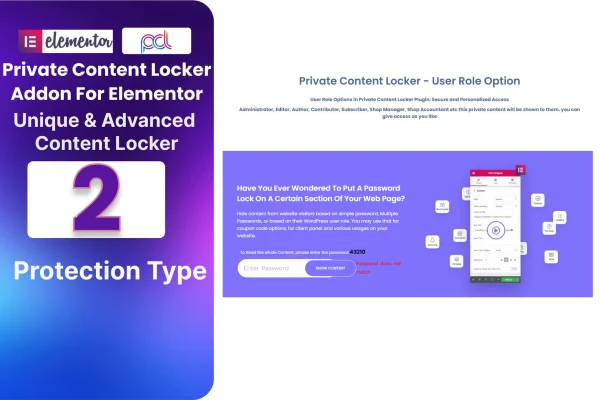
Private Content Locker Addon For Elementor is a WordPress plugin by BestWpDeveloper that lets you hide chosen parts of a page from general visitors. You lock videos, articles, downloads and other material inside Elementor and decide who gets access, with no coding needed.
- Version
- 1.8
- Released
- Aug 24, 2026
- Type
- WordPress plugin
- Requires
- Elementor
- Licence
- GPL
- Included in
- Every plan, or $3.99 on its own
What’s new in Private Content Locker 1.8
Version 1.8 · Aug 24, 2026
Latest
What it does
Many sites need a way to keep some content behind a gate: a members-only section, a bonus resource for subscribers, or information meant for a small group. This addon adds that control directly to Elementor, which it requires. Instead of building a separate system, you place locked content in the same editor you already use to design your pages. It offers two types of protection methods, so you can pick the approach that fits each piece of content and set access to match your needs.
Once a locker is set up, you can save it as a template and import it again later, which helps when you protect similar content across many pages. Advanced options let you fine-tune how the locker looks and behaves, and the locked areas are responsive across devices. The plugin includes a POT file for translation and offers analytics on user interaction, giving you a view of how visitors engage with protected material.
Best for
- Membership sites built with Elementor
- Creators offering exclusive videos, articles or downloads
- Sites that need to hide sensitive information from public visitors
Features
Two protection methods
Choose between two types of protection methods to secure content, so you can match the access control to each page or section.
Saved template import
Save a locker setup as a template and import it again later, so you can reuse the same protection on other pages without rebuilding it.
Advanced customization options
Adjust the content locker settings with advanced options to shape how the locked area appears and works for your visitors.
No coding required
Set up content protection through the Elementor interface without writing code, which suits site owners of different skill levels.
Works with many content types
Lock videos, articles, downloads and other exclusive materials, then grant access only to the audience you have in mind.
Responsive locked content
Locked areas are built to display properly on different screen sizes, so protected sections hold up on phones, tablets and desktops.
Translation ready
A POT file is included, so you can translate the plugin's text into other languages for visitors who use your site in a different language.
Analytics insights
Track user interaction with your protected content to better understand your audience and how they respond to what you lock.
Private Content Locker older versions
- 1.0Sep 11, 2023
Members and buyers of this product can download older versions.
Questions about Private Content Locker
Do I need Elementor to use this plugin?
Yes. This addon works inside Elementor, so Elementor must be active on your site. You build and manage locked content in the Elementor editor you already use for designing pages.
What kinds of content can I lock?
You can restrict access to videos, articles, downloads and other exclusive materials. That makes it a fit for members-only areas, special offers for a chosen group, or sensitive information you want kept away from general visitors.
Can I reuse a locker setup on several pages?
Yes. The plugin has a saved template import option, so you can save a locker configuration and import it again elsewhere. This saves time when you protect similar content across many pages of your site.
Can the plugin be translated into another language?
It is multilingual ready and includes a POT file. You can use that file with standard translation tools to translate the plugin's text into the language your visitors use.
Is Private Content Locker free?
The code of Private Content Locker is licensed under the GPL, so anyone may use, change and share it. GPL Feast is a paid service: a plan or a single purchase gives you the download and automatic updates. The developer's own support, licence key and online services are not included.
Which version of Private Content Locker is this?
Version 1.8, released Aug 24, 2026. New versions appear here when the developer publishes them, and members get them as automatic updates.
How do I update Private Content Locker?
Install the free GPL Feast Updater on your site and connect it with your API key. It installs new versions of Private Content Locker automatically and keeps a backup, so you can roll back.
What does Private Content Locker need?
Private Content Locker needs Elementor installed and active.
You might also like






