
Plugin
Updated
Product Category Carousel
WooCommerce Product Category Carousel For Elementor is a WordPress plugin that displays your WooCommerce product categories in a sliding carousel. You build it inside the Elementor page builder, pick from preset designs and navigation styles, and adjust the look without writing any code.
- Version
- 2.6
- Released
- Aug 26, 2026
- Type
- WordPress plugin
- Requires
- Elementor
- Licence
- GPL
- Included in
- Every plan, or $3.99 on its own
What’s new in Product Category Carousel 1.0
Version 1.0
Latest
- NewThe first virsion
What it does
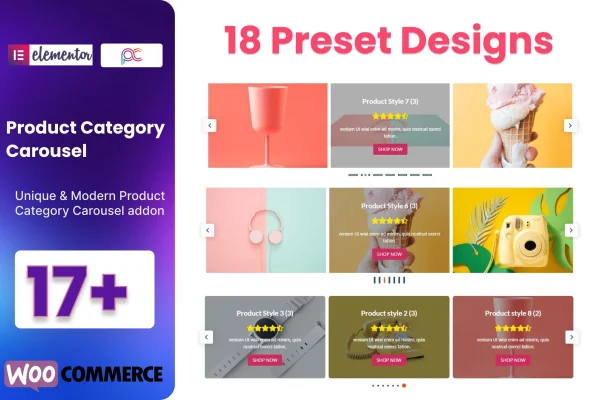
Most WooCommerce shops have category pages, but getting those categories onto a homepage or landing page in an attractive layout usually means custom work. This plugin handles that inside Elementor. You place the carousel on a page, choose one of more than 17 preset designs, and your product categories appear in a rotating layout. It suits highlighting seasonal collections, popular categories or new arrivals, and the setup needs no coding knowledge.
Beyond the design presets, you get more than 10 dot navigation styles, with options for icons, text and color on the navigation. The carousel is responsive, so it adapts to mobile screens, and it is built to work with any WordPress theme and modern browsers. The code is W3C validated, and a POT file is included so you can translate the plugin into other languages. Documentation is also provided.
Best for
- WooCommerce store owners building pages with Elementor
- Shops promoting seasonal collections or new arrivals
- Freelancers designing category-focused homepages for clients
Features
Preset carousel designs
Choose from more than 17 preset carousel designs to display your WooCommerce product categories, then adjust them to match your brand style.
Dot navigation styles
Pick from more than 10 dot navigation presets and customize the icon, color and text used to move through the carousel.
Icons and text in navigation
Add both icons and text labels to the carousel navigation so shoppers can see clearly how to browse between categories.
No-code setup
Build category carousels visually in Elementor without writing code, which makes the plugin workable for beginners and experienced builders alike.
Responsive layout
Carousels adapt to mobile devices and smaller screens, so your category display stays usable for shoppers on phones and tablets.
Works with any theme
The plugin is designed to work with all WordPress themes and with Elementor, so it fits into most existing store setups.
Translation ready
A POT file is included, letting you translate the plugin's text into other languages for stores that serve non-English audiences.
Validated, cross-browser code
The plugin uses W3C validated code and is built to display consistently across modern web browsers.
Product Category Carousel older versions
- 1.0Mar 20, 2024
Members and buyers of this product can download older versions.
Questions about Product Category Carousel
Do I need Elementor to use this plugin?
Yes. The carousel is built and placed through the Elementor page builder, so Elementor needs to be active on your site. It pulls in your WooCommerce product categories and works alongside any WordPress theme you already use.
How many design options does it include?
You get more than 17 preset carousel designs and more than 10 dot navigation styles. The navigation can be customized with icons, text and colors, so you can fit the carousel to your store's look.
Will the carousel work on mobile devices?
Yes. The carousel is responsive and adjusts to mobile screens. It is also built for cross-browser compatibility, so it should display consistently across modern browsers.
Can I translate the plugin into another language?
Yes. The plugin ships with a POT file, which you can use with standard WordPress translation tools to translate its text into the language your store uses.
Is Product Category Carousel free?
The code of Product Category Carousel is licensed under the GPL, so anyone may use, change and share it. GPL Feast is a paid service: a plan or a single purchase gives you the download and automatic updates. The developer's own support, licence key and online services are not included.
Which version of Product Category Carousel is this?
Version 2.6, released Aug 26, 2026. New versions appear here when the developer publishes them, and members get them as automatic updates.
How do I update Product Category Carousel?
Install the free GPL Feast Updater on your site and connect it with your API key. It installs new versions of Product Category Carousel automatically and keeps a backup, so you can roll back.
What does Product Category Carousel need?
Product Category Carousel needs Elementor installed and active.
You might also like






