
Plugin
Updated
Progress Bar
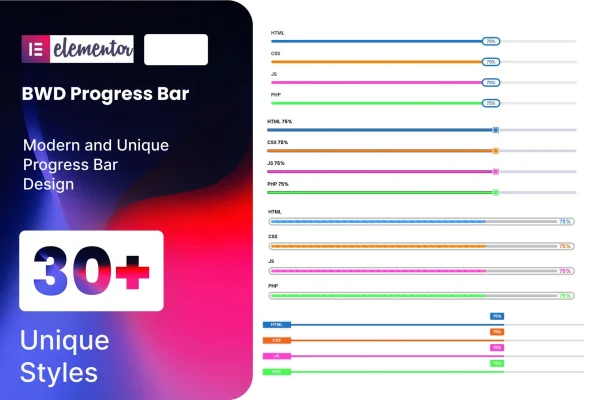
Progress Bar is a WordPress plugin that adds a progress bar element to Elementor. It gives you 31 preset designs plus controls for percentage, bar, indicator and color, so you can display skills, project milestones or completion stats without writing any code.
- Version
- 1.4
- Released
- Aug 26, 2026
- Type
- WordPress plugin
- Requires
- Elementor
- Licence
- GPL
- Included in
- Every plan, or $3.99 on its own
What’s new in Progress Bar 1.4
Version 1.4 · Aug 26, 2026
Latest
What it does
Progress bars are a common way to show how far along something is, such as a skill level on a portfolio, the status of a project or a fundraising goal. Building them by hand usually means custom HTML and CSS, and getting them to look right on every screen takes time. This addon puts the job inside the Elementor editor, where you add a bar, pick a design and adjust the numbers and colors visually.
You start from one of the 31 preset designs and then customize the percentage, the bar itself, the indicator and the colors to match your site. The output is responsive and retina ready, so bars display properly on desktops, tablets, phones and high-resolution screens. The code is W3C validated and built for cross-browser use, it is designed to work alongside WordPress themes, and a POT file is included for translating the plugin on multilingual sites. Elementor is required.
Best for
- Portfolio sites displaying skill levels
- Agency and business sites tracking project milestones
- Elementor users who want progress bars without code
Features
31 preset designs
Choose from 31 ready-made progress bar styles and drop one onto a page as a starting point that fits the look of your site.
Percentage and bar controls
Set the percentage value and adjust the bar itself so each progress bar shows exactly the level or completion amount you want.
Indicator and color options
Customize the indicator and the colors of each bar to match your brand palette or to tell different items apart on the same page.
No coding required
Everything is configured through the Elementor interface, so you can build and edit progress bars visually without touching HTML, CSS or JavaScript.
Responsive and retina ready
Progress bars adapt to desktops, tablets and smartphones, and they stay sharp on high-resolution retina screens.
Validated, cross-browser code
The plugin uses clean, W3C validated code and is built to work consistently across the major web browsers your visitors use.
Translation ready
A POT file is included so the plugin can be translated, which makes it suitable for sites that run in more than one language.
Questions about Progress Bar
Do I need Elementor to use this plugin?
Yes. The plugin is an addon for Elementor and adds its progress bar element inside the Elementor editor, so Elementor must be active on your site for it to work.
How many designs can I choose from?
There are 31 preset designs included. Each one can then be adjusted, since you can customize the percentage, the bar, the indicator and the colors to suit your layout.
Will the progress bars look right on mobile devices?
The bars are fully responsive, so they adapt to desktops, tablets and smartphones. They are also retina ready, which keeps them crisp on high-resolution screens.
Can I use Progress Bar on a multilingual site?
Yes. The plugin is localization ready and includes a POT file, which lets you translate its text for sites that serve visitors in more than one language.
Is Progress Bar free?
The code of Progress Bar is licensed under the GPL, so anyone may use, change and share it. GPL Feast is a paid service: a plan or a single purchase gives you the download and automatic updates. The developer's own support, licence key and online services are not included.
Which version of Progress Bar is this?
Version 1.4, released Aug 26, 2026. New versions appear here when the developer publishes them, and members get them as automatic updates.
How do I update Progress Bar?
Install the free GPL Feast Updater on your site and connect it with your API key. It installs new versions of Progress Bar automatically and keeps a backup, so you can roll back.
What does Progress Bar need?
Progress Bar needs Elementor installed and active.
You might also like






