
Plugin
Updated
QuickCal
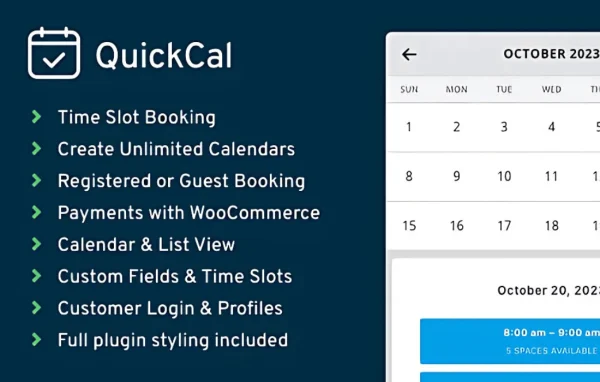
QuickCal by QuickCal is an appointment booking plugin for WordPress. It gives service businesses flexible time slots, customizable calendars and a backend for managing appointments, and it connects with WooCommerce so clients can pay for their booking when they reserve it.
- Version
- 1.0.24
- Released
- Sep 26, 2026
- Developer
- QuickCal
- Type
- WordPress plugin
- Licence
- GPL
- Included in
- Every plan, or $4.79 on its own
What’s new in QuickCal 1.0.24
Version 1.0.24
Latest
- ImprovedMoved missing WooCommerce order checks to a bounded background job instead of loading orders during booking page rendering
- ImprovedPaginated Frontend Agents history, upcoming, and pending lists in the database at 50 appointments per page
- ImprovedAdded the saved `every2hours` cleanup schedule and made invalid cleanup intervals safe
- ImprovedProcessed abandoned unpaid appointments in bounded cron batches
- NewAdded WordPress regression coverage for the reported WorkSpa failures
What it does
Taking bookings by phone or email gets messy fast, especially when you offer several services with different lengths. This plugin puts scheduling on your site. You set the times you are available, list your services with their own durations and prices, and clients pick a slot through a short booking form on the front end. Booking limits and buffer times keep your day from filling up with back-to-back or overlapping appointments.
It suits salons, consultancies, fitness studios and other service businesses that run on appointments. Payments go through WooCommerce, so clients can pay upfront as part of the booking. Automated emails send confirmations and reminders to clients and staff. Administrators can view, edit and manage every appointment from the WordPress dashboard, and the booking interface adapts to desktops, tablets and phones. Translation options let you offer it in multiple languages.
Best for
- Salons and spas taking client appointments online
- Consultants who schedule paid sessions
- Fitness studios managing classes or personal training bookings
Features
Flexible time slot scheduling
Set the appointment times you offer so they match your business hours, giving clients only the slots you can actually take.
Customizable calendars
Adjust how the booking calendar looks so it fits the design and branding of the rest of your website.
Backend appointment management
View, edit and manage all appointments from one central area inside the WordPress dashboard, which keeps scheduling organized for administrators.
WooCommerce payments
Accept payment for bookings through WooCommerce, so clients can pay for a service at the same time they reserve their appointment.
Automated email notifications
Send confirmations and reminders to clients and staff automatically, keeping everyone informed about upcoming appointments without manual follow-up.
Multiple service listings
List different services, each with its own duration and price, and let clients choose the one that fits what they need.
Booking limits and buffer times
Cap the number of appointments per day and add buffer periods between bookings to prevent overlaps and leave time to prepare.
Multi-language support
Offer the booking plugin in multiple languages using its translation options, which helps sites that serve clients who speak different languages.
QuickCal older versions
- 1.0.23Sep 714 improvements
- 1.0.22Aug 12 improvements, 1 fix
- 1.0.21Jul 261 new, 4 improvements
- 1.0.20Jun 5
- 1.0.18May 12
- 1.0.17Mar 27
- 1.0.16Jun 3, 2025
- 1.0.15Mar 15, 2025
- 1.0.14Nov 14, 2024
Members and buyers of this product can download older versions.
Questions about QuickCal
Can clients pay for their appointment when they book?
Yes. QuickCal integrates with WooCommerce, so payments for bookings are processed through your WooCommerce setup. Clients can pay upfront for a service as part of reserving their time slot, which is helpful if you want bookings secured with payment.
Can I offer services with different lengths and prices?
Yes. You can create multiple service listings, and each one can have its own duration and price. Clients then pick the service they want when booking, and the available time slots follow the schedule you have set.
How do I stop appointments from running into each other?
The plugin lets you set buffer times between bookings so there is a gap after each appointment. You can also limit how many appointments are accepted per day, which keeps your schedule manageable and avoids overlaps.
Will clients get reminders about their bookings?
Yes. Automated email notifications send confirmations and reminders to clients, and staff are kept informed too. This helps everyone stay aware of upcoming appointments without you sending messages by hand.
Is QuickCal free?
The code of QuickCal is licensed under the GPL, so anyone may use, change and share it. GPL Feast is a paid service: a plan or a single purchase gives you the download and automatic updates. The developer's own support, licence key and online services are not included.
Which version of QuickCal is this?
Version 1.0.24, released Sep 26, 2026. New versions appear here when the developer publishes them, and members get them as automatic updates.
How do I update QuickCal?
Install the free GPL Feast Updater on your site and connect it with your API key. It installs new versions of QuickCal automatically and keeps a backup, so you can roll back.
You might also like






