
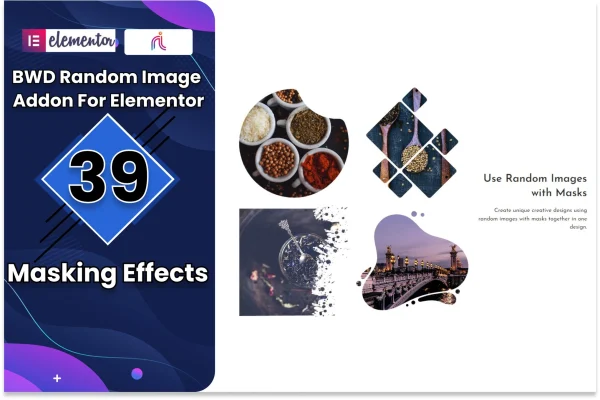
Plugin
Updated
Random Image
Random Image Addon For Elementor is a WordPress plugin that adds a random image element to the Elementor editor. You choose a pool of images, and each time a visitor loads or moves through your site, a different one appears in that spot.
- Version
- 1.6
- Released
- Jan 6, 2026
- Type
- WordPress plugin
- Requires
- Elementor
- Licence
- GPL
- Included in
- Every plan, or $3.99 on its own
What’s new in Random Image 1.6
Version 1.6 · Jan 6, 2026
Latest
What it does
Static images can make a site feel the same on every visit, especially on pages people return to often. This addon gives you a simple way to rotate visuals without editing the page each time. You drop the random image element into any page or post through the Elementor drag-and-drop interface, pick your images, and the element shows one at random whenever the page loads. No coding is needed, so it works well for designers and site owners who build entirely inside Elementor.
Images can come from your WordPress media library or from external URLs, which helps if some of your artwork or photos live elsewhere. You can set the size, shape and layout so the element matches your branding, and it is responsive and retina ready for desktop and mobile screens. Because it works alongside other Elementor widgets, it fits into fuller page designs for portfolios, blogs, artist sites and business pages. The plugin requires Elementor.
Best for
- Photographers and artists rotating portfolio images
- Bloggers wanting fresh visuals on each visit
- Designers building Elementor sites for clients
Features
Random image on each load
Displays a different image from your chosen pool each time a visitor reloads a page or navigates through your site, adding variety to repeat visits.
Built into Elementor
Add the random image element to any page or post using the Elementor drag-and-drop interface, with no code required to set it up.
Media library images
Build your image pool from pictures already stored in your WordPress media library, so you can reuse existing photos and artwork.
External image URLs
Pull images from external URLs as well, which is handy when some of the visuals you want to rotate are hosted outside your site.
Size, shape and layout controls
Adjust the size, shape and layout of the displayed images so the element fits your site design and branding.
Responsive and retina ready
Images are set up to display properly across devices, from desktop monitors to mobile screens, including high-resolution retina displays.
Works with other widgets
Use the element alongside other Elementor widgets to build fuller page layouts that combine rotating images with your regular content.
Random Image older versions
- 1.0May 3, 2023
Members and buyers of this product can download older versions.
Questions about Random Image
Do I need Elementor to use this plugin?
Yes. The addon works inside Elementor and adds a random image element to its editor. You place and configure the element through the Elementor drag-and-drop interface on any page or post.
Where can the random images come from?
You can use images from your WordPress media library, from external URLs, or both. This lets you mix photos you have uploaded with visuals hosted elsewhere in the same rotating pool.
Can I control how the images look?
Yes. The element includes settings for image size, shape and layout, so you can match it to your site style. Images are also responsive and retina ready, so they display well on phones, tablets and desktops.
How often does the displayed image change?
A new image from your pool is chosen each time a visitor loads a page or navigates through your site. Returning visitors will often see a different image than they saw before.
Is Random Image free?
The code of Random Image is licensed under the GPL, so anyone may use, change and share it. GPL Feast is a paid service: a plan or a single purchase gives you the download and automatic updates. The developer's own support, licence key and online services are not included.
Which version of Random Image is this?
Version 1.6, released Jan 6, 2026. New versions appear here when the developer publishes them, and members get them as automatic updates.
How do I update Random Image?
Install the free GPL Feast Updater on your site and connect it with your API key. It installs new versions of Random Image automatically and keeps a backup, so you can roll back.
What does Random Image need?
Random Image needs Elementor installed and active.
You might also like






