
Plugin
Updated
Range Slider For Elementor Forms
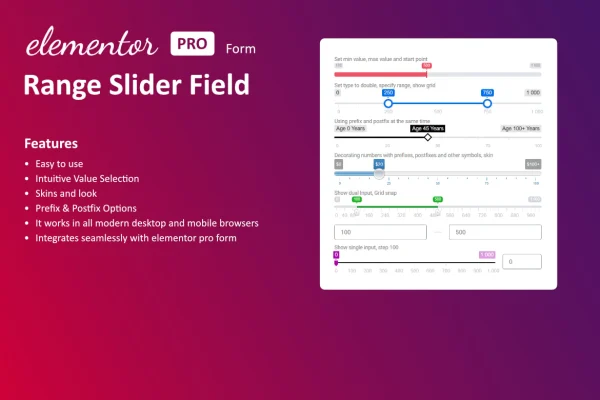
Range Slider For Elementor Forms is a WordPress plugin that adds a range slider field to forms built with Elementor. Visitors drag a handle to pick a number within limits you set, which suits budgets, ratings, quantities and similar numeric answers.
- Version
- 1.3.0
- Released
- Aug 27, 2026
- Type
- WordPress plugin
- Requires
- Elementor
- Licence
- GPL
- Included in
- Every plan, or $3.99 on its own
What’s new in Range Slider For Elementor Forms 1.3.0
Version 1.3.0 · Aug 27, 2026
Latest
What it does
Typing numbers into a plain text box can feel clumsy, and visitors often enter values outside the range you expected. A slider fixes that by showing the allowed range and letting people pick a value with a drag of the handle. This plugin adds that kind of field to Elementor forms, so you can ask for a budget, a satisfaction score or a quantity without relying on free text input. The plugin requires Elementor.
You place the slider in a form alongside your other Elementor form fields, then set the minimum value, maximum value and step size. The current value appears as the visitor moves the handle, so they can see what they are choosing. You can adjust colors, size and style to fit your site design, and the field is built to work on phones as well as desktops. Common uses include surveys, pricing selections, booking forms and product customization requests.
Best for
- Sites running surveys or feedback forms in Elementor
- Businesses collecting budget or pricing preferences
- Booking and quote forms that need quantity input
Features
Slider field for Elementor forms
Adds a range slider to your Elementor forms so visitors choose a numeric value by sliding a handle instead of typing it in.
Minimum and maximum values
Set the lowest and highest values the slider allows, which keeps answers inside the range that makes sense for your question.
Adjustable step increments
Choose how much the value changes with each move of the handle, such as single units for quantities or larger jumps for budgets.
Live value display
Shows the selected number in real time as the visitor drags the handle, so they always know exactly what value they are submitting.
Custom colors, size and style
Change the slider's colors, size and style so the field matches the branding and look of the rest of your website.
Mobile-friendly layout
The slider is responsive, so it works on smartphones and tablets as well as desktop screens, giving visitors a consistent form on every device.
Works with existing form fields
Sits alongside the standard Elementor form fields you already use, so you can add a slider to current forms without rebuilding them.
Range Slider For Elementor Forms older versions
- 1.2.0Sep 3, 2025
Members and buyers of this product can download older versions.
Questions about Range Slider For Elementor Forms
Do I need Elementor to use this slider?
Yes. The plugin requires Elementor and adds the range slider as a field inside Elementor forms. It works next to the other Elementor form fields you already use, so it fits into forms you have built with that builder.
Can I control the range and how the slider moves?
You can set a minimum value, a maximum value and the step increment. That lets you build anything from a 1 to 10 rating scale to a budget slider that moves in larger steps, depending on what your form needs.
Will visitors see the value they pick?
Yes. The slider shows the selected value in real time while the handle moves, so visitors get immediate feedback and can confirm their choice before submitting the form.
Can I make the slider match my site design?
The appearance is customizable, including colors, size and style. You can adjust these so the slider looks consistent with your branding, and the responsive layout keeps it usable on mobile devices and desktops.
Is Range Slider For Elementor Forms free?
The code of Range Slider For Elementor Forms is licensed under the GPL, so anyone may use, change and share it. GPL Feast is a paid service: a plan or a single purchase gives you the download and automatic updates. The developer's own support, licence key and online services are not included.
Which version of Range Slider For Elementor Forms is this?
Version 1.3.0, released Aug 27, 2026. New versions appear here when the developer publishes them, and members get them as automatic updates.
How do I update Range Slider For Elementor Forms?
Install the free GPL Feast Updater on your site and connect it with your API key. It installs new versions of Range Slider For Elementor Forms automatically and keeps a backup, so you can roll back.
What does Range Slider For Elementor Forms need?
Range Slider For Elementor Forms needs Elementor installed and active.
You might also like






