
Plugin
Updated
Rebar
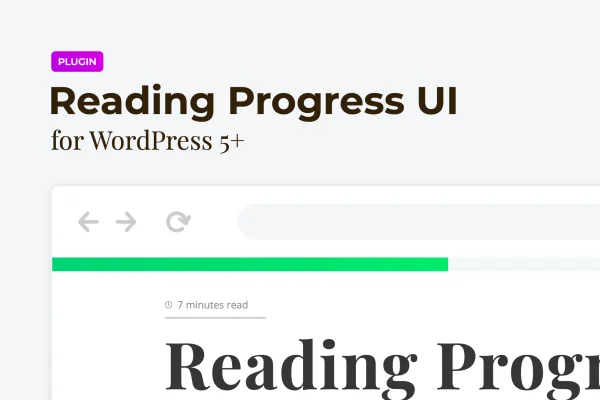
Rebar is a WordPress plugin that adds a reading progress bar to your posts and long articles. The bar fills as visitors scroll, so they can see how much they have read and how much is left. You can place it at the top or bottom of the page and style it to match your site.
- Version
- 2.1.1
- Released
- Feb 25, 2026
- Type
- WordPress plugin
- Requires
- Elementor
- Licence
- GPL
- Included in
- Every plan, or $3.99 on its own
What’s new in Rebar 2.1.1
Version 2.1.1 · Feb 25, 2026
Latest
- SecurityFixed plugin security issues
What it does
Long articles can feel open-ended to readers, especially on a phone where the scrollbar is small or hidden. A reading progress bar gives them a clear visual cue: a thin bar that fills from one side to the other as they move down the page. This plugin adds that indicator to your WordPress site, giving visitors a simple sense of where they are in a post and how much remains before the end.
The bar sits at the top or bottom of the page, and you choose solid colors or gradients so it fits your design. It is built with lightweight CSS, JavaScript and HTML, and no coding is needed to set it up or adjust it. The plugin requires Elementor. It is responsive and Retina ready, and it works in Chrome, Firefox, Safari, Edge, Opera and older Internet Explorer versions. It suits blogs, portfolios, corporate sites, online stores and any site with long scrolling content.
Best for
- Blogs and magazines publishing long-form articles
- Portfolio and personal CV sites with long scrolling pages
- Corporate and online store sites with detailed content pages
Features
Scroll-based progress indicator
A bar fills dynamically as visitors scroll through a post or article, showing how much they have read and how much is still ahead.
Top or bottom placement
Choose whether the progress bar appears at the top or the bottom of the page, depending on what works best with your layout.
Solid colors and gradients
Style the indicator with a single solid color or a smooth gradient so the bar matches your brand colors and overall site design.
Responsive and Retina ready
The bar displays cleanly on desktops, tablets and smartphones, and stays crisp on high-resolution Retina screens.
Wide browser support
Works in Chrome, Firefox, Safari, Edge and Opera, along with older versions of Internet Explorer, so visitors see the same indicator across browsers.
Lightweight code, no coding needed
Built with lightweight CSS, JavaScript and HTML, and you can set up and customize the progress bar without writing any code yourself.
Questions about Rebar
Does Rebar need Elementor to work?
Yes. The plugin lists Elementor as a requirement, so you will need Elementor active on your WordPress site to use the reading progress bar.
Can I change where the progress bar appears?
You can place the bar at either the top or the bottom of the page. Pick whichever position fits your header, footer and overall layout so it stays visible without getting in the way.
Can I match the bar to my brand colors?
Yes. The indicator can use a solid color or a gradient, so you can set it to your brand palette or use a blend of colors that suits the look of your site.
Will the progress bar work on mobile devices and different browsers?
The bar is responsive and Retina ready, so it displays on phones, tablets and desktops. It also works in Chrome, Firefox, Safari, Edge, Opera and older Internet Explorer versions.
Is Rebar free?
The code of Rebar is licensed under the GPL, so anyone may use, change and share it. GPL Feast is a paid service: a plan or a single purchase gives you the download and automatic updates. The developer's own support, licence key and online services are not included.
Which version of Rebar is this?
Version 2.1.1, released Feb 25, 2026. New versions appear here when the developer publishes them, and members get them as automatic updates.
How do I update Rebar?
Install the free GPL Feast Updater on your site and connect it with your API key. It installs new versions of Rebar automatically and keeps a backup, so you can roll back.
What does Rebar need?
Rebar needs Elementor installed and active.
You might also like






