
Plugin
Updated
Report Builder for wpDataTables
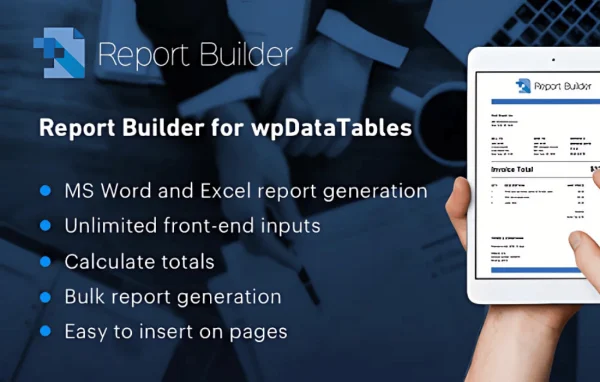
Report Builder for wpDataTables by TMS is an add-on plugin that generates Word and Excel documents from your wpDataTables data. You set up a template once, and the plugin fills it with your table data to produce reports or spreadsheets.
- Version
- 2.3
- Released
- Oct 2, 2026
- Developer
- TMS
- Type
- WordPress plugin
- Licence
- GPL
- Included in
- Every plan, or $4.79 on its own
What’s new in Report Builder for wpDataTables 2.3
Version 2.3 · Oct 2, 2026
Latest
What it does
If you keep data in wpDataTables, getting it into a polished document usually means copying rows into Word or Excel and formatting them by hand. This add-on handles that step for you. It pulls data straight from your tables and places it into a template, so you get a finished .docx or .xlsx file without retyping numbers or rebuilding layouts each time you need a report.
Templates control the layout, styles and content of each document. You can start from a predefined template or build your own, then adjust fonts, colors, tables and charts. Conditional logic lets a report change its content based on criteria in your data. It suits recurring work such as monthly sales reports, financial statements and data analysis summaries, where the output should look consistent every time.
Best for
- Sites already storing business data in wpDataTables
- Accountants and project managers preparing recurring reports
- Agencies delivering regular data summaries to clients
Features
Word and Excel output
Generate documents in Word (.docx) or Excel (.xlsx) format, depending on whether you need a written report or a spreadsheet.
Predefined and custom templates
Pick a predefined template or create your own to set the layout, styles and content of your documents and keep them consistent with your brand.
Data pulled from your tables
Reports draw the latest data directly from your wpDataTables, so each generated document reflects what is currently in the table.
Formatting controls
Adjust fonts, colors, tables and charts inside your documents to make reports easier to read and match your preferred presentation.
Conditional logic
Set rules so report content adjusts based on your data criteria, producing documents that fit each specific situation or record.
Less manual data entry
Because data flows from tables into templates, you spend less time copying figures and reformatting documents for every new report.
Interface for all skill levels
The report setup is designed so beginners and experienced users alike can build and generate documents without complex steps.
Report Builder for wpDataTables older versions
- 2.2Jun 14, 2025
- 2.1Nov 20, 2024
- 2.0Jun 4, 2024
- 1.3.6Sep 21, 2023
- 1.3.5Apr 18, 2023
Members and buyers of this product can download older versions.
Questions about Report Builder for wpDataTables
Do I need wpDataTables to use this?
Yes. This is an add-on for wpDataTables, and it builds its documents from data stored in your wpDataTables tables. Without that plugin, there would be no data source for the reports.
What file formats can it create?
It generates Word documents in .docx format and Excel spreadsheets in .xlsx format. You can choose the format that fits each job, such as a written report for clients or a spreadsheet for further analysis.
Can I make the reports match my company style?
Yes. You can use predefined templates or build custom ones, and control fonts, colors, tables and charts. This helps keep layout and branding consistent across every document you generate.
Can a report show different content depending on the data?
It supports conditional logic, so you can set criteria that change what appears in a document based on your data. That makes each report more specific to the records it covers.
Is Report Builder for wpDataTables free?
The code of Report Builder for wpDataTables is licensed under the GPL, so anyone may use, change and share it. GPL Feast is a paid service: a plan or a single purchase gives you the download and automatic updates. The developer's own support, licence key and online services are not included.
Which version of Report Builder for wpDataTables is this?
Version 2.3, released Oct 2, 2026. New versions appear here when the developer publishes them, and members get them as automatic updates.
How do I update Report Builder for wpDataTables?
Install the free GPL Feast Updater on your site and connect it with your API key. It installs new versions of Report Builder for wpDataTables automatically and keeps a backup, so you can roll back.
You might also like






