
Plugin
Updated
Responsive Tab for Elementor
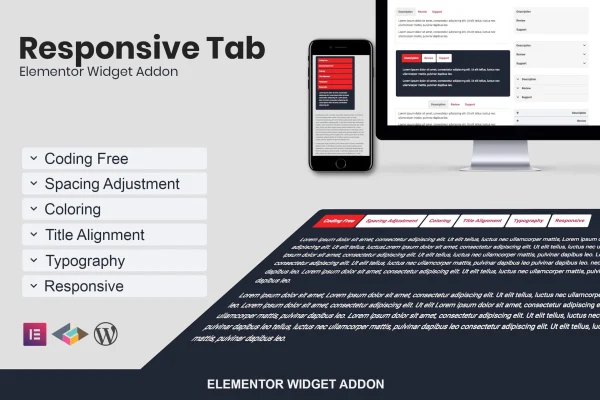
This is an Elementor addon plugin that adds a responsive tab and accordion widget to the page builder. It lets you organize content into tabs on wide screens, then automatically shows the same content as an accordion on smaller screens, with styling controls you set without code.
- Version
- 1.0.2
- Released
- May 2, 2023
- Type
- WordPress plugin
- Requires
- Elementor
- Licence
- GPL
- Included in
- Every plan, or $3.99 on its own
What’s new in Responsive Tab for Elementor 1.0.2
Version 1.0.2 · May 2, 2023
Latest
What it does
Long pages with FAQs, product details or grouped information can get hard to read, especially on phones where horizontal tabs often get cramped. This plugin gives you one widget that handles both cases. On larger screens your content appears as tabs, and when the screen width drops below a point you choose, the widget switches to an accordion layout so visitors can still tap through each section comfortably.
It works inside Elementor, so you drag the widget onto a page and adjust it from the editor like any other element. You can set up to 3 breakpoints to control when the switch happens, align tab titles and content, add icons to tabs and change colors, spacing and typography to match your design. It suits designers, developers and site owners who build with Elementor and want a tidier way to present grouped content.
Best for
- Elementor sites with FAQs or long grouped content
- Designers building mobile-friendly Elementor pages
- Business sites presenting product or service features
Features
Tab to accordion switching
The widget displays content as tabs on wider screens and automatically changes to an accordion based on screen width, so the layout stays usable on mobile devices.
Three customizable breakpoints
Choose from 3 breakpoints to decide exactly when your tabs turn into accordions, matching the responsive behavior of the rest of your design.
Tab title alignment
Align tab titles to the left, center or right so the tab row fits the layout of the section and page around it.
Content alignment control
Set the alignment of the content inside each tab to keep text and other elements arranged neatly within the panel.
Tab icon chooser
Add icons to your tab titles to give each section a visual cue and make the tabs easier for visitors to scan.
Color options
Change colors for tabs, icons, backgrounds and other parts of the widget so it lines up with your brand colors.
Spacing and typography settings
Adjust spacing and fonts for the tabs and their content to fit the look and rhythm of your existing pages.
No-code editing
Every setting is handled through the Elementor editor interface, so you can build and style tabs without writing any code.
Questions about Responsive Tab for Elementor
Do I need Elementor to use this plugin?
Yes. Responsive Tab for Elementor is an addon built for the Elementor page builder. It adds its widget to the Elementor editor, so you need Elementor active on your WordPress site to place and customize the tabs.
How does the switch from tabs to accordion work?
The widget checks the screen width. Above the breakpoint you set, content shows as tabs. Below it, the same content appears as an accordion. You get 3 breakpoints to fine-tune when this change happens across devices.
Can I style the tabs to match my site design?
Yes. You can change colors for tabs, icons and backgrounds, adjust spacing and typography, align tab titles left, center or right, set content alignment and add icons to each tab title.
Do I need coding skills to set it up?
No. All options are available through the Elementor editor interface, so you can drag the widget onto a page and configure its layout, breakpoints and styling without writing code.
Is Responsive Tab for Elementor free?
The code of Responsive Tab for Elementor is licensed under the GPL, so anyone may use, change and share it. GPL Feast is a paid service: a plan or a single purchase gives you the download and automatic updates. The developer's own support, licence key and online services are not included.
Which version of Responsive Tab for Elementor is this?
Version 1.0.2, released May 2, 2023. New versions appear here when the developer publishes them, and members get them as automatic updates.
How do I update Responsive Tab for Elementor?
Install the free GPL Feast Updater on your site and connect it with your API key. It installs new versions of Responsive Tab for Elementor automatically and keeps a backup, so you can roll back.
What does Responsive Tab for Elementor need?
Responsive Tab for Elementor needs Elementor installed and active.
You might also like






