
Plugin
Updated
Revolution Lightbox
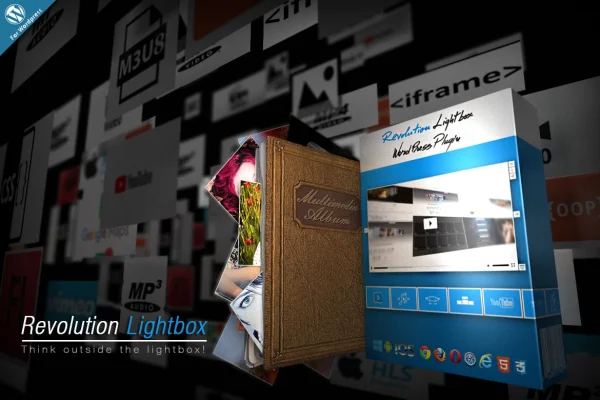
Revolution Lightbox is a WordPress plugin that opens your media in a lightbox overlay on top of the page. It handles images, video, audio and embedded content such as maps and iframes, and it works on desktop browsers as well as phones and tablets with touch and swipe navigation.
- Version
- 3.0
- Released
- May 2, 2023
- Type
- WordPress plugin
- Licence
- GPL
- Included in
- Every plan, or $3.99 on its own
What’s new in Revolution Lightbox 3.0
Version 3.0 · May 2, 2023
Latest
What it does
Many sites need a clean way to let visitors view a photo, play a clip or open a map without leaving the page. This plugin covers that job with one lightbox for many kinds of media. It supports MP4 video, MP3 audio, YouTube and Vimeo, Google Maps, iFrames, AJAX content and Flash. The overlay is responsive and retina ready, so it adapts to smartphones, tablets and desktop screens, and visitors on touch devices can swipe between items.
Content can be organized into galleries and playlists. You can build them in the admin panel, feed them in as JSON objects, or pull them from Facebook, YouTube, Flickr and SoundCloud. The lightbox can be triggered from anywhere on a page, including content that is generated dynamically. Colors, animations and layouts are adjustable, so the overlay can match your site's branding. It suits simple image galleries as well as larger multimedia presentations.
Best for
- Photographers presenting image galleries
- Bloggers mixing photos, videos and audio in posts
- Business sites displaying product media or location maps
Features
Images, video and audio
Open images, MP4 videos, MP3 audio files, and YouTube or Vimeo clips in a single lightbox overlay on top of your page.
Maps, iFrames and AJAX
Embed Google Maps, iFrames, AJAX-loaded content and Flash inside the lightbox for interactive or informational presentations.
Playlists from several sources
Create galleries and playlists in the admin panel, through JSON objects, or from Facebook, YouTube, Flickr and SoundCloud.
Responsive and retina ready
The lightbox adapts to smartphones, tablets and desktops and supports high-resolution screens, including iPhone, iPad, Android and Windows devices.
Swipe and touch navigation
Visitors on touch devices can move between items with swipe gestures, which makes browsing a gallery on a phone feel natural.
Trigger from anywhere
Launch the lightbox from any element on a page, including dynamically generated content, so it fits into different layouts and designs.
Customizable appearance
Adjust colors, animations and layouts so the lightbox matches your site's branding and overall visual style.
Questions about Revolution Lightbox
What kinds of media can this lightbox display?
It handles images, MP4 video, MP3 audio, YouTube and Vimeo videos, Google Maps, iFrames, AJAX content and Flash. That range lets you use one lightbox for a photo gallery, a video playlist or an embedded map instead of separate tools for each.
Can I pull content from social platforms?
Yes. Playlists can be built from Facebook, YouTube, Flickr and SoundCloud. You can also create galleries manually in the admin panel or supply content as JSON objects if you prefer to manage the data yourself.
Will it work well for mobile visitors?
The lightbox is responsive and retina ready, and it works on iPhone, iPad, Android and Windows devices as well as major desktop browsers. Touch and swipe navigation let mobile visitors move through galleries with simple gestures.
Can I change how the lightbox looks?
You can customize the colors, animations and layouts of the overlay to match your site. The lightbox can also be triggered from any element on a page, including dynamically generated content, which gives you flexibility in where it appears.
Is Revolution Lightbox free?
The code of Revolution Lightbox is licensed under the GPL, so anyone may use, change and share it. GPL Feast is a paid service: a plan or a single purchase gives you the download and automatic updates. The developer's own support, licence key and online services are not included.
Which version of Revolution Lightbox is this?
Version 3.0, released May 2, 2023. New versions appear here when the developer publishes them, and members get them as automatic updates.
How do I update Revolution Lightbox?
Install the free GPL Feast Updater on your site and connect it with your API key. It installs new versions of Revolution Lightbox automatically and keeps a backup, so you can roll back.
You might also like






