
Plugin
Updated
Revolution Multimedia Gallery
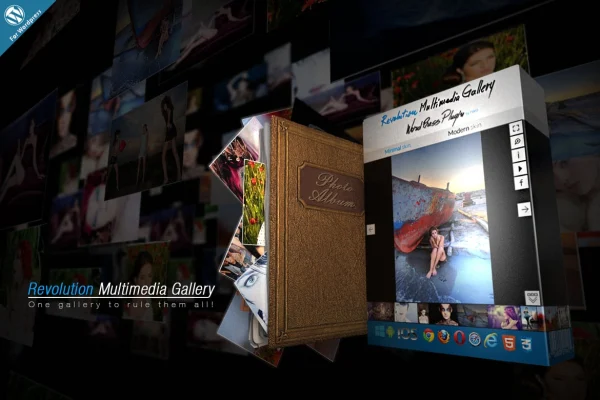
Revolution Multimedia Gallery is a WordPress plugin for building responsive galleries that mix images, videos, audio and other content. It handles self-hosted MP4 and MP3 files, YouTube and Vimeo clips, HTML content and Google Maps, with swipe support on mobile and skins you can adjust to your site.
- Version
- 4.0
- Released
- Aug 24, 2026
- Type
- WordPress plugin
- Licence
- GPL
- Included in
- Every plan, or $3.99 on its own
What’s new in Revolution Multimedia Gallery 4.0
Version 4.0 · Aug 24, 2026
Latest
What it does
Most gallery plugins handle photos well and leave video, audio and embedded content to separate tools. This plugin puts them together in one place. You can show images next to MP4 videos, MP3 audio, YouTube and Vimeo clips, HTML content, AJAX-loaded content, Google Maps and Flash, and group audio and video files into HTML playlists. The result is one gallery that holds a full set of media.
The layout is responsive, so galleries resize for desktops, tablets and phones, and visitors can swipe through items on touch screens. Graphics are retina ready for high-resolution displays. Skins and layouts can be customized to match your branding, and the plugin is designed to work with any WordPress theme. Deep linking gives individual gallery items their own URLs, and Facebook sharing lets visitors pass your media along.
Best for
- Photographers and videographers building media portfolios
- Bloggers who publish photos, video and audio together
- Creative sites that need playlists of audio or video
Features
Mixed media in one gallery
Display images, MP4 video, MP3 audio, YouTube, Vimeo, HTML content, AJAX content, Google Maps and Flash within the same gallery.
Audio and video playlists
Group audio and video files into HTML playlists so visitors can move through related tracks or clips in order.
Responsive layout with swipe
Galleries adapt to desktop, tablet and phone screens, and visitors on touch devices can swipe between items.
Customizable skins and layouts
Adjust the gallery's skin and layout options so its appearance fits your site's style and branding.
Deep linking
Each gallery item can be reached through its own URL, which makes it easy to link straight to a specific photo or video.
Facebook sharing
Built-in Facebook sharing lets visitors post your gallery content to their own feeds.
Retina ready graphics
Gallery graphics are prepared for high-resolution screens so images and interface elements look sharp on modern devices.
Works across browsers and themes
Built to run in Chrome, Firefox, Safari, Edge and Internet Explorer, and designed to work with any WordPress theme.
Questions about Revolution Multimedia Gallery
Can I put videos and audio in the same gallery as photos?
Yes. The plugin supports images, MP4 video, MP3 audio, YouTube and Vimeo clips, HTML content, AJAX content, Google Maps and Flash, so you can combine these media types in a single gallery and also build audio and video playlists.
Will the galleries work on phones and tablets?
The layout is responsive and adapts to desktop, tablet and smartphone screens, including iPhone, iPad, Android and Windows devices. Visitors on touch screens can swipe between gallery items, and retina ready graphics keep things sharp on high-resolution displays.
Can I link directly to one image or video in a gallery?
Yes. Deep linking gives individual gallery items their own URLs, so you can share or link to a specific photo, video or other item instead of the gallery as a whole.
Can I change how the gallery looks to match my site?
The plugin includes customizable skins and layouts, so you can adjust the gallery's appearance to fit your branding. It is also designed to be compatible with any WordPress theme.
Is Revolution Multimedia Gallery free?
The code of Revolution Multimedia Gallery is licensed under the GPL, so anyone may use, change and share it. GPL Feast is a paid service: a plan or a single purchase gives you the download and automatic updates. The developer's own support, licence key and online services are not included.
Which version of Revolution Multimedia Gallery is this?
Version 4.0, released Aug 24, 2026. New versions appear here when the developer publishes them, and members get them as automatic updates.
How do I update Revolution Multimedia Gallery?
Install the free GPL Feast Updater on your site and connect it with your API key. It installs new versions of Revolution Multimedia Gallery automatically and keeps a backup, so you can roll back.
You might also like






