
Plugin
Updated
Revolution Video Player - YouTube, Vimeo and Self-Hosted Videos
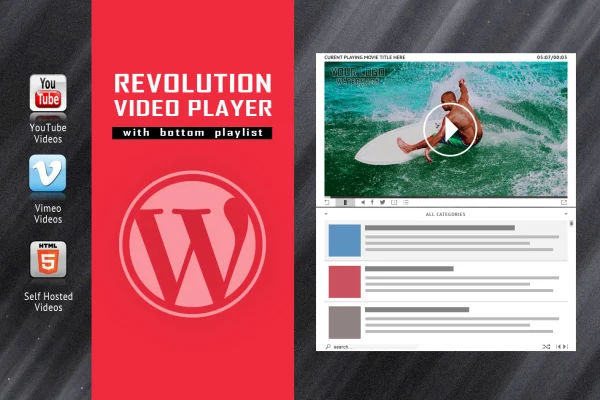
Revolution Video Player With Bottom Playlist is a WordPress plugin that displays videos in a player with a playlist running along the bottom. It plays YouTube, Vimeo and self-hosted videos, so visitors can browse and pick clips from one place on the page.
- Version
- 2.9.1
- Released
- May 2, 2023
- Type
- WordPress plugin
- Licence
- GPL
- Included in
- Every plan, or $3.99 on its own
What’s new in Revolution Video Player - YouTube, Vimeo and Self-Hosted Videos 2.9.1
Version 2.9.1 · May 2, 2023
Latest
What it does
Putting several videos on a page often means stacking separate embeds, which gets messy and hard to browse. This plugin gathers your clips into one player, with a playlist under the video where visitors can click through the collection. You add YouTube and Vimeo videos by their video IDs, and you can include your own self-hosted files in the same list.
For YouTube content, the player pulls thumbnails, titles and descriptions straight from YouTube servers, using a YouTube API key you create yourself in line with Google's quota limits. The layout is responsive and works on iOS and Android devices, and you can switch responsive behavior off if your site uses a fixed-width design. Documentation and PSD files are included for customizing the look.
Best for
- Educators sharing lesson videos in an organized playlist
- Content creators publishing YouTube or Vimeo series
- Business sites mixing self-hosted and hosted videos
Features
Three video sources
Play YouTube and Vimeo videos by entering their video IDs, and add self-hosted video files to the same player and playlist.
Bottom playlist layout
A playlist sits below the main video, letting visitors scroll through your collection and pick the next clip to watch.
Automatic YouTube details
Thumbnails, titles and descriptions are fetched directly from YouTube servers, so you do not have to enter that information by hand.
YouTube API key support
Data retrieval uses a YouTube API key that you generate yourself, working within the quota restrictions Google sets for its API.
Responsive and mobile ready
The player adjusts to desktop, tablet and phone screens, and playback and playlist navigation work on iOS and Android devices.
Optional fixed layout
You can disable the responsive behavior, which lets the player fit into older or non-responsive websites with fixed-width layouts.
Documentation and PSD files
Detailed documentation explains the setup, and included PSD files give you a starting point for customizing the player's design.
Questions about Revolution Video Player - YouTube, Vimeo and Self-Hosted Videos
Can I mix YouTube, Vimeo and my own video files in one playlist?
Yes. The player supports YouTube and Vimeo videos added by their video IDs, along with self-hosted videos. All of them can appear in the bottom playlist so visitors browse everything from a single player.
Do I need a YouTube API key to use it?
For fetching YouTube thumbnails, titles and descriptions automatically, the plugin uses a YouTube API key that you generate yourself through Google. This keeps data retrieval within Google's quota restrictions.
Will the player work on phones and tablets?
The layout is responsive and adjusts to desktops, tablets and smartphones. It is also compatible with iOS and Android devices, so playback and playlist navigation work on mobile.
My site is not responsive. Can I still use this player?
Yes. There is an option to disable the responsive behavior, which allows the player to sit inside non-responsive websites with fixed layouts.
Is Revolution Video Player - YouTube, Vimeo and Self-Hosted Videos free?
The code of Revolution Video Player - YouTube, Vimeo and Self-Hosted Videos is licensed under the GPL, so anyone may use, change and share it. GPL Feast is a paid service: a plan or a single purchase gives you the download and automatic updates. The developer's own support, licence key and online services are not included.
Which version of Revolution Video Player - YouTube, Vimeo and Self-Hosted Videos is this?
Version 2.9.1, released May 2, 2023. New versions appear here when the developer publishes them, and members get them as automatic updates.
How do I update Revolution Video Player - YouTube, Vimeo and Self-Hosted Videos?
Install the free GPL Feast Updater on your site and connect it with your API key. It installs new versions of Revolution Video Player - YouTube, Vimeo and Self-Hosted Videos automatically and keeps a backup, so you can roll back.
You might also like







Revolution Video Player - YouTube, Vimeo and Self-Hosted Videosv2.9.1 · From $14/month or $3.99
See plans