
Plugin
Updated
Sales Promotion Offer
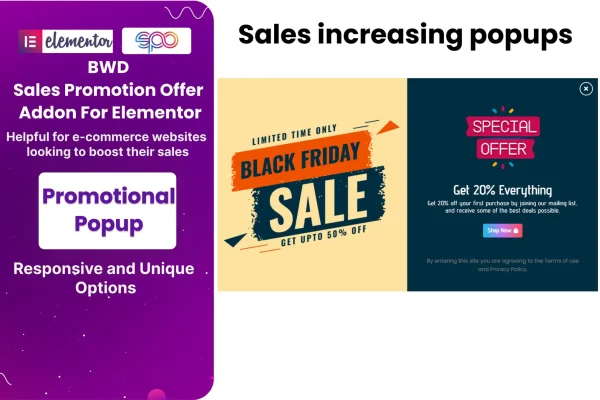
Sales Promotion Offer by BestWpDeveloper is an addon plugin for Elementor that helps you build sales promotions right inside the page builder. It covers popups, sales banners and countdown timers, and it can show discounts and coupon offers on WooCommerce products.
- Version
- 1.6
- Released
- Aug 24, 2026
- Type
- WordPress plugin
- Requires
- Elementor
- Licence
- GPL
- Included in
- Every plan, or $3.99 on its own
What’s new in Sales Promotion Offer 1.6
Version 1.6 · Aug 24, 2026
Latest
What it does
Running a sale usually means pulling together several pieces: a banner to announce it, a popup to catch visitors and some way to show when the deal ends. This addon puts those pieces into Elementor, so you can design promotions for discounts, seasonal sales, limited-time offers or newsletter signups in the same editor you already use for your pages. No coding is needed to set them up or change how they look.
The plugin works with Elementor's drag-and-drop editor, which is required. Popups and banners can include side images, countdown timers add a visible deadline, and advanced options let you set animation effects, trigger settings and display rules. For shops built on WooCommerce, you can present discounts and coupon offers directly on product pages. Promotions are responsive and retina ready, so they adapt to desktops, tablets and phones.
Best for
- WooCommerce stores running discounts and coupon campaigns
- Marketers promoting seasonal or limited-time sales
- Web designers building Elementor sites for retail clients
Features
Customizable promotion popups
Build popups that promote sales, discount offers or newsletter signups, then adjust their design to match the rest of your site.
Countdown timers
Add countdown clocks to promotions so visitors can see exactly how much time is left before a deal expires.
WooCommerce discount display
Show discounts and coupon offers directly on your WooCommerce products, keeping promotional details next to the items they apply to.
Dynamic sales banners
Design banners that highlight special deals or events and place them across your website wherever you want the promotion seen.
Side image support
Add side images to popups or banners to give your promotional displays more visual context, such as a product photo or campaign graphic.
Animation and trigger settings
Choose animation effects, set triggers and apply advanced display rules to control how and when each promotion appears to visitors.
Responsive, retina-ready design
Promotions adapt to desktops, tablets and smartphones and display sharply on high-resolution screens.
Built for the Elementor editor
Everything is created with Elementor's drag-and-drop editor, so you can build and customize promotions without writing any code.
Sales Promotion Offer older versions
- 1.0Dec 20, 2023
Members and buyers of this product can download older versions.
Questions about Sales Promotion Offer
Do I need Elementor to use this plugin?
Yes. It is an addon for Elementor and is built to work inside Elementor's drag-and-drop editor. You create and customize your popups, banners and countdown timers there, alongside the rest of your page design.
Can it show coupons on my WooCommerce products?
Yes. The plugin integrates with WooCommerce, letting you display discounts and coupon offers directly on your products. This keeps the promotion visible right where shoppers are looking at the item.
Can I control when a popup appears?
You can. The advanced options include trigger settings and display rules that decide how and when a promotion shows up, plus animation effects that set how it enters the page.
Will my promotions look right on phones?
The promotions are responsive and retina ready, so they adjust to smartphones, tablets and desktops and stay sharp on high-resolution screens. It is still worth previewing each one on different screen sizes in Elementor before going live.
Is Sales Promotion Offer free?
The code of Sales Promotion Offer is licensed under the GPL, so anyone may use, change and share it. GPL Feast is a paid service: a plan or a single purchase gives you the download and automatic updates. The developer's own support, licence key and online services are not included.
Which version of Sales Promotion Offer is this?
Version 1.6, released Aug 24, 2026. New versions appear here when the developer publishes them, and members get them as automatic updates.
How do I update Sales Promotion Offer?
Install the free GPL Feast Updater on your site and connect it with your API key. It installs new versions of Sales Promotion Offer automatically and keeps a backup, so you can roll back.
What does Sales Promotion Offer need?
Sales Promotion Offer needs Elementor installed and active.
You might also like






