
Plugin
Updated
Scripts Dequeuer
Scripts Dequeuer (Frontend) is a WordPress plugin for controlling which scripts and styles load on the front of your site. From a backend interface, you pick the CSS and JavaScript files you don't need and dequeue them, all without writing code.
- Version
- 1.2.0
- Released
- May 2, 2023
- Type
- WordPress plugin
- Licence
- GPL
- Included in
- Every plan, or $3.99 on its own
What’s new in Scripts Dequeuer 1.2.0
Version 1.2.0
Latest
- ImprovedEnsured compatibility with WordPress 6.2 and php 8.0.0.
- FixedClose button on custom URLs not working.
- FixedRemoved deprecated site_icon WordPress function.
- FixedClicking on the script check icon should toggle the icon inside dequeued scripts panel.
What it does
Many WordPress sites load more frontend assets than they need. When several plugins and a theme each bring their own copy of a library, the same file can end up loading more than once. Common examples are CSS libraries like FontAwesome and JavaScript files such as jQuery Masonry. These extra requests add weight to every page. This plugin gives you a direct way to find those redundant files and stop them from loading, which trims page bloat while keeping the features you rely on.
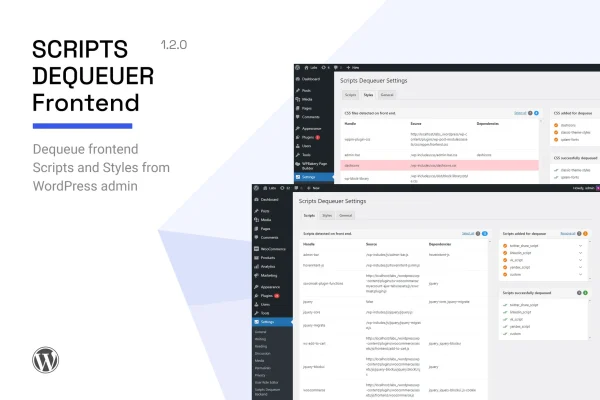
The workflow is simple. You open the backend interface, review the frontend scripts and styles your site loads, and select the ones you want removed. Selected items appear in a dequeued scripts panel, where a check icon toggles each one on or off. The plugin also handles custom URLs. It works alongside caching and image optimization tools, covering a separate area: the CSS and JS files themselves. Detailed documentation is included to help you decide what to remove.
Best for
- WordPress sites running many plugins with overlapping assets
- Developers trimming frontend CSS and JS on client sites
- Site owners who want asset control without coding
Features
No-code backend interface
Select and dequeue frontend scripts and styles from a backend panel, so you can trim assets without editing theme files or writing any code.
Dequeue CSS and JavaScript
Works with both stylesheet and script files, giving you control over the two main types of frontend assets that affect how your pages load.
Remove duplicate libraries
Stop the same library, such as FontAwesome or jQuery Masonry, from loading several times when different plugins each include their own copy.
Dequeued scripts panel
Review everything you have disabled in one panel, and click the check icon on a script to toggle its dequeued status on or off.
Custom URL handling
Manage settings tied to custom URLs from within the plugin interface, with a close button for dismissing those entries when you are done.
Detailed documentation
Included documentation explains how the plugin works and helps you make informed choices about which frontend files are safe to remove.
Questions about Scripts Dequeuer
Do I need to know how to code to use it?
No. You choose the scripts and styles you want to disable from a backend interface, and the plugin handles the dequeuing. Developers can still use it to quickly clean up assets on sites they manage.
Can it fix the same library loading twice?
Yes, that is one of its main uses. If multiple plugins or your theme each load a library like FontAwesome or jQuery Masonry, you can dequeue the extra copies so the file loads only once.
Does it handle stylesheets as well as scripts?
It does. The plugin supports dequeuing both CSS and JavaScript files, so you can manage the full set of frontend assets that your theme and plugins add to your pages.
Will it replace my caching plugin?
It covers a different job. Caching and image optimization tools handle other parts of performance, while this plugin focuses on removing unneeded CSS and JS files. The two approaches can be used together.
Is Scripts Dequeuer free?
The code of Scripts Dequeuer is licensed under the GPL, so anyone may use, change and share it. GPL Feast is a paid service: a plan or a single purchase gives you the download and automatic updates. The developer's own support, licence key and online services are not included.
Which version of Scripts Dequeuer is this?
Version 1.2.0, released May 2, 2023. New versions appear here when the developer publishes them, and members get them as automatic updates.
How do I update Scripts Dequeuer?
Install the free GPL Feast Updater on your site and connect it with your API key. It installs new versions of Scripts Dequeuer automatically and keeps a backup, so you can roll back.
You might also like






