
Plugin
Updated
Scroller
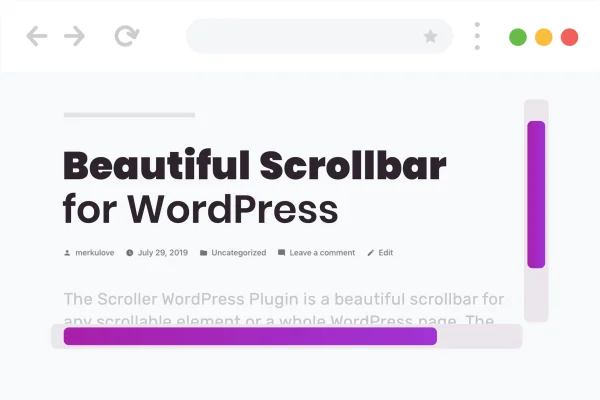
Scroller is a WordPress plugin that replaces the default browser scrollbar with one you style yourself. You can set colors, gradients, backgrounds, corner rounding and slider size, then apply the result to a whole site or to specific scrollable sections.
- Version
- 2.0.3
- Released
- Feb 27, 2026
- Type
- WordPress plugin
- Requires
- Elementor
- Licence
- GPL
- Included in
- Every plan, or $3.99 on its own
What’s new in Scroller 2.0.3
Version 2.0.3 · Feb 27, 2026
Latest
- SecurityFixed plugin security issues
What it does
Default browser scrollbars rarely match a site's design. They look different from one browser to the next and often clash with a carefully chosen color scheme. This plugin lets you swap them for scrollbars styled to fit your pages, using a settings interface that needs no code. You pick the colors, add a gradient or background, round the corners with border-radius and set minimum and maximum sizes for the scroll slider so it stays easy to see and grab.
You can apply custom scrollbars across the entire site or limit them to particular scrollable elements, such as a content box or a sidebar panel. It also lets you block scrolling on the X or Y axis for specific elements or full pages, which helps when you want to keep a layout from shifting sideways. The plugin requires Elementor and is described as working alongside page builders like WPBakery, Visual Composer and Divi, with scrollbars that are responsive and retina ready.
Best for
- Design-focused sites wanting scrollbars that match their brand
- Elementor users styling scrollable sections and panels
- Freelancers and agencies polishing client site details
Features
Custom colors and gradients
Set scrollbar colors, gradients and backgrounds so the scrolling controls match your site's palette and branding instead of the browser default.
Border-radius control
Adjust the border-radius of the scrollbar to get square, softly rounded or fully rounded shapes that fit your design style.
Minimum and maximum slider size
Define minimum and maximum sizes for the scroll slider so it stays visible and comfortable to drag on long or short pages.
Block scroll directions
Enable or disable scrolling on the X or Y axis for specific elements or entire pages to control how visitors move through content.
Full page or element targeting
Apply a custom scrollbar to the whole site, or only to chosen scrollable sections such as panels, boxes or lists.
Page builder compatibility
Built to work with Elementor, which it requires, and described as compatible with WPBakery, Visual Composer and Divi as well.
Responsive and retina ready
Scrollbars are designed to display cleanly across devices, including high-resolution screens, so the styling holds up on phones and laptops alike.
No-code settings
All styling is handled through a settings interface, so you can customize scrollbars without writing CSS or JavaScript.
Scroller older versions
- 2.0.2Feb 71 improvement
- 2.0.1Feb 19, 20241 improvement
Members and buyers of this product can download older versions.
Questions about Scroller
Can I style the scrollbar on only part of a page?
Yes. You can apply a custom scrollbar to specific scrollable elements, such as a content box or sidebar, or apply it across the entire site. This gives you control over where the custom styling shows up.
Do I need to know CSS to customize the scrollbar?
No. Colors, gradients, backgrounds, border-radius and slider sizes are all set through a no-code settings interface, so you can adjust the look without writing any code yourself.
Does it need Elementor?
Yes, Elementor is required. The plugin is also described as compatible with other page builders including WPBakery, Visual Composer and Divi, so it can fit into a range of site setups.
Can I stop horizontal scrolling on a section?
Yes. The plugin lets you enable or disable scrolling on the X or Y axis for specific elements or whole pages, which is useful for keeping a layout from moving sideways.
Is Scroller free?
The code of Scroller is licensed under the GPL, so anyone may use, change and share it. GPL Feast is a paid service: a plan or a single purchase gives you the download and automatic updates. The developer's own support, licence key and online services are not included.
Which version of Scroller is this?
Version 2.0.3, released Feb 27, 2026. New versions appear here when the developer publishes them, and members get them as automatic updates.
How do I update Scroller?
Install the free GPL Feast Updater on your site and connect it with your API key. It installs new versions of Scroller automatically and keeps a backup, so you can roll back.
What does Scroller need?
Scroller needs Elementor installed and active.
You might also like






