
Plugin
Updated
Sharinger for Elementor
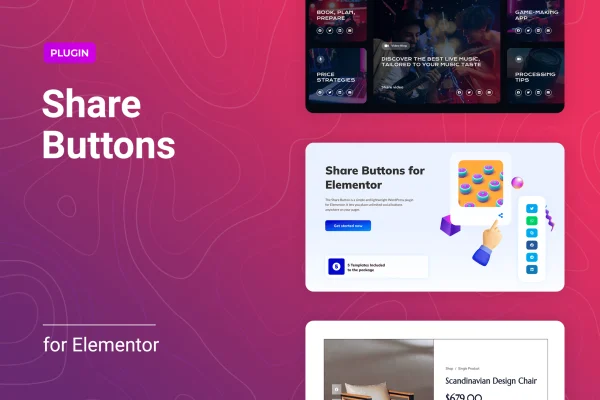
Sharinger for Elementor is a WordPress plugin that adds social share buttons to pages built with Elementor. It lets visitors pass your content along to networks such as Facebook, Twitter, LinkedIn, WhatsApp, Reddit and Email, and it gives you detailed control over how the buttons look.
- Version
- 1.0.3
- Released
- Jan 13, 2026
- Type
- WordPress plugin
- Requires
- Elementor
- Licence
- GPL
- Included in
- Every plan, or $3.99 on its own
What’s new in Sharinger for Elementor 1.0.3
Version 1.0.3 · Jan 13, 2026
Latest
- SecurityFixed plugin security issues
What it does
Many sites want visitors to share posts and pages, but adding share buttons that match the rest of the design can be fiddly. This plugin works inside Elementor, so you place share buttons the same way you place any other element on a page. You can add as many sets of buttons as you like and put them wherever they make sense, such as near a headline, beside an article or at the end of a post.
Once the buttons are on the page, you choose from several button views, skins and shapes, then adjust sizes, icon sizes, typography and spacing. Colors can follow each network's official palette or a custom scheme that fits your brand. The column layout can be set separately for desktop, tablet and mobile, and the buttons are responsive and retina ready. Elementor is required.
Best for
- Bloggers who want readers to share their posts
- Elementor sites needing on-brand social share buttons
- Agencies building Elementor pages for business clients
Features
Support for 15+ networks
Share to more than 15 social networks, including Facebook, Twitter, LinkedIn, WhatsApp, Reddit and Email, so visitors can use the platforms they prefer.
Unlimited button placement
Add share buttons as many times as you need, anywhere on your Elementor pages, and position them where they fit your layout.
Button views, skins and shapes
Pick from multiple button views, skins and shapes to set the overall look of your share buttons and match your site's style.
Per-device column layouts
Set the number of columns separately for desktops, tablets and mobiles, so the button arrangement suits each screen size.
Detailed sizing and typography
Adjust button sizes, icon sizes, typography and spacing to fine-tune how the share buttons sit within your page design.
Official or custom colors
Use each network's official icon colors or apply your own custom colors to keep the buttons consistent with your branding.
Responsive and retina ready
Buttons adapt to different screen sizes and display sharply on high-resolution screens, keeping icons clean on phones, tablets and desktops.
Sharinger for Elementor older versions
- 1.0.2Apr 27, 20251 new
Members and buyers of this product can download older versions.
Questions about Sharinger for Elementor
Do I need Elementor to use this plugin?
Yes. The plugin is built to work with Elementor and requires it. You add and style the share buttons from inside the Elementor editor, alongside the other elements on your page.
Which social networks can visitors share to?
It supports more than 15 networks. Examples include Facebook, Twitter, LinkedIn, WhatsApp, Reddit and Email, which covers the main places people tend to share articles and pages.
Can I make the buttons match my brand colors?
Yes. You can keep each network's official icon colors or switch to custom colors. You can also change button shapes, skins, sizes, icon sizes, typography and spacing to fit your design.
How do the buttons look on mobile devices?
The buttons are responsive and retina ready. You can also set a different column layout for desktop, tablet and mobile, so the arrangement works well on smaller screens.
Is Sharinger for Elementor free?
The code of Sharinger for Elementor is licensed under the GPL, so anyone may use, change and share it. GPL Feast is a paid service: a plan or a single purchase gives you the download and automatic updates. The developer's own support, licence key and online services are not included.
Which version of Sharinger for Elementor is this?
Version 1.0.3, released Jan 13, 2026. New versions appear here when the developer publishes them, and members get them as automatic updates.
How do I update Sharinger for Elementor?
Install the free GPL Feast Updater on your site and connect it with your API key. It installs new versions of Sharinger for Elementor automatically and keeps a backup, so you can roll back.
What does Sharinger for Elementor need?
Sharinger for Elementor needs Elementor installed and active.
You might also like






